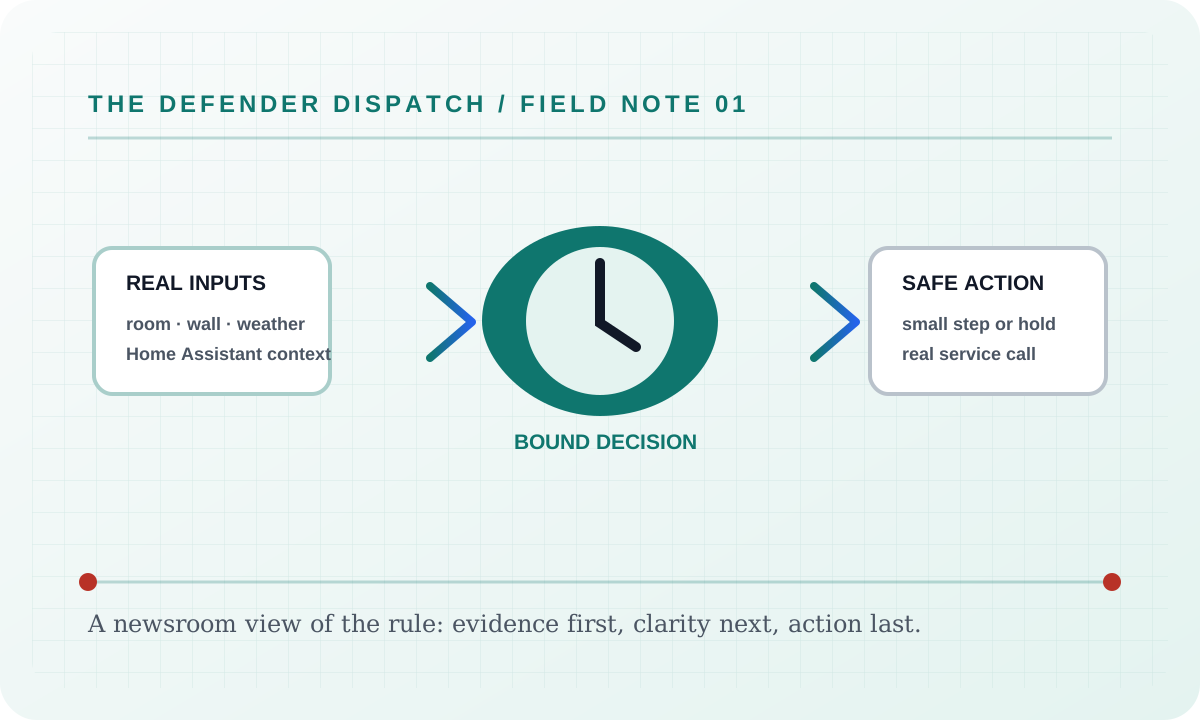
Architecture
The application is one ASP.NET Core process with two responsibilities:
- Blazor Server website with MudBlazor dashboard and settings components.
- Hosted background worker for continuous defender checks.
Main Components
HomeAssistantClient: Calls Home Assistant REST endpoints for climate, weather, temperature, and fan services. It also caches the installation coordinates returned by/api/config.OpenMeteoWeatherClient: A credential-isolated, key-free backup for real current weather and a 48-hour hourly forecast. Home Assistant remains primary; the backup is cached for at least ten minutes and never receives an HA token. Weather data is provided by Open-Meteo under CC BY 4.0.DefenderStateStore: Persists target, settings, schedule, weather, audit log, cooldown state, Comfort Sync timing, and command tracking.AcDefenderService: Runs the defender cycle and executes real Home Assistant corrections.AcDefenderWorker: RunsAcDefenderServicecontinuously using the configured polling interval.Components/Pages/Dashboard.razor: MudBlazor dashboard with live polling, real thermostat actions, fan controls, audit log, and helper descriptions.Components/Pages/Settings.razor: MudBlazor settings page with schedule editor and helper descriptions under controls./api/status/stream: Server-Sent Events endpoint retained for external real-time clients.
Command Attribution
The app records setpoints, HVAC mode, and fan mode it commands itself and treats matching Home Assistant updates inside the command grace window as app-originated. Other setpoint changes are logged as external thermostat touches.
When Home Assistant includes state context data, the audit log also stores the context ID, parent ID, and user ID. A user_id is labeled as a Home Assistant user or phone app change. A parent_id is labeled as a Home Assistant automation, script, or service chain. A context ID without those fields is labeled as a thermostat/device change.
Website command debounce is also stored in DefenderStateStore. Dashboard handlers and HTTP POST endpoints call the same gate before accepting thermostat-affecting manual actions such as target generation, target changes, exact target, boost, fan mode, thermostat off, and the too-cold emergency. Defender activation, settings saves, thermostat refresh, and non-thermostat quiet actions bypass the thermostat debounce.
Comfort Sync
Comfort Sync is implemented inside DefenderStateStore and consumed by AcDefenderService. The worker still talks only to the real Home Assistant climate entity. Comfort Sync decides whether to wait, whether to hold briefly, and which real setpoint command HomeAssistantClient sends. Warm-room corrections are anchored to current room temperature, so a raised wall setpoint does not become the starting point for the next cooling command.
Natural Walkback is part of that same state-store command selection path. It calculates touch pressure from recent external wall changes, then uses smaller safe-band setpoint steps before AcDefenderService sends the real Home Assistant command. It is skipped when the room needs a direct warm-room correction anchored at the current room temperature minus configured WarmRoomApproachCelsius (0.5 °C by default), rather than at the wall setpoint; that correction continues toward, but never below, the website target.
Touch Signature is another command-shaping layer in DefenderStateStore. It reads recent real external thermostat audit entries, learns a bounded wall-step size, and applies that size only to safe nudges. It does not invent state and it is skipped when direct comfort correction is needed.
Visibility Guard is a persisted safe-correction hold in DefenderStateStore. It records wall touches that happen soon after defender commands, then lets AcDefenderService delay only safe follow-up corrections. It clears when direct room comfort correction is needed.
Routine Timing is another DefenderStateStore timing guard consumed by AcDefenderService. It can hold a safe correction until a normal-looking minute rhythm after repeated wall touches, then clears before the real Home Assistant command is sent. It is skipped when room comfort needs direct correction.
Comfort Budget is stored in DefenderStateStore as recent real setpoint command timestamps. AcDefenderService checks it before sending another safe correction. It limits only safe repeated commands and clears when comfort safety requires direct correction.
Command Camouflage is a persisted safe-correction hold in DefenderStateStore. AcDefenderService checks it after Comfort Budget and before the later visibility/cadence holds. It spaces another safe command after the most recent helper setpoint command using recent touch and command pressure, and it clears immediately when direct comfort correction or quiet-timing bypass is needed.
Stealth Governor is a persisted low-profile hold in DefenderStateStore. AcDefenderService checks it after Command Camouflage and before Visibility Guard. It combines wall-touch pressure, noticed-correction pressure, remote/Home Assistant changes, and recent helper command count into a score, then delays only safe corrections while the room remains inside its safety band.
Human Nudge is a final command shaper in DefenderStateStore. AcDefenderService calls it after Natural Walkback and Touch Signature calculate the candidate setpoint, and before Repeat Quiet checks for duplicate commands. It rewrites only safe, non-bypass commands into normal thermostat-looking step values and clears when direct comfort correction is needed.
Natural Cadence is a persisted timing slot in DefenderStateStore. AcDefenderService checks it after routine timing, comfort budget, command camouflage, stealth governor, and visibility guard, then waits only for safe corrections. Its delay is based on recent wall-touch pressure and recent automatic command pressure, and it clears when direct comfort correction is needed.
Comfort Pace is a higher-pressure timing slot in DefenderStateStore for frequent wall changes. AcDefenderService checks it before routine timing and other late safe-correction holds. It chooses a persisted due time from wall-touch pressure, recent command pressure, real weather movement, the learned Home Assistant sensor rhythm, and local 5/10-minute clock boundaries. It only delays safe corrections and clears immediately when direct comfort correction is needed.
Comfort Envelope is a persisted safe wall-preference hold in DefenderStateStore. AcDefenderService checks it before room trend and thermal momentum once a correction is needed. It stores the exact accepted setpoint range used for the decision so the dashboard shows the same min/max values the worker enforced. It only observes small setpoint differences while the room remains safe and clears immediately when the room is too warm, the wall setpoint leaves the range, or direct comfort correction is needed.
Comfort Compromise is evaluated inside CalculateExpectedSetPoint. It can temporarily adjust the effective target from repeated wall choices, but only while the real room temperature remains inside its safety band. Target changes from the website, schedule, or upstairs comfort clear the compromise.
Comfort Memory is also evaluated inside CalculateExpectedSetPoint, before temporary compromise. It stores small local-hour offsets learned from repeated safe wall choices, prunes them by retention time, and skips warmer memory when upstairs is hot.
Touch Intent is evaluated in DefenderStateStore after a real external wall change is logged. It classifies recent wall choices as warmer, cooler, mixed, or learning, then can extend Manual Comfort Grace only while room temperature is inside its safe band. It does not issue commands and clears before direct cooling decisions.
Cooler Intent Fast Lane is also evaluated in DefenderStateStore after a real external wall change is logged, then checked by AcDefenderService before quiet timing guards. When recent real wall choices clearly move cooler and the room is still above the website target, it clears safe quiet waits for a short configured window. It does not change the target or create fake thermostat state.
Super Defender is evaluated from the same real Home Assistant readings and audit path. Repeated user/phone or automation-sourced changes inside the configured window arm a strict response hold. While armed, AcDefenderService can bypass quiet timing if the room still needs cooling and the safety band does not allow a normal natural hold. It does not send router, Wi-Fi, or firewall commands; the UI only explains that network blocking must be a manual router/MAC decision because automatic blocking can remove thermostat visibility and recovery.
Remote Settling Guard uses the same real Home Assistant context attribution as Super Defender, but it delays only safe corrections instead of bypassing quiet timing. DefenderStateStore keeps the recent remote-style change timestamps, source label, and hold expiry. AcDefenderService checks it after Setpoint Stillness and before later sensor timing guards, clearing it immediately when room comfort requires direct cooling.
Setpoint Echo is evaluated in DefenderStateStore using the same pending setpoint command record that attributes Home Assistant updates to the app. AcDefenderService can wait for that real echo before sending another safe command, and bypasses the wait when direct comfort correction is needed.
Setpoint Stillness is a persisted timing guard in DefenderStateStore. It records real Home Assistant setpoint samples from climate readings and lets AcDefenderService wait only for safe corrections until the same wall setpoint appears for the configured number of readings. It clears when direct comfort correction is needed, the expected setpoint already matches, or the max hold expires.
Repeat Quiet is evaluated after the final command setpoint is calculated and before AcDefenderService writes to Home Assistant. It compares the pending real command against the last defender setpoint and delays only safe identical repeats; different cooling steps and direct comfort corrections continue.
Sensor Rhythm is a persisted timing guard in DefenderStateStore. It stores real Home Assistant climate reading timestamps, learns the median reading interval, and lets AcDefenderService delay only safe corrections until just after that cadence. It clears before direct comfort correction.
HVAC Alibi is another persisted timing guard in DefenderStateStore. It tracks the real Home Assistant hvac_action and its last transition, then lets AcDefenderService delay only safe corrections until a real action change occurs or the max hold expires. It clears before direct comfort correction and never creates fake thermostat state.
Telemetry Alibi is a persisted timing guard in DefenderStateStore. It reuses real Home Assistant reading timestamps, weather samples, and Alectra Hui usage updates as cover signals. AcDefenderService checks it after HVAC Alibi and before broader natural recovery timing, delaying only safe corrections after repeated wall touches until the configured quiet hold has passed and a fresh enabled telemetry signal appears. It clears immediately for direct comfort correction.
Cooling Runway is a persisted timing guard in DefenderStateStore that watches the real Home Assistant hvac_action. When the action changes into cooling, AcDefenderService can delay only safe follow-up corrections so the AC gets time to work before another command. It clears when cooling stops or direct comfort correction is needed.
Adaptive quietness is also calculated in DefenderStateStore. It turns recent external thermostat touches into a quiet level and effective delay, hold chance, command gap, and nudge size. The dashboard displays those effective values so the UI matches the worker decision.
Cool Mode Restore is stored in DefenderStateStore and evaluated by AcDefenderService after pause and intentional-off guards, but before schedule, weather, cooldown, or setpoint logic. It can delay the real climate.set_hvac_mode restore command while room temperature is inside the safe band, and it skips the delay when comfort safety requires cooling now.
Manual Comfort Grace is stored and evaluated in DefenderStateStore as well. AcDefenderService asks it whether a recent wall thermostat change should be left alone while room temperature is still within the configured comfort band. It never creates fake state; it only delays real correction commands.
Conflict Quiet is stored in DefenderStateStore and evaluated by AcDefenderService before normal cooldown. It turns repeated external wall touches into a temporary stand-down while room temperature remains within the configured safe band. It does not fake a thermostat update; it only avoids sending an obvious corrective command for a while.
Tug-of-War Truce is another persisted wall-touch hold in DefenderStateStore. It analyzes the real external thermostat audit log for alternating up/down setpoint flips, then AcDefenderService checks it while a real correction is pending. It delays only safe answer-back corrections, clears when comfort needs direct cooling, and never writes fake thermostat state.
Room Trend Guard is also stored and evaluated in DefenderStateStore. It keeps a small history of real dining room temperature samples and classifies the room as warming, stable, or cooling before AcDefenderService sends a correction. It only affects timing; all commands still go through HomeAssistantClient.
Thermal Momentum is another DefenderStateStore decision that uses those same real room-temperature samples. It estimates cooling rate and minutes to target after a recent wall touch, then lets AcDefenderService wait when the room is already moving toward the target fast enough. It never invents thermostat state and does not issue fake commands.
Weather Drift Timing is a persisted DefenderStateStore timing guard using real Home Assistant outdoor weather samples. AcDefenderService checks it after room trend and thermal momentum. It can hold only safe post-touch corrections while outdoor temperature is stable or cooling, then clears when outdoor temperature has genuinely warmed enough, the hold expires, or room comfort needs direct correction.
Alectra Peak Power Saver is another persisted DefenderStateStore timing guard using real Alectra Hui Home Assistant entities. AcDefenderService refreshes the Alectra reading on the configured interval, not every thermostat poll. The guard arms from On-peak TOU, high current price, or high current power, then holds only safe commands that would demand more cooling. It allows energy-saving setpoint raises and clears when room or upstairs comfort requires cooling. Optional peak fan saver calls still go through HomeAssistantClient.SetFanModeAsync.
The Energy page is a read-only MudBlazor view over HomeAssistantClient.GetLiveUsageAsync and GetUsageHistoryAsync. Its Alectra Hui tabs, search, filters, tables, and charts do not call thermostat command APIs.
Front-door Guard Post is a real detector kill switch. HomeAssistantClient reads configured front-door person detector entities, or auto-discovers likely binary_sensor/sensor entities whose names look like front-door, porch, entry, or entrance person detection. AcDefenderService checks it immediately after real thermostat and detector refreshes. If any detector reports a person, DefenderStateStore pauses the defender and the worker sends climate.set_hvac_mode off when enabled. The off command is tagged as front-door-kill-switch, so a later Home Assistant state echo is not logged as a wall-control touch.
Failure modes
If Architecture cannot obtain one of its required real inputs, it reports a blocked, held, or unavailable result and leaves the background worker’s Home Assistant refresh running. It never fills a missing room reading, audit event, weather sample, usage value, or device state with a simulator value. If a real Home Assistant command is rejected, the user sees the service’s actual error and the article’s surface remains available for recovery.
Security considerations
This feature consumes only the configured Home Assistant entity data, local settings, and the audit context named above. Tokens and credentials stay in the server environment; the static documentation site does not collect analytics, transmit search text, or embed third-party assets. Logs and exports should be reviewed before sharing because real entity names and timestamps can identify a household.
Verification
Verify the shipped behavior at the feature’s live page or endpoint, then run the repository’s documented build and test commands. Confirm the real-input and real-error paths, keyboard access, reduced-motion behavior, and a 390 px viewport without horizontal overflow. Record the exact commit and workflow result when publishing a release; a static screenshot alone is not proof of a live Home Assistant command.
Suggested articles
- Feature briefs — find every documented surface and guard.
- Defender Logic — follow the complete decision cycle and its bypass rules.
- Settings — inspect persisted configuration, language modes, and safety limits.