For Windows 10 and 11 · release v1.0.75
Your PC,
watched quietly.
A tray app that shows what you copied, tells you why the internet dropped, and turns a copied path plus a word like :mp4 into a finished file.
This site explains and downloads the app. It is not the app, and nothing on it runs on your computer.
Areas
17
Articles
104
Lines at v1.0.75
133,051
Needs internet
never
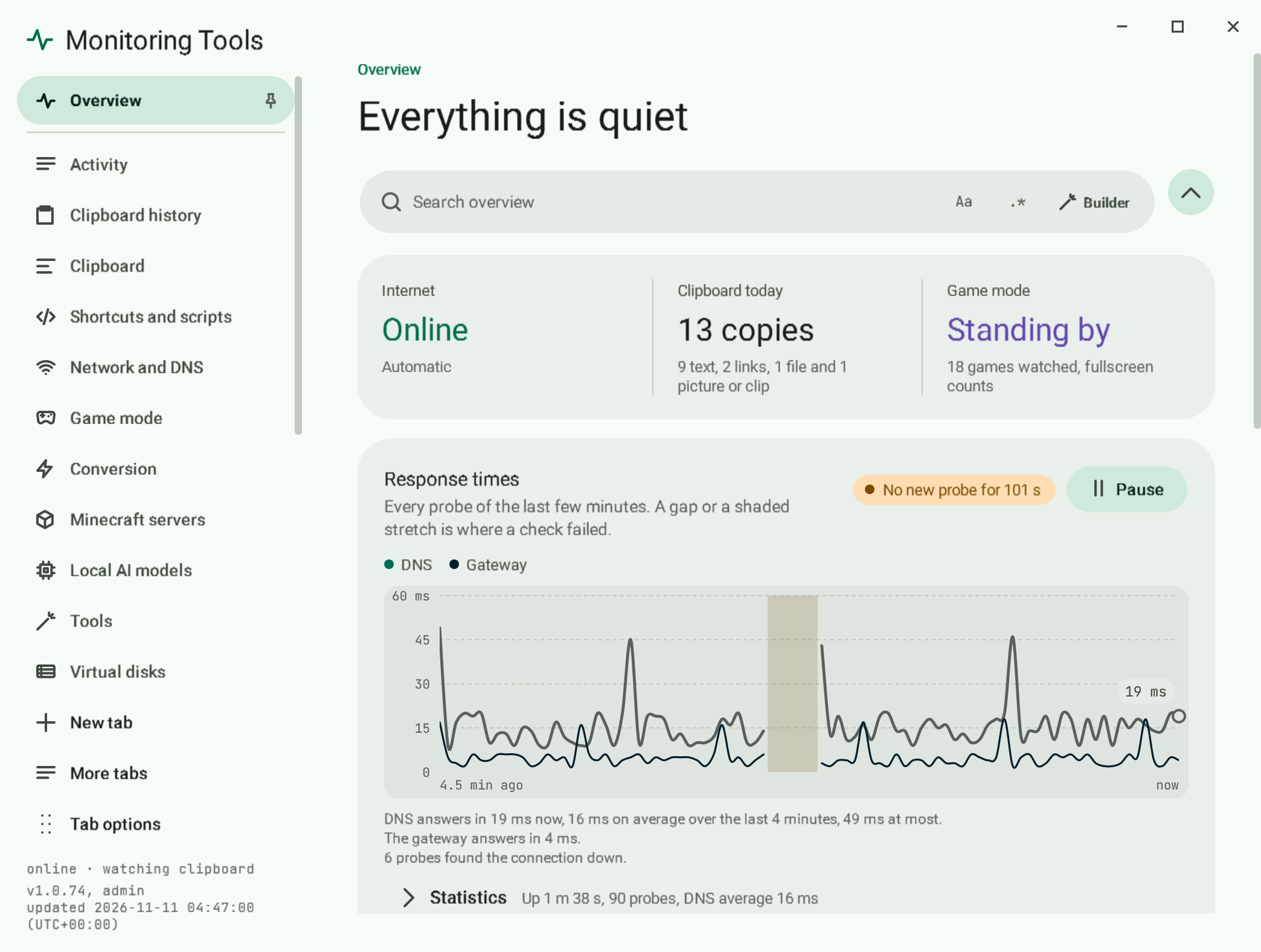
Copy anything. Get the next step.
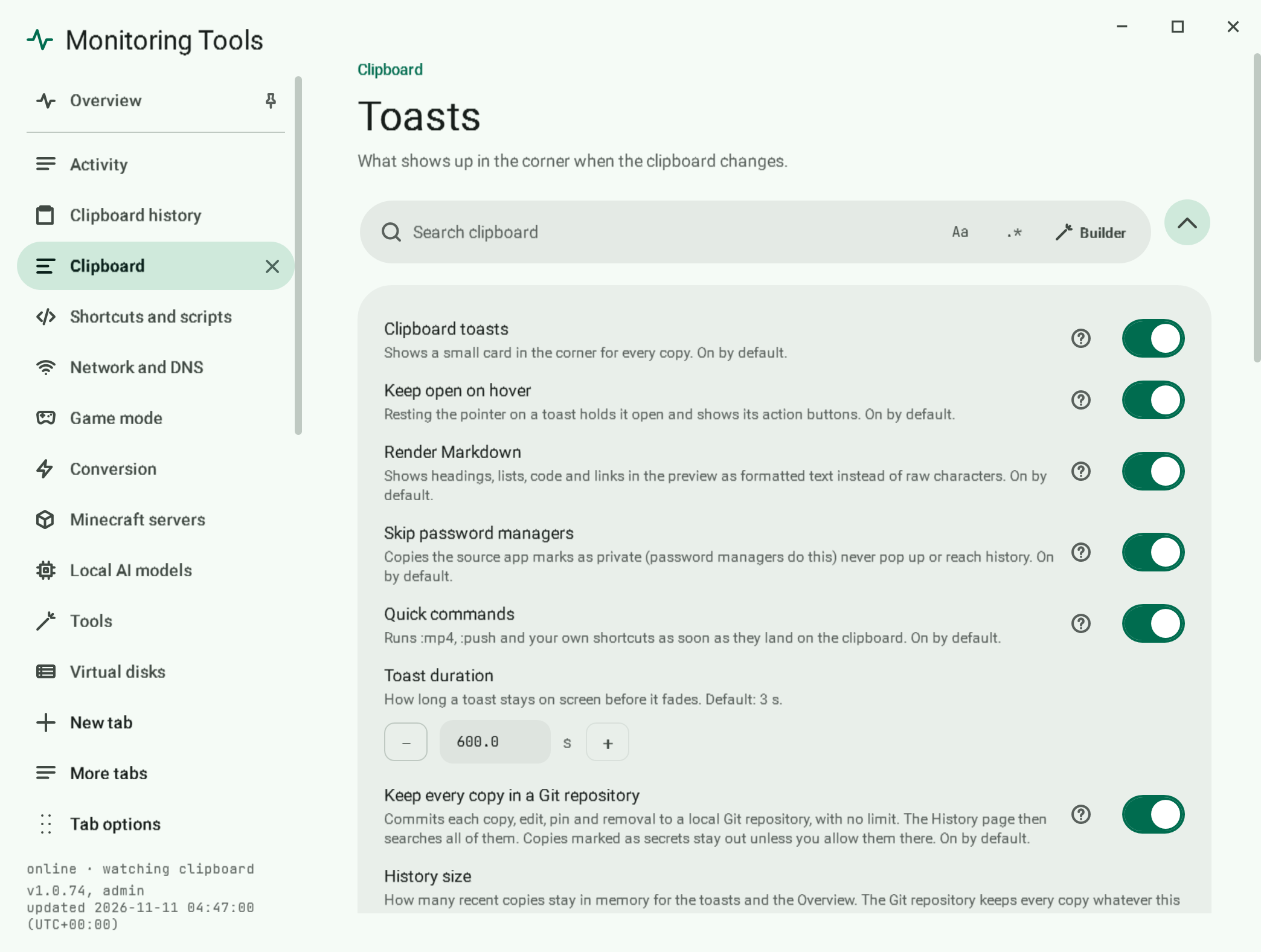
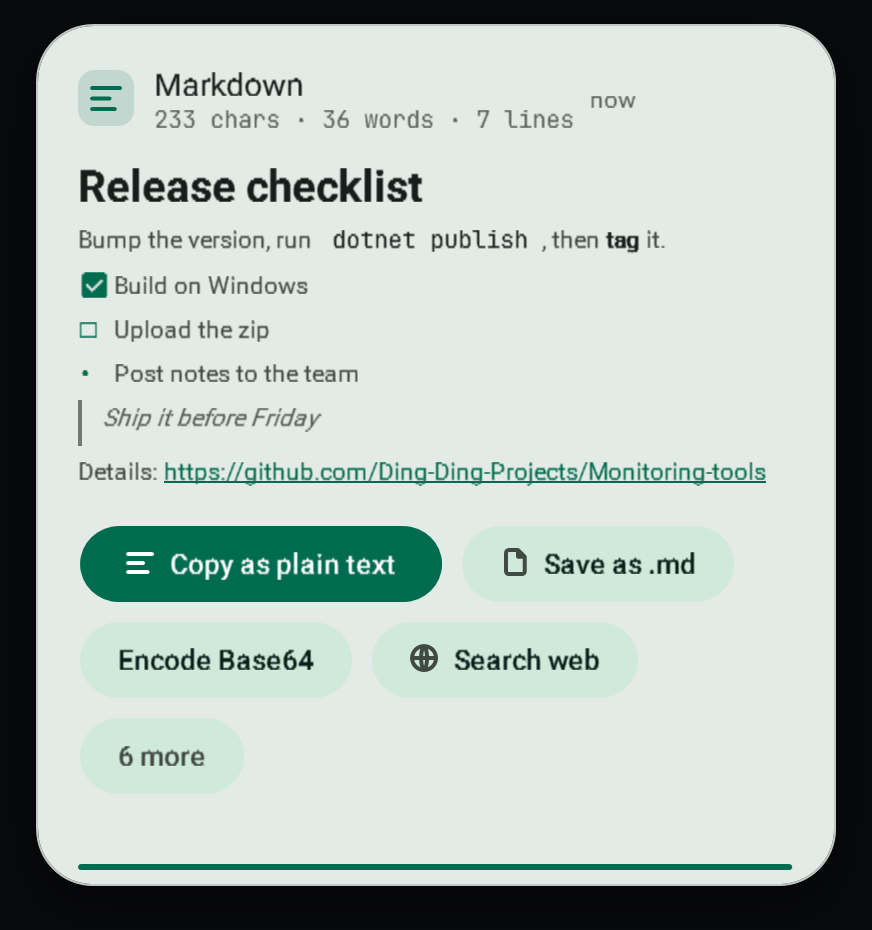
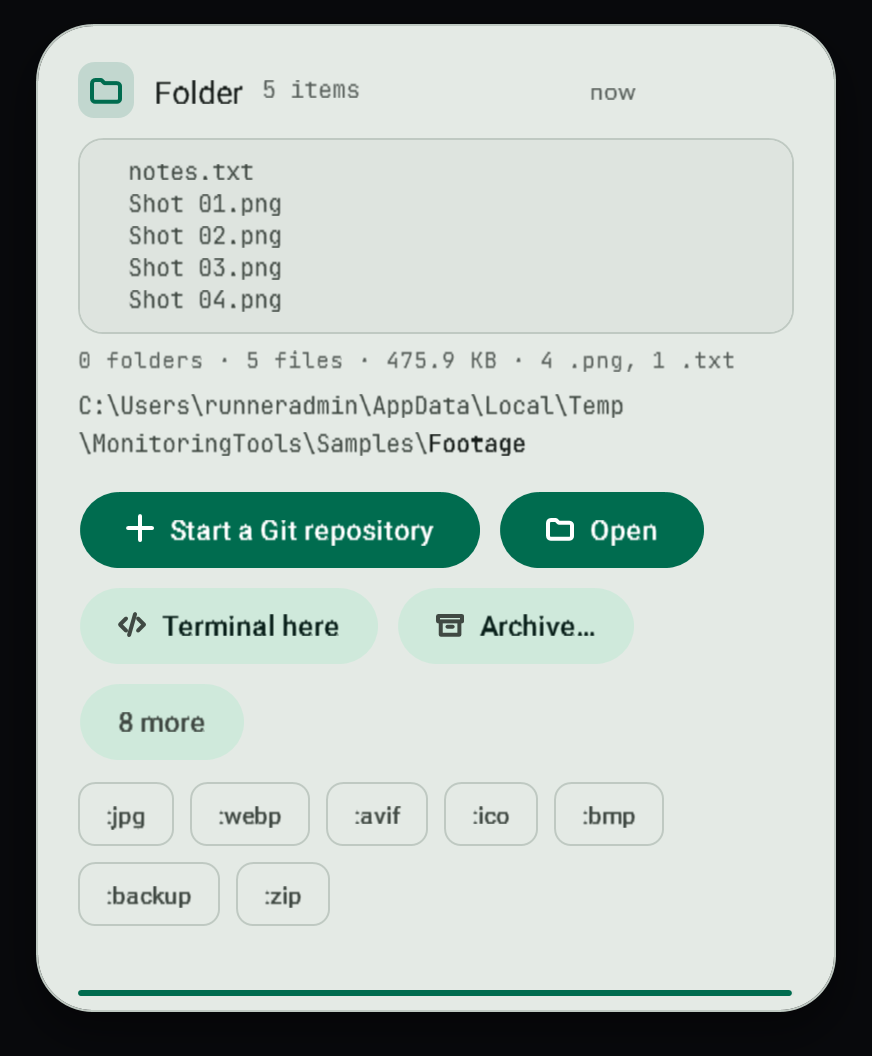
Bottom right, three seconds, always on top. Hover and the actions fit what you copied: open it, convert it, strip the quotes, move the files.
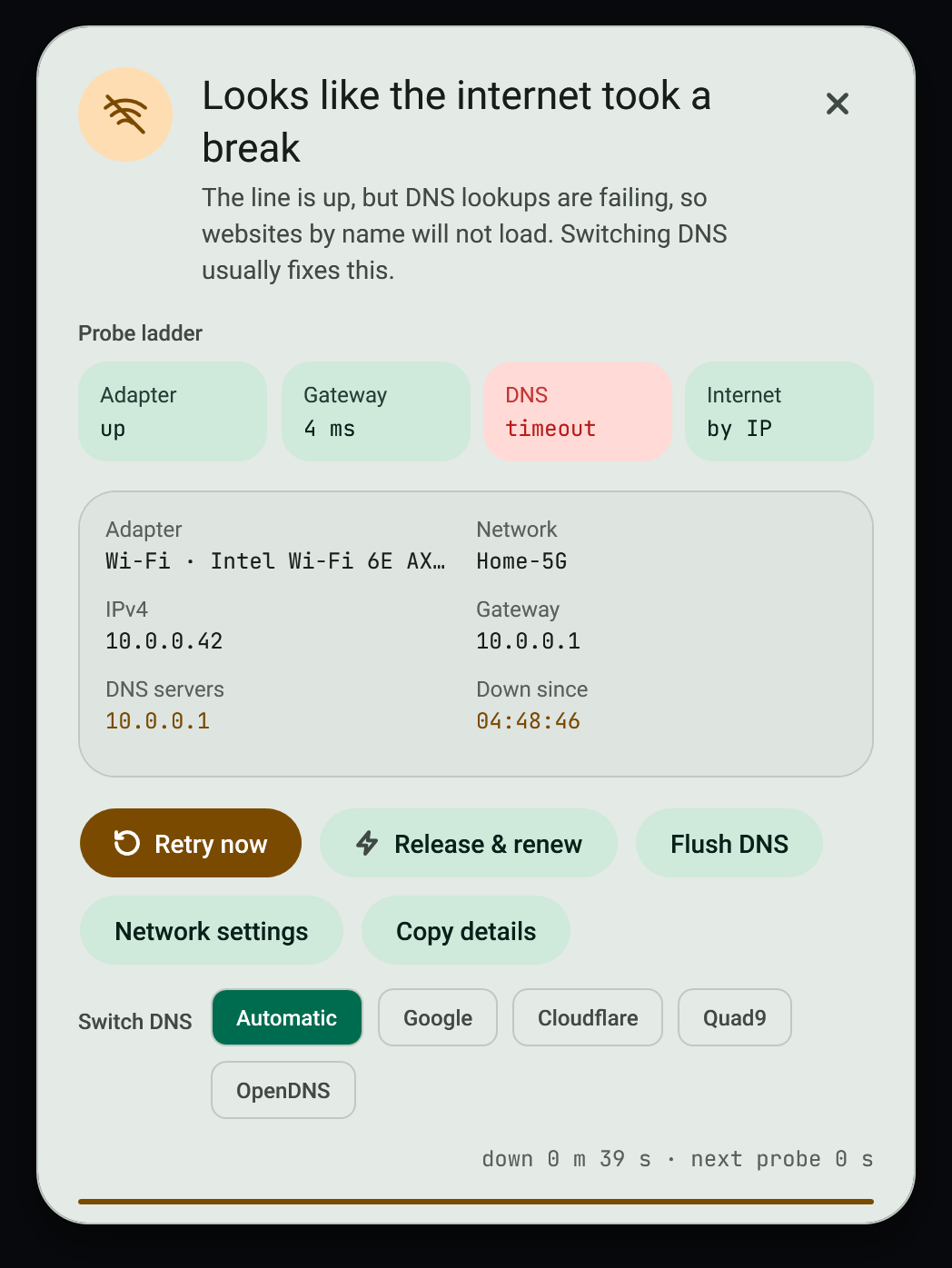
It names the step that broke.
- Adapterok
- Router4 ms
- DNSfailing
- Internetwaiting
Then one press: release and renew, or switch DNS. Illustration of the app's checks.
Start from the job
I want to…
- Quick commands
Convert a video, picture or audio file
Copy a file path, add :format on the end, and the converted file appears next to the original with the same name.
Read how - Quick commands
Commit and push a repository from the clipboard
Copy a repository folder with :push on the end and the app stages everything, commits and pushes the current branch.
Read how - Files and Docker
Pack files and folders into one virtual disk
The Virtual disks page in the control centre manages VHD, VHDX and VHD Set files and attaches ISO images. It works
Read how - Clipboard
Get back something I copied earlier
The control centre keeps every copy in a local Git repository, one commit per copy, so you can find anything you ever copied.
Read how - Clipboard
Understand the toast that appears when I copy
A small card slides into the bottom-right corner each time the clipboard changes. It stays for 3 seconds and holds while the pointer is over it.
Read how - Network
Work out why the internet dropped
When the connection drops, an always-on-top dialog explains where it broke and stays until the connection returns or you dismiss it.
Read how - Network
Switch DNS servers
Switch between Automatic, Google, Cloudflare, Quad9, OpenDNS or your own saved servers.
Read how - Search
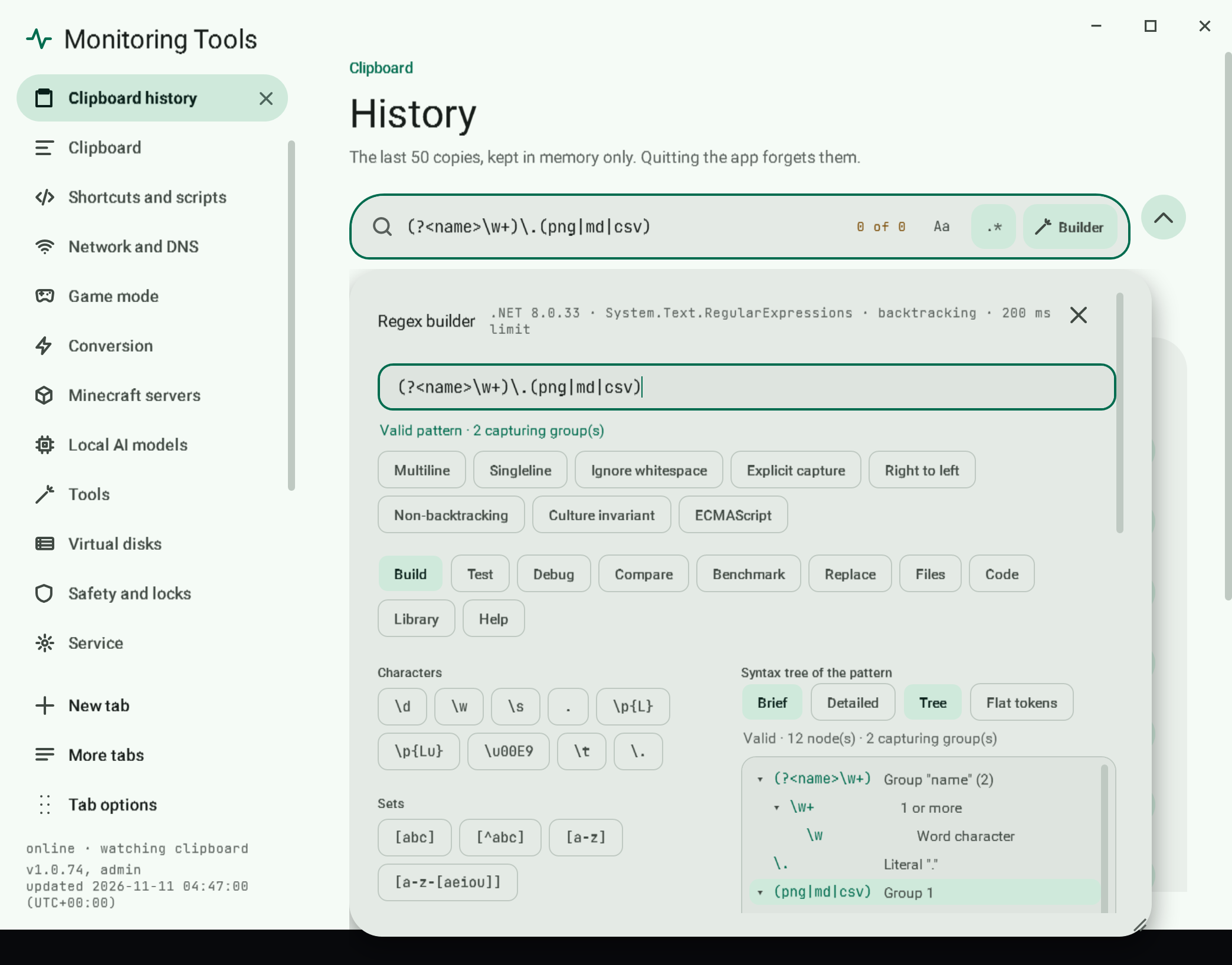
Search a page with a regular expression
The builder opens directly under the search bar it belongs to (Builder button or Alt+B) and edits that bar's pattern. The pattern box at its top and the search bar stay in step in both directions.
Read how - The app itself
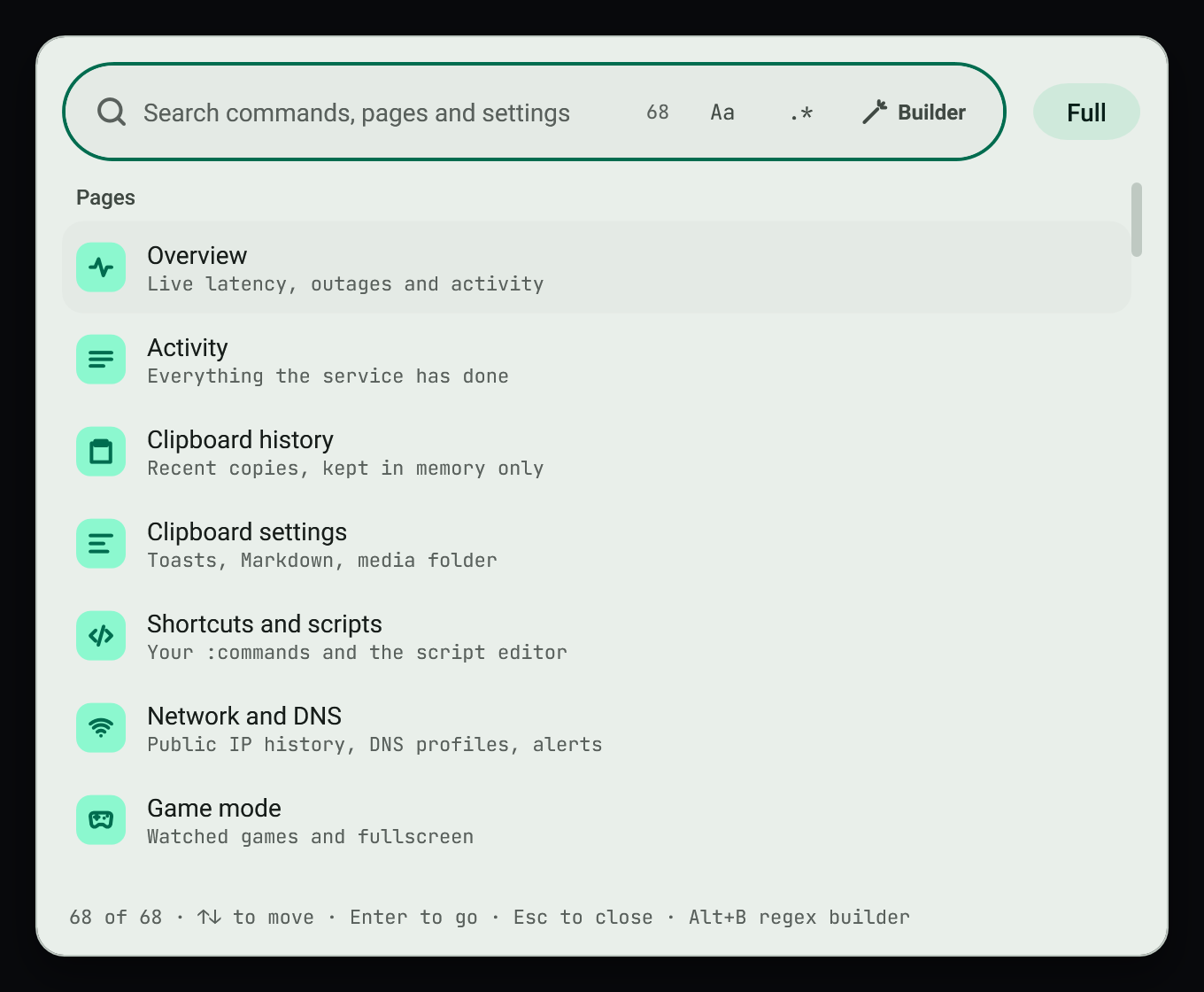
Find anything from the keyboard
Press Ctrl+Shift+F to jump to any page, any setting or any action.
Read how - Appearance
Make it look the way I like
Chooses light colours, dark colours, or whichever Windows is using. System reads the Windows app mode (AppsUseLightTheme) and updates when Windows changes it.
Read how - Game mode
Keep popups away while I game
On by default. Popups are held back while a listed game runs, or while any app is fullscreen.
Read how - Safety
Lock a setting so it cannot be changed by accident
Right-click (or press Shift+F10 or the Menu key on) a button, a setting row or a card and choose Lock this element…. A small card opens beside it.
Read how - Modes
Keep a shared computer for school work
A switch for handing the computer to someone who should only see a quiet, English-only version of the app. The user chooses the mode's name; the default is "School mode".
Read how
Demonstration
See what a quick command would do
Copy a path, add a word, and the command runs when it lands on the clipboard. Conversions keep the folder and name and never overwrite anything.
Demonstration only. This explains the behaviour in words. Nothing runs, and no file is touched.
Every feature, none left out
17 areas. 104 articles.
- The app itselfHow it runs, the tray icon and the command palette.12
- AppearanceTheme, colour, density, text size and motion.12
- Appearance editorPer-element editors and the colour picker.5
- ClipboardToasts and the clipboard history.8
- Quick commandsConvert media, push a repo, run your own scripts.4
- Files and DockerFile tools, virtual disks and Docker actions.9
- Game modeKeep popups away from the game you are playing.1
- Language and voiceApp language, humour, narrator and voices.8
- Minecraft serversCreate and manage servers and generate worlds.13
- ModesSchool mode, ADHD modes, schedules and the settings file.5
- NetworkInternet watch, DNS profiles and public IP history.3
- OllamaManage local models.2
- RecordsChangelog, exports, notifications and settings history.5
- SafetyAuthenticator, element locks, unlock ladder and support tickets.6
- SearchSearch bars everywhere and the regex builder.3
- TabsThe tab strip.1
- ToolsDrawing, Base64 beside a file, external editor, progress recovery and publishing.7
- Browse all 104 articles