The app itself
Command palette
Press Ctrl+Shift+F to jump to any page, any setting or any action.
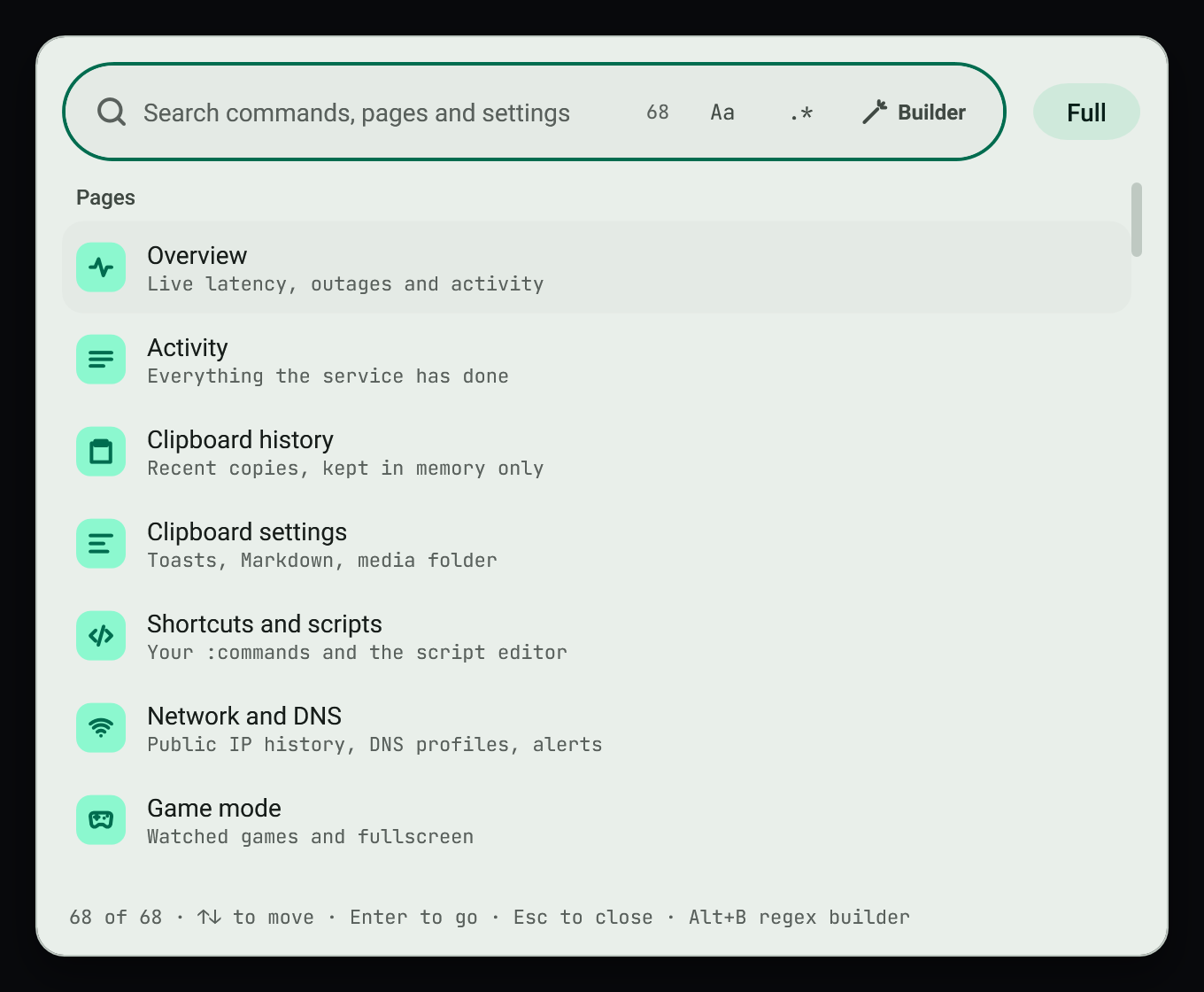
#Use it
- Press
Ctrl+Shift+F, or choose Command palette in the tray menu. - Type what you want. Plain text is the default and every word must match.
- Switch to regex with
.*and open the builder with Builder. See Regex builder. - Choose a result. Settings show their live control inline, and choosing one takes you to the exact control and highlights it.
#Search every page
When a page search finds nothing it offers Search every page, which opens the palette with the same query, mode and options.
#Related
View this article's Markdown source on GitHub
Suggested articles
- Search
Regex builder
The builder opens directly under the search bar it belongs to (Builder button or Alt+B) and edits that bar's pattern. The pattern box at its top and the search bar stay in step in both directions.
Read it - Search
Search bars
Each field keeps its own query, mode, case, regex options, replacement, test sample and recent patterns. Typing in one never changes another. The state lives in memory while the app runs; only…
Read it Element menu
Right-click an element, or focus it and press Shift+F10 or the Menu key, to get a menu for that exact element. It has its own filter field with the regex builder, shows each item's shortcut and is…
Read itService and tray
Monitoring Tools installs per user, starts at sign-in and runs under a supervisor that restarts it after a crash.
Read it