Network
Internet watch
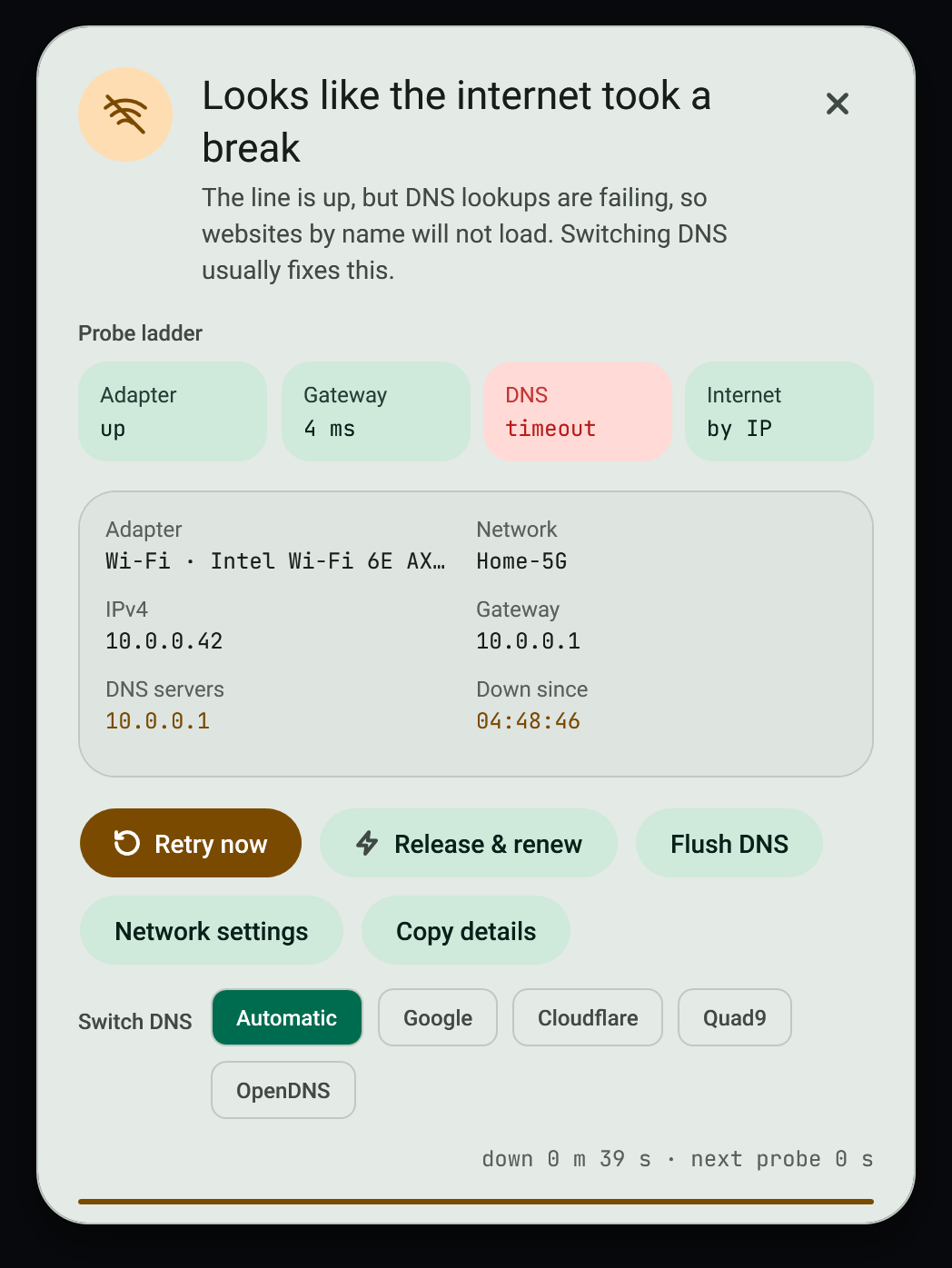
When the connection drops, an always-on-top dialog explains where it broke and stays until the connection returns or you dismiss it.
#Fix a broken connection
- Read the diagnosis. It names where the chain broke: adapter, IP address, gateway, DNS, upstream, or a captive portal.
- Press Release and renew to run
ipconfig /release,/renewand/flushdnsin one step. - If the diagnosis points at DNS, try a different server. See DNS profiles.
- On a captive portal, use the sign-in button to open the sign-in page.
- Copy the report if you need to send it to someone.
#What is checked
Live probes of the adapter, the local address, the gateway, DNS lookups and an outside address. The Network page shows the recent probes; gaps are failed checks.
#Quiet times
The dialog follows game mode and snooze, so it does not interrupt a game. See Game mode.
#Failure modes
- Release and renew needs administrator rights; the service can ask once through UAC.
- A diagnosis is a best reading of the probes. It is not proof of the cause.
#Related
View this article's Markdown source on GitHub
Suggested articles
DNS profiles
Switch between Automatic, Google, Cloudflare, Quad9, OpenDNS or your own saved servers.
Read it- Game mode
Game mode
On by default. Popups are held back while a listed game runs, or while any app is fullscreen.
Read it - The app itself
Service and tray
Monitoring Tools installs per user, starts at sign-in and runs under a supervisor that restarts it after a crash.
Read it Public IP history
When your public IP address changes, a dialog shows the old and new address and the change is committed to a small local git repository.
Read it