Clipboard
Clipboard toasts
A small card slides into the bottom-right corner each time the clipboard changes. It stays for 3 seconds and holds while the pointer is over it.
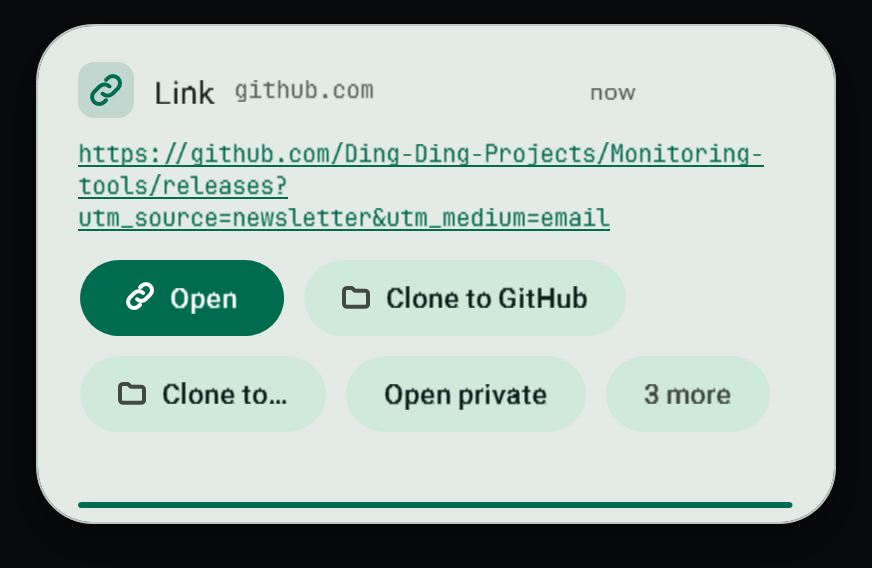
#What you see
The toast shows a preview of what you copied and four actions up front. Everything else is behind More. Hovering reveals the full set of actions that make sense for that kind of content.
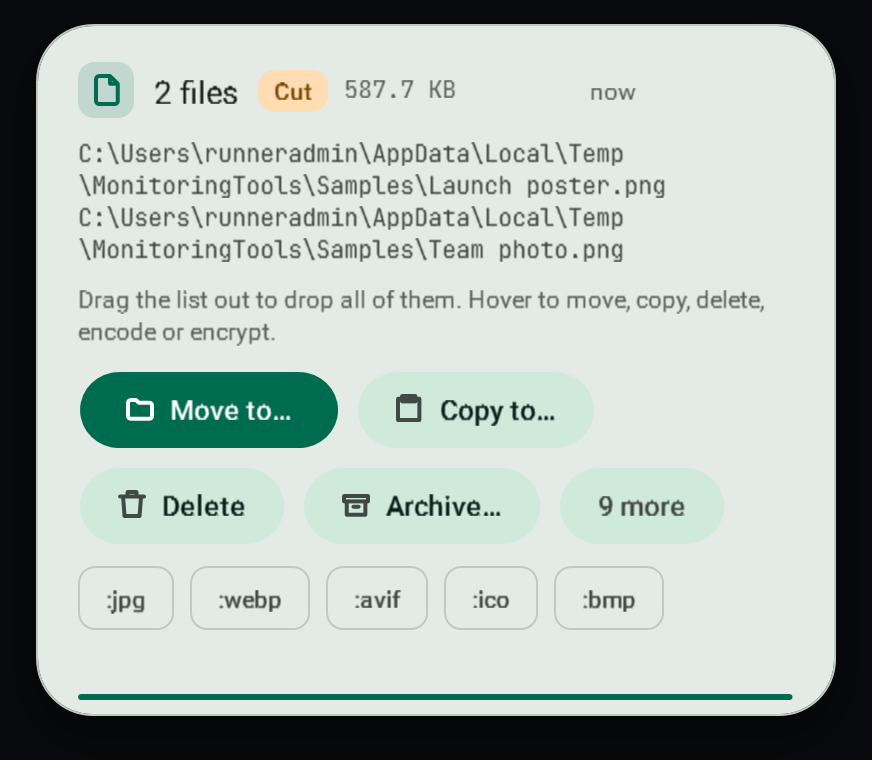
#Cut or copied
Beside the title a small label says Cut (amber) or Copied (green), and clipboard history says "cut" or "copied" in the same way.
- Files: Explorer and most file managers mark files that were cut. Cut files say "pasting moves these files"; copied files say "pasting makes copies and leaves the originals".
- Text, pictures and everything else: the clipboard itself does not record it, so the shortcut you held tells: Ctrl+X or Shift+Delete is a cut, Ctrl+C or Ctrl+Insert (and Ctrl+Shift+C in terminals) is a copy. The keys are read only at the moment the clipboard changes; nothing you type is recorded.
- Cut or Copy picked from a menu leaves no trace, so the toast shows no label rather than guessing.
#Actions by kind of content
| You copied | Preview | Actions |
|---|---|---|
| Text or Markdown | Rendered Markdown | Copy as plain text, change case, tidy spaces, join lines, search, translate, save as a file |
| A link | The address | Open, open in a private window, copy domain, strip tracking parameters, copy as a Markdown link |
| A file or folder | Video frames, PDF and document thumbnails, album art, first lines of text or code, CSV tables, folder and zip listings, plus duration, resolution and codecs for media | Open in the default app, Open with, show in folder, copy name, forward slashes, terminal here |
| A Git repository folder | The folder listing | Open in Desktop Material, Open on GitHub (or GitLab, Bitbucket, the server), with a Remote dropdown list box when there are several remotes; see Git repository folders |
| A quoted path (Explorer "Copy as path") | The path | Remove quotes |
| An unquoted path | The path | Add quotes |
| Several files | A count and names | Move to, copy to, delete to the Recycle Bin, batch conversion chips |
| An image, video or audio file | A preview | Save, convert, quick command chips such as :mp4, :gif, :mp3, :webp; drag the preview out of the toast into any drop target |
| Base64 text | The text | Decode |
| Any text | The text | Encode as Base64 |
| JSON, a color, an email address | A tailored preview | Actions for that type |
| Text or code that contains colours | The usual preview, then a swatch for each colour | Press a swatch to copy its hex |
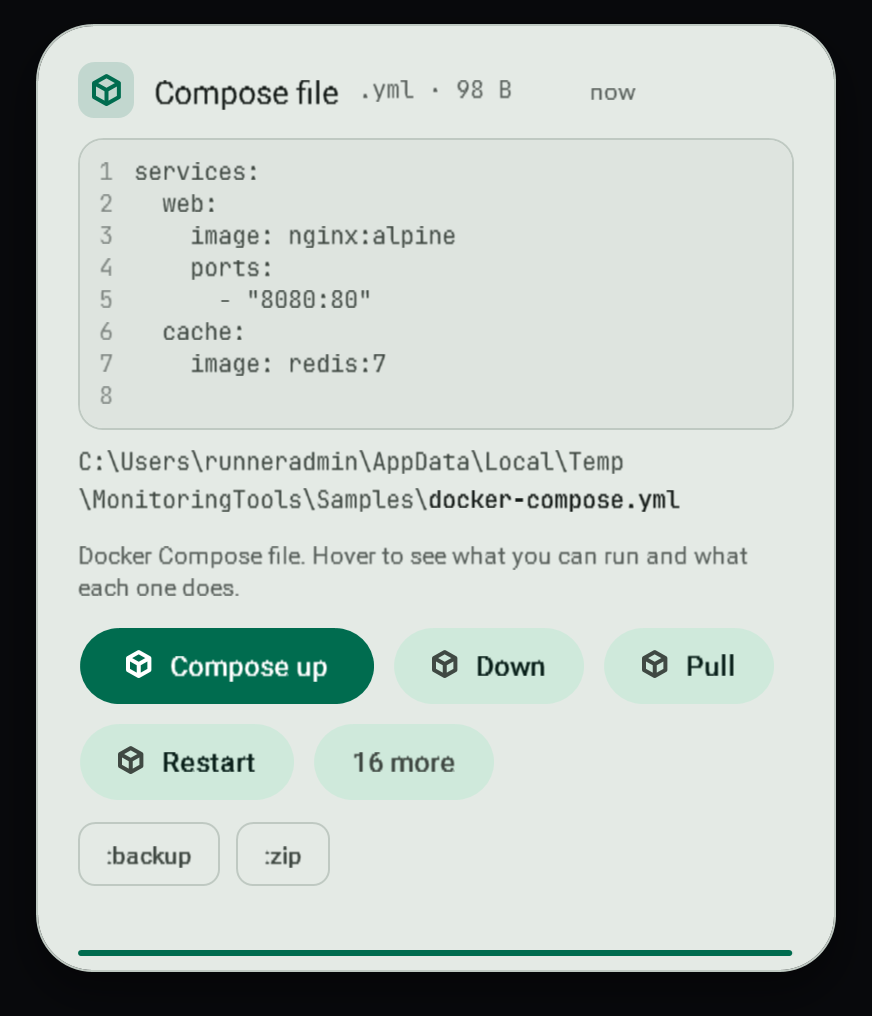
#Quick commands in a toast
When you copy a file path, the chips for its media type are quick commands. Pressing one does the same as copying the path with that command on the end. See Quick commands.
#What is skipped
Copies that password managers flag as private are ignored: no toast, no history entry.
#Quiet times
Toasts are held back in game mode and while a presentation or fullscreen app is running. See Game mode. The tray menu can also snooze everything for 15 minutes, 1 hour or 4 hours.
#Failure modes
- A preview that cannot be built (an unreadable file, a missing codec) falls back to the name and size; the actions still work.
- Conversion chips need FFmpeg. If it is missing, the toast offers to install it with winget.
#Related
#Editable text and install commands
Plain copied text is edited in place in its toast, and a copied choco or winget install command gets a strict, opt-in install card. See install commands and editable text toasts.
#Colour previews
A copy that is one colour (#6FDBB4, rgb(111 219 180), hsl(160 58% 65% / 50%), Colors.Tomato, Color.FromArgb(128, 255, 136, 0)) opens as a colour toast: a large swatch with "Aa" in the colour that reads on it, then the hex, rgb() and hsl() values and how opaque it is. A translucent colour is drawn over a checkerboard.
Any other copied text, Markdown or JSON that contains colours gets a Colours in this copy strip under its preview: one swatch per colour, in reading order, each written form once, up to 12. Hovering a swatch shows its hex, rgb and hsl; pressing it copies the hex. The history preview shows the same strip.
Forms that are recognised:
| Form | Examples |
|---|---|
| CSS hex | #f80, #f808, #FF8800, #FF880080 (alpha last) |
| Quoted 8-digit hex, as in XAML or .NET strings | Background="#FF2B4A3F" (alpha first) |
| CSS functions | rgb(255, 136, 0), rgb(255 136 0 / 50%), rgba(0,0,255,.5), hsl(120 100% 50%), hsla(0deg, 100%, 50%, .4) |
| Hex constants | 0xFF8800; 0x80FF8800 only on a line that mentions colour |
| Calls | Color.FromRgb(255, 136, 0), Color.FromArgb(128, 255, 136, 0) |
| Named colours | Colors.Tomato, Color.Red, color: tomato, Fill="SteelBlue", or a copy that is only a name such as rebeccapurple |
Left out on purpose: #123 inside a sentence (an issue number), { (an HTML entity), page#top (a link anchor), 0x80070005 on its own (a Windows error code keeps its own smart toast) and colour words in ordinary prose ("the red team"). A copy that is only a colour name stays a text copy, so it can still be edited, with the swatch under it.
View this article's Markdown source on GitHub
Suggested articles
- Files and Docker
Git repository folders
Copying a folder that is a Git repository, or a folder inside one, gives its toast buttons for the repository itself. A
Read it - Quick commands
Quick commands
Copy a path with a command on the end. The command runs the moment it lands on the clipboard.
Read it - Game mode
Game mode
On by default. Popups are held back while a listed game runs, or while any app is fullscreen.
Read it Clipboard history
The control centre keeps every copy in a local Git repository, one commit per copy, so you can find anything you ever copied.
Read it