Game mode
Game mode
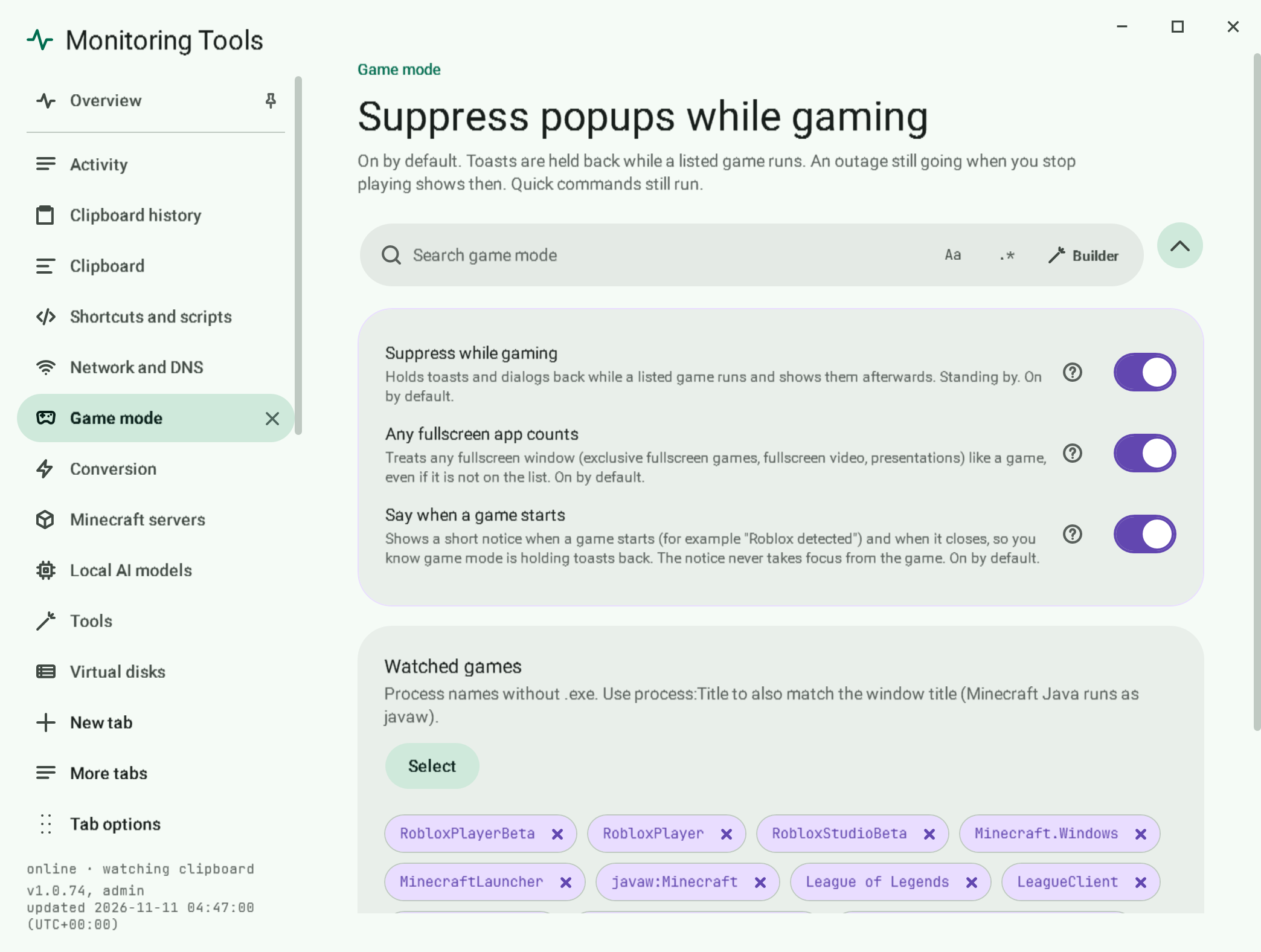
On by default. Popups are held back while a listed game runs, or while any app is fullscreen.
#What is held back
Clipboard toasts and the offline dialog. The tray icon turns violet so you can see game mode is on.
#What counts as a game
- A process on the watched list. The defaults include Roblox, Minecraft, League of Legends, Valorant, Fortnite and CS2.
- Any fullscreen app.
#Game started and stopped notices
On by default (Game mode, Say when a game starts). When a game starts, a short notice names it, for example Roblox detected, and says game mode is on: toasts and alerts wait until you stop playing, and quick commands still run. When it closes, Roblox closed says game mode is off and anything held back shows now. The same happens for every game on the list, and for a fullscreen app when Any fullscreen app counts is on. The notice never takes focus, so the game keeps the keyboard and mouse. Stop these notices on the notice turns the switch off. Nothing shows while game mode itself is off or notifications are snoozed.
#Edit the list
- Open Game mode in the control centre.
- Add a process name without
.exe. - Use
process:Titleto also match the window title. Minecraft Java runs asjavaw, sojavaw:Minecraftavoids matching other Java apps. - Restore defaults brings the original list back.
#Failure modes
A game in a borderless window that is not fullscreen is only caught if it is on the list.
#Related
View this article's Markdown source on GitHub
Suggested articles
- Network
Internet watch
When the connection drops, an always-on-top dialog explains where it broke and stays until the connection returns or you dismiss it.
Read it - The app itself
Service and tray
Monitoring Tools installs per user, starts at sign-in and runs under a supervisor that restarts it after a crash.
Read it - Language and voice
App language
Read it