Desktop Material documentation
Read this documentation as a website: https://ding-ding-projects.github.io/desktop-material/docs/
The published hub adds catalog search over every page — plain text by default, with an opt-in regular-expression mode and a full regex builder — English, playful Hong Kong Cantonese and bilingual language modes, and light and dark Material Design 3 themes. The project landing page is https://ding-ding-projects.github.io/desktop-material/.
This Markdown index stays authoritative for browsing the tree on GitHub.
Desktop Material keeps the upstream GitHub Desktop development documentation while adding product, Material Design, acceptance, and publishing guidance for this fork.
Documentation map
- Install and run — Installation, Known issues
- Features — Feature documentation index, grouped as Agent API, Repository management, Integrations, Identity and workspace, Collaboration, Review and diff, Quality and reliability, and Design system, plus the archived Linux TUI prototype record
- Search and regex — Regex guide
- Evidence — Verification records
- Contributing — Development environment setup, Style guide, Troubleshooting
- Internals — Packaging, Dialogs, Developer OAuth app, Automatic Git proxy support, Documentation site build
- Process — Release planning, Issue triage, Pull requests
- Providers — Azure DevOps, Bitbucket, GitLab
- API collections — master Postman collection, Agent API collection
- Wiki sources — Home, User guide, Developer guide, Feature gallery
The sections below keep the full detail behind each area.
Desktop Material is supported, built, packaged, released, and accepted on Windows only. The retained Python/Textual TUI source, package/interaction notes, parity contract, and five Xvfb captures are historical July 27 evidence, not a supported edition, a non-Windows Electron runtime, or a release blocker. See Windows-only product support.
Product and Material design
- Project overview - shipped workflows and the compact screenshot gallery
- Desktop Material roadmap - completed milestones, current maintenance, and acceptance gates
- Feature and acceptance plan - implementation ledger, architecture contracts, and historical receipts
- Material redesign contract - design system, customization scopes, adaptive app-bar behavior, and entry surfaces
- Feature documentation - categorized user workflows, persistence boundaries, failure modes, security notes, and acceptance targets
- App-hosted browser - global internal/external link routing, tabbed app-hosted navigation, authentication escape, and remote-content security boundaries
- Release-backed
Cheap LFS
- exact-90% two-lane restore scheduling, detailed progress, verified pointer replacement, and recovery behavior
- Private-repository
lock badge
- exact provider-metadata semantics, custom-logo coexistence, localization, accessibility, and failure-safe public/unknown fallback
- Tab groups - named, colored, collapsible repository-tab organization with profile persistence
- Command
palette appearance
- localized row density, icons, group chips, and search-term presentation
- Verification records - reproducible local acceptance evidence and links to exact publication receipts
The July 27 browser, Cheap LFS restore, and private-badge
continuation has completed source acceptance: the final focused gate
passed 760/760 across 58 files, 14/14
verifier contracts passed, TypeScript is clean, the exact Windows
production build succeeded, and real hidden-desktop interaction/privacy
receipts passed. The source and captures are merged and pushed through
2abccae8fd, with Pages and wiki publication verified live.
Packaged Windows E2E is verified. Installer/Release evidence remained
pending at that dated checkpoint; the archived TUI compatibility work is
outside the current Windows acceptance boundary.
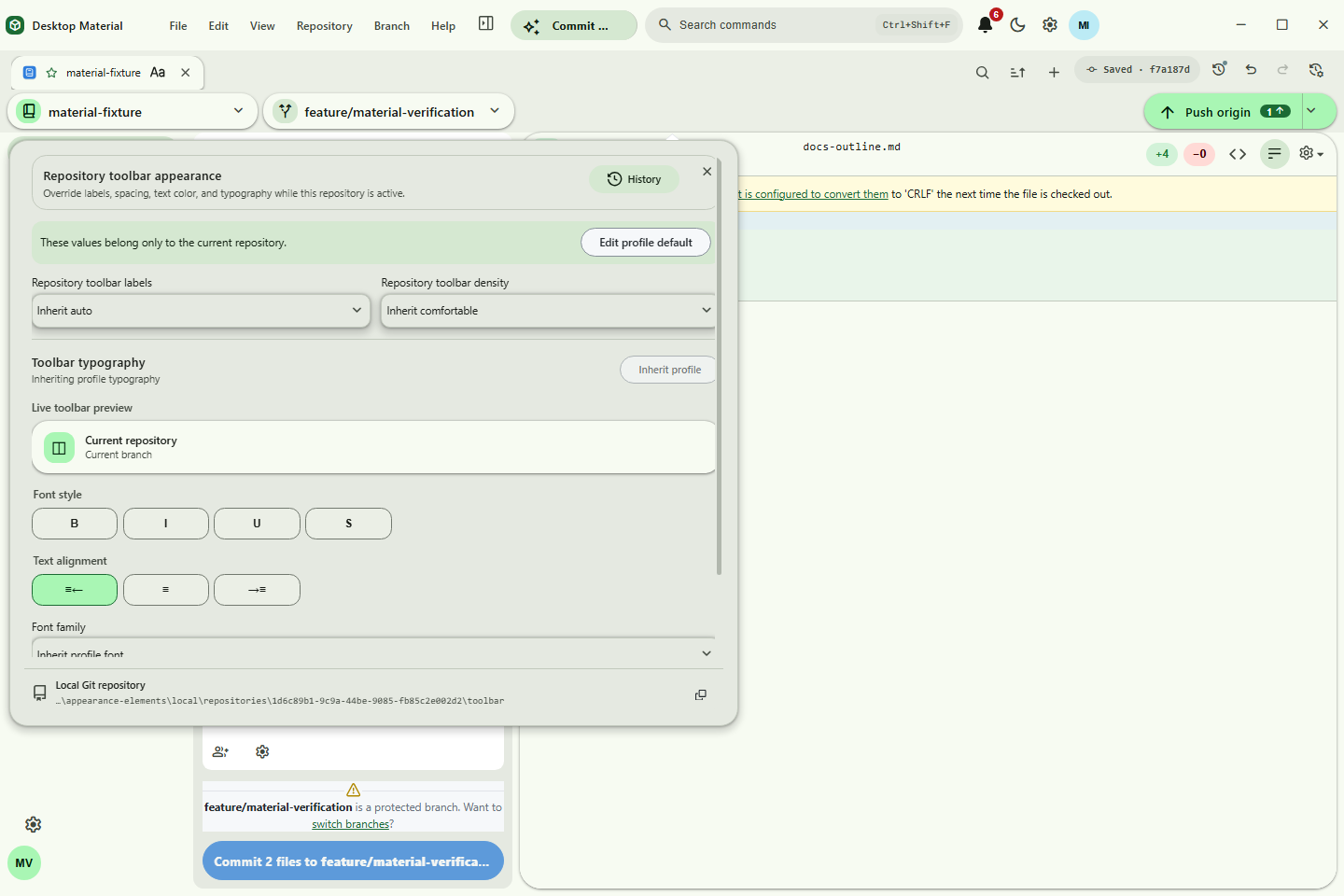
Appearance is now owner-scoped. Shift+right-clicking an
actual visual—or focusing it and using the Context Menu key or
Shift+F10—opens an editor beside it; ordinary right-click
stays available for contextual commands. Every profile element, feature
entry point, repository element, and tab title has its own strict
setting, local Git repository, and mutable history. Ordinary
language/theme/scale preferences stay in Settings. Repository Settings
has no monolithic Appearance tab; its Appearance tab is
a hub that renders those same owner-scoped editors for the current
repository and commits through the same owners, so hub edits and direct
owner edits share one setting, one local Git repository, and one
history. The measured app bar moves Build & Run and then Commit
& Push into More before clipping and restores those
mounted actions as space returns. The pure Material Welcome and landing
redesigns share the same token and surface language.
The same shipped maintenance release adds pinned/manual/one-shot tab arrangement, preserves the original regex close action, and adds a guarded literal close-everything-except match with live counts and preview. It also completes exact workflow-run cancellation, reviewed current-branch rebase, and immediate Provider Triage propagation of the repository account selected in settings; aligns GitHub OAuth with the bounded feature scopes; and corrects compact-height scrolling/reflow in Repository Tools, Remote Manager, and Regex Builder. These items passed the integrated production build, focused and repository-wide checks, off-screen interaction review, compact/zoomed geometry gates, and privacy review recorded in the acceptance ledger.
Settings now gives the durable background clone policy its own Clone queue destination, with account-scoped directory, parallel/sequential mode, and enable controls. Settings → Agent access also opens the configured mobile site with a newly generated one-use pairing fragment when Paired LAN mode is running. The behavior, failure, persistence, and security boundaries are documented in Clone queue settings and the Local Agent HTTP API.
The application-menu Pull action and a right click on the toolbar Pull button now fetch before showing a bounded review of the exact local/upstream identities, incoming commits, changed files, and configured integration route. Confirmation requires a clean worktree and integrates only the full reviewed upstream object ID; a failed fetch cannot fall back to stale tracking data. Scheduled and local-agent automation remain noninteractive. Behavior, recovery, security, configuration, language modes, and verification are documented in Reviewed ordinary Git pull previews.
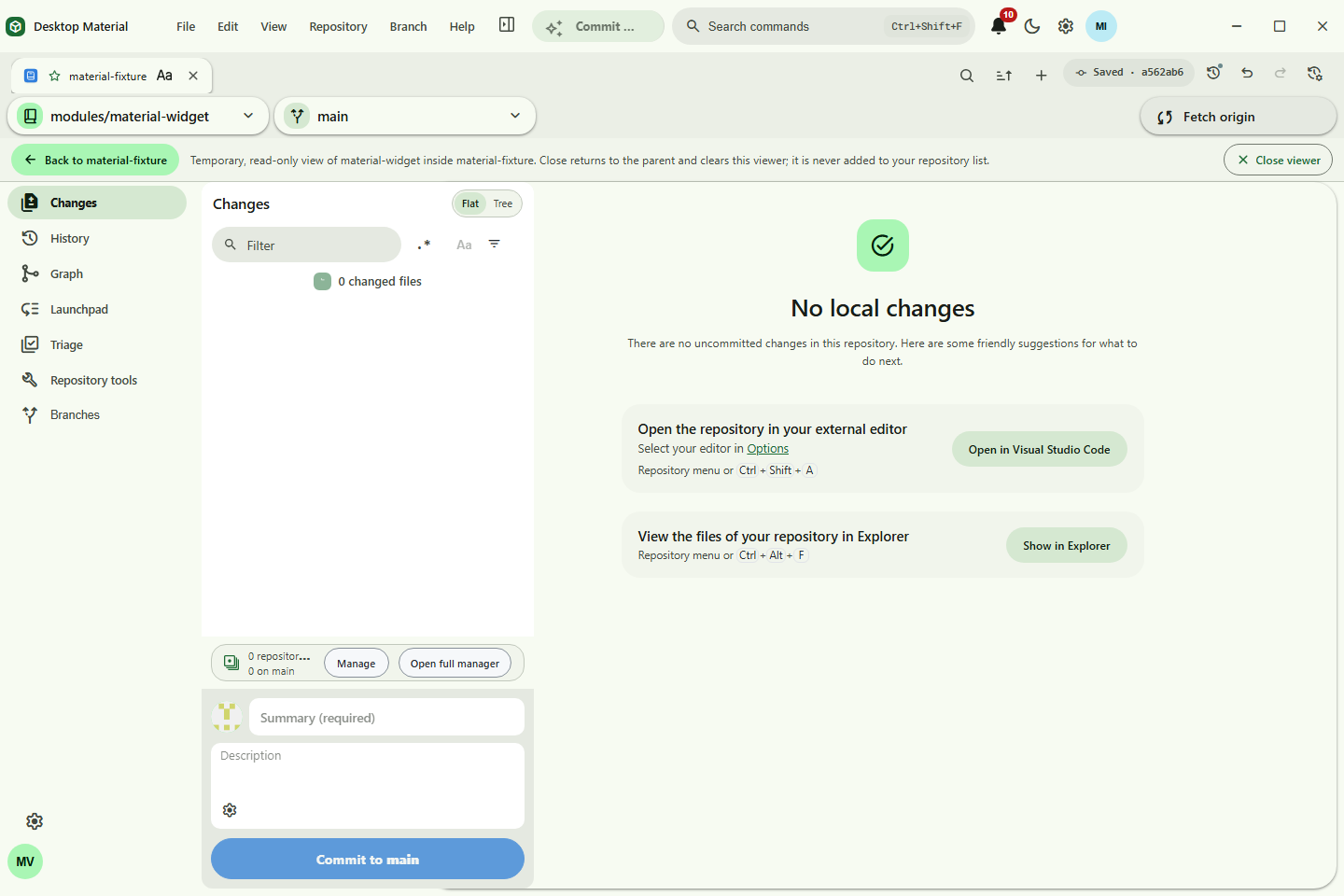
The locally accepted repository-navigation change adds Open
temporary viewer to initialized Submodule Manager rows and
changed/new submodule commit cards. The resulting read-only workspace is
temporary: it does not enter the repository list, Recent group, or
persisted last selection, and both Close viewer and the
profile-customizable Back control return to the persisted root
repository while clearing temporary state.
Shift+right-clicking Back—or focusing it and pressing the
Context Menu key or Shift+F10—opens its dedicated editor
and history beside it; explicit English, playful Hong Kong Cantonese,
and compact bilingual language remain ordinary preferences. Behavior,
persistence, containment checks, and failure recovery are documented in
Temporary
submodule repository navigation. The earlier accepted exact
production build, ten-pass off-screen evidence, and promoted capture
hashes are recorded in the run
manifest. After the later stale-parent correction, the same MCP
command rebuilt the renderer but its client stream detached before
returning a receipt; the fresh bundle then passed the final 1440×960
duplicate Open/Back race regression recorded in the final
race manifest. Local validation finished at 237/237 focused, 66/66
lifecycle, 32/32 localization, all 562 unit-test files (3,986 passing
tests and one skipped), and 16/16 script tests, with TypeScript, lint,
workflow checks, and diff checks green. Owned app, provider, CDP,
credential, desktop, and fixture resources were cleaned. Initial remote
CI exposed a macOS arm64 symlink/junction error-ordering issue and
correctly emitted no release; correction 98d93ccc passed
the full CI matrix, CodeQL, and gated installer publication as
v3.6.3-beta3-b0000000165. Exact Pages, wiki, asset, and
cleanup evidence is recorded in HANDOFF.md.
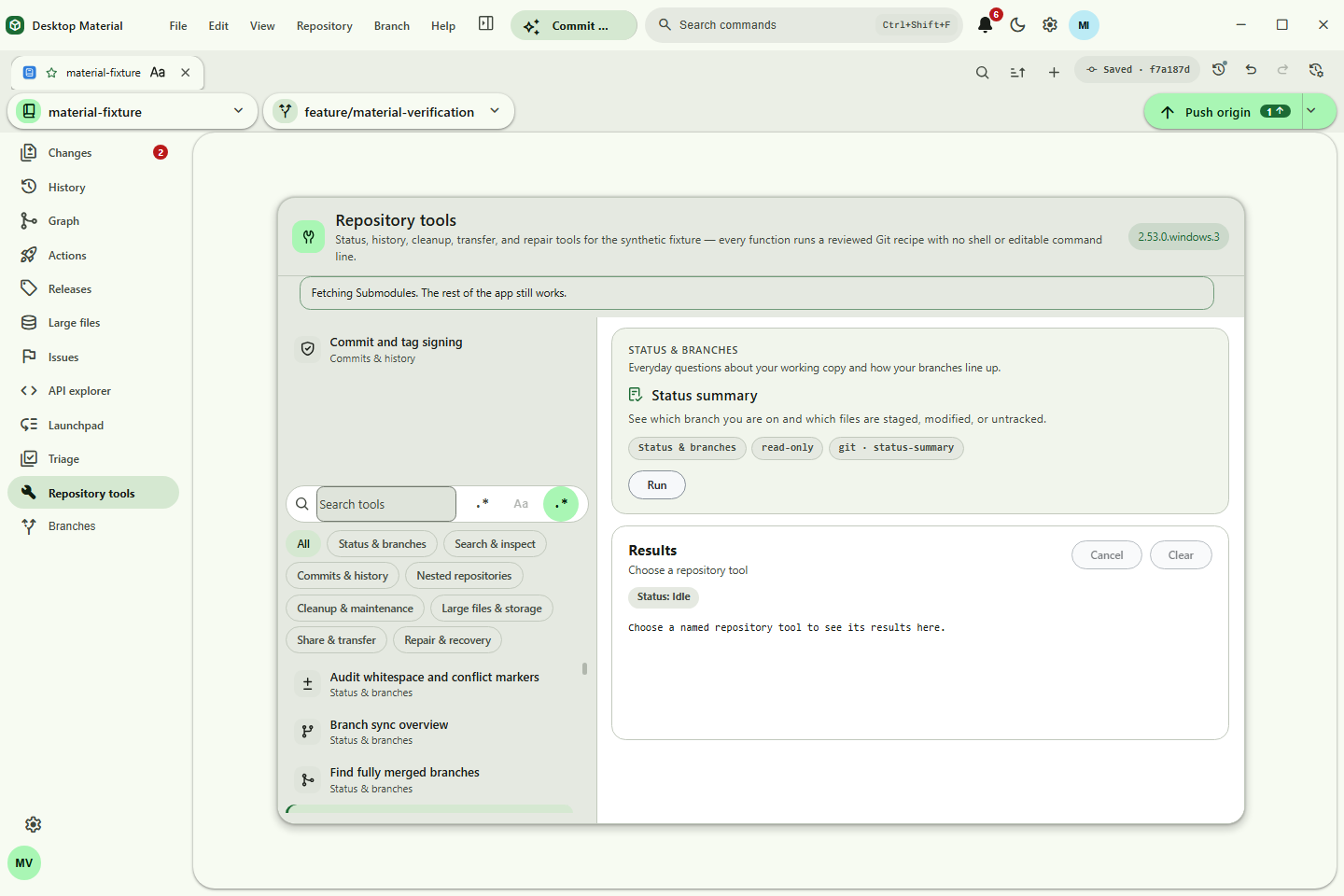
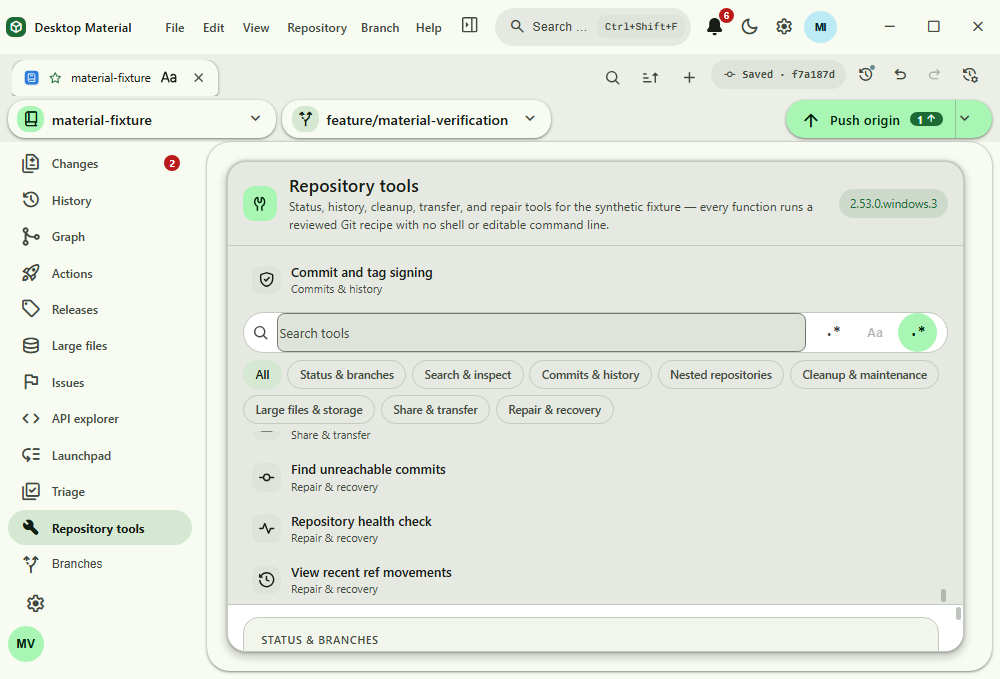
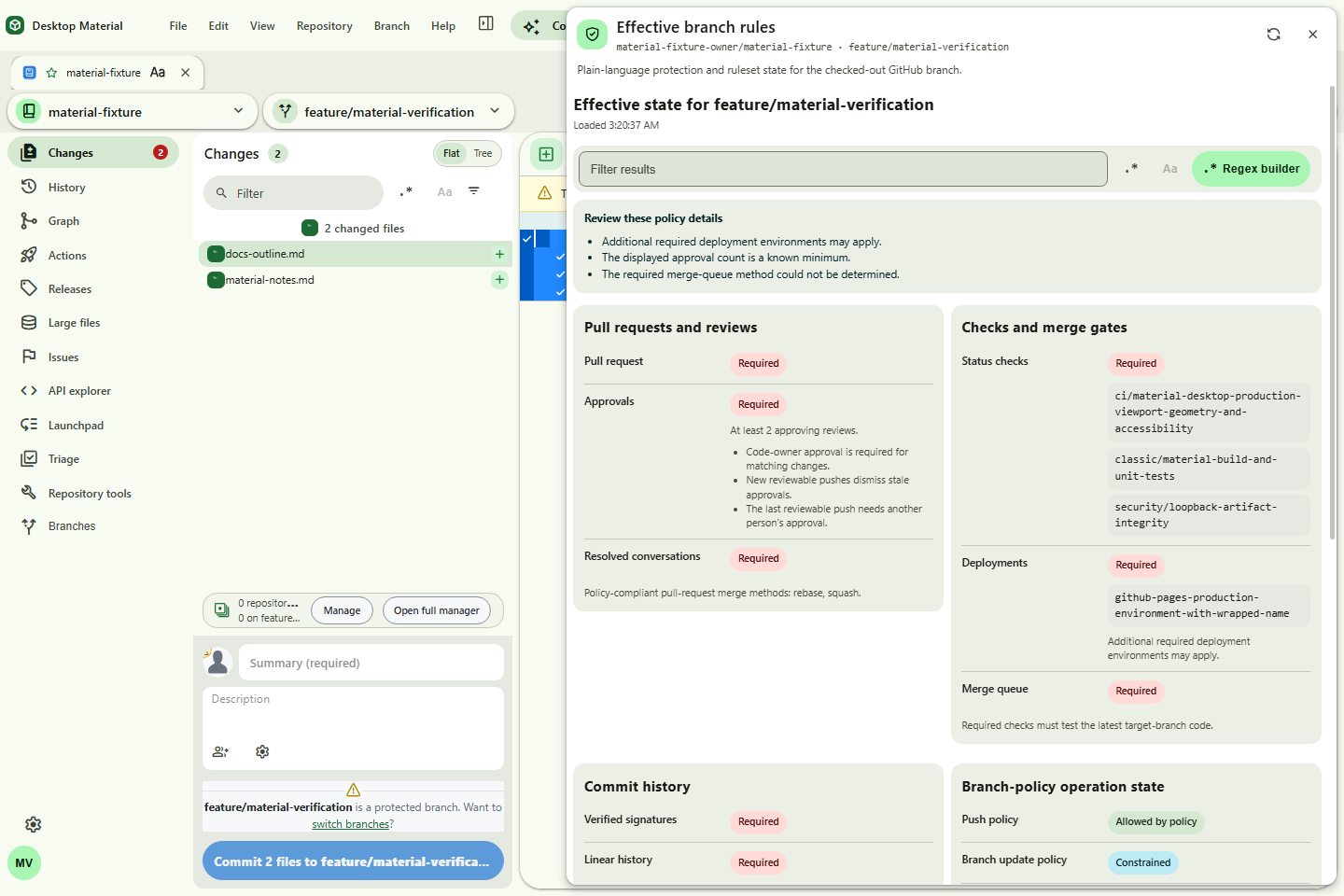
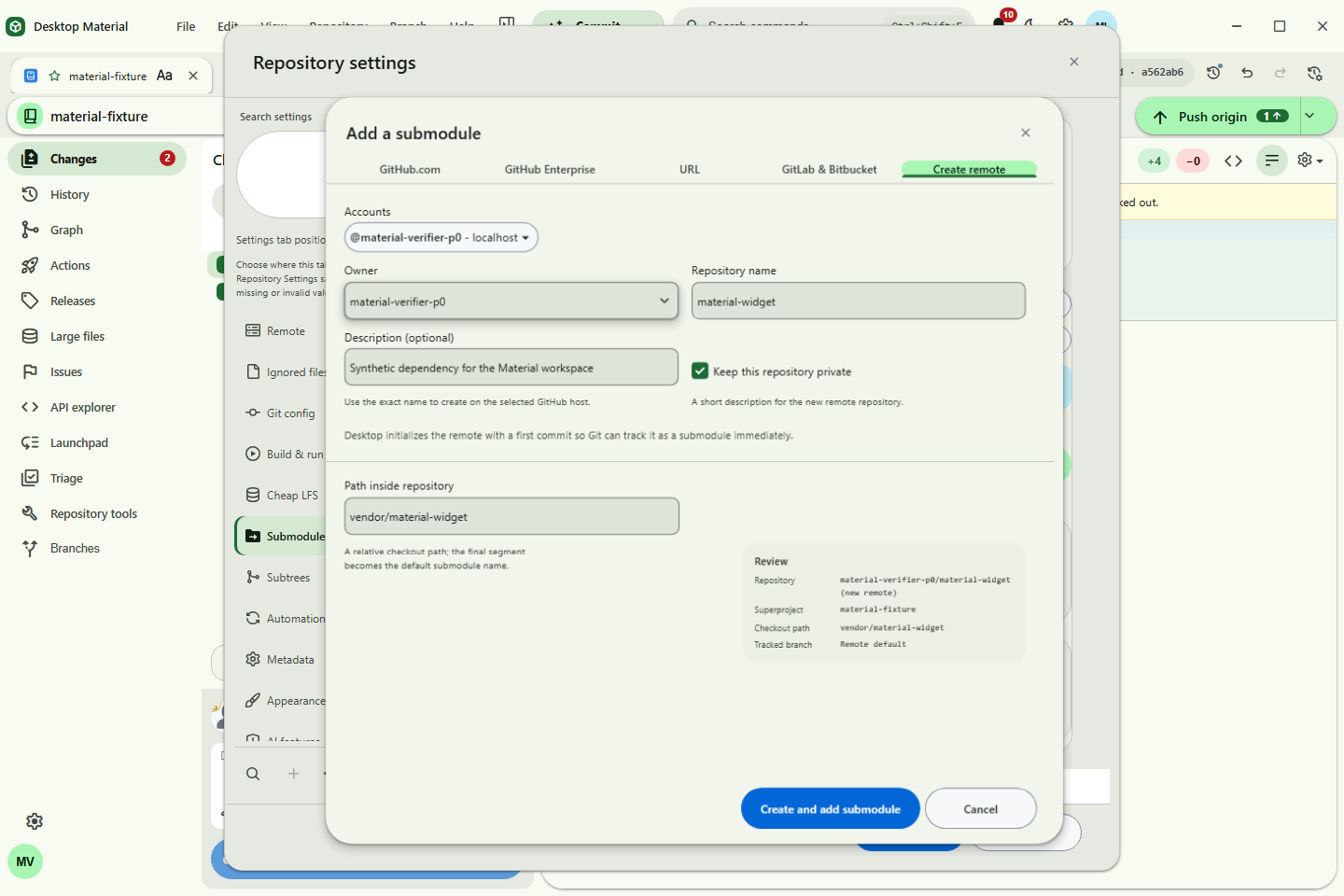
The current six-image local acceptance refresh is material-repository-tools.png,
material-repository-tools-scroll.png,
material-effective-branch-rules.png,
add-submodule-dialog.png,
material-customization.png,
and material-submodule-context.png.
The earlier adaptive-maintenance captures and their original hashes
remain historical evidence in PLAN.md and
HANDOFF.md; the current file hashes are the values in this
run's manifest.
Contributing
If you are interested in contributing to the project, you should read these resources to get familiar with how things work:
- How Can I Contribute? - details about how you can participate
- Development Environment Setup - everything you need to know to get Desktop up and running
- Engineering Values - our high-level engineering values
- Style Guide - notes on the coding style
- Tooling - if you have a preferred IDE, there's some enhancements to make your life easier
- Troubleshooting - some additional known issues if you're having environment issues
Adding or renaming a documentation page
The published hub's search reads a static catalog of this tree,
assets/site/docs-hub-catalog.js. It is a generated file:
after adding, renaming, retitling or rewording the opening paragraph of
any page under docs/, regenerate it and commit the
result.
yarn generate-docs-hub-catalogThe same command also refreshes four managed blocks inside
docs/index.html — the feature-category and
reference-section sub-tabs, and the page lists behind them — so every
documented page is linked from the hub itself as static markup rather
than something a script builds at runtime.
yarn test:script fails when the committed catalog or the
committed hub page has drifted from the tree, naming the page and field
that changed, so CI catches a missed regeneration. The generator is
script/generate-docs-hub-catalog.mjs and it formats its
output with the repository's own Prettier configuration, so a
regeneration never breaks yarn prettier.
Tabbed hub navigation
The hub is a tabbed page rather than one long scroll. Each tab is a
route, and each route is the id of the panel it opens:
#install, #features,
#features/design-system, #reference/technical
and so on are all shareable addresses, and Back returns to the previous
tab. docs/assets/site/docs-hub.js upgrades the navigation
to an ARIA tablist on load — roles, aria-selected,
aria-controls, one roving tab stop, and arrow/Home/End
movement that activates on arrival.
Without JavaScript the same file is a single readable document: no panel is hidden, no element claims a tab state, and every tab is an ordinary in-page anchor to a section that is already on the page.
The search box, its plain-text/regex mode switch and the regex
builder live in a dock above the panels, so they are on every tab and
results appear wherever the reader is. Theme, language mode,
playfulness, density and accent colour persist in
localStorage and are applied before the first paint.
Published hub regex isolation
Plain-text catalog searches are bounded substring scans on the page.
Regex searches and the regex builder instead run the browser's
ECMAScript RegExp engine inside a fresh same-origin Web
Worker. The page owns a hard 750 ms deadline and terminates the worker
when it expires, so catastrophic backtracking cannot hold the UI thread
hostage. Pattern, sample and result limits are enforced in both the page
and worker. Capture output is a bounded first-match preview (24 entries,
120 characters each), preventing structured-clone amplification from
deeply nested groups. An unavailable worker fails closed instead of
falling back to synchronous user-pattern evaluation. No pattern, sample
or catalog content leaves the browser.
Process
Details about how the team is organizing and shipping Desktop Material:
- Upstream historical roadmap - shipped GitHub Desktop release themes inherited by the fork
- Release Planning - how we plan and execute releases
- Issue Triage - how we address issues reported by users
- Pull Requests - how code contributions are submitted and reviewed
- Writing Release Notes - how user-facing changes are described for a release
Technical
These documents contain more details about the internals of GitHub Desktop and how things work:
- Dialogs - details about the dialog component API
- Windows menu bar - Electron doesn't provide inbuilt support for styling the menu for Windows, so we've created our own custom components to achieve this.
- Developer OAuth App - GitHub Desktop ships with the ability to OAuth on behalf of a user. A developer OAuth app is bundled to reduce the friction of getting started.
- Building and Packaging Desktop - outlines how Desktop is built and packaged for Windows
- Automatic Git Proxy support - a pre-launch overview and troubleshooting guide for Git automatic proxy support
- App capture fixture - how to screenshot the built app with N repositories already open as tabs