Minecraft servers
Schedules
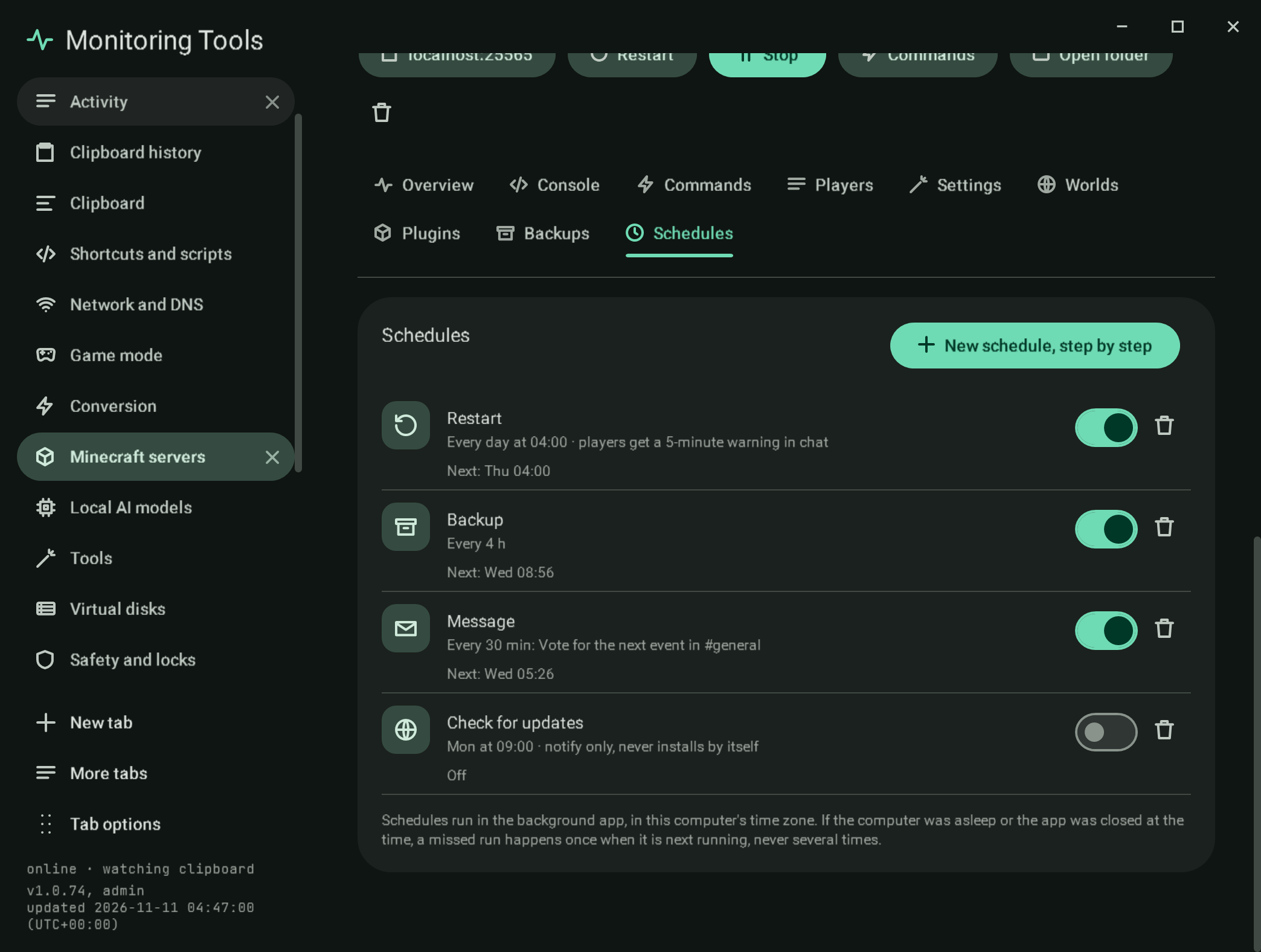
Jobs that run for one server on a timetable, each with its next run, its last result and an on switch:
| Job | What it does |
|---|---|
| Restart | Warns players in chat a chosen number of minutes before, then stops and starts the server |
| Backup | Takes a backup, pausing saves while the server runs |
| Message | Says a line in chat |
| Run a command | Sends a command line through the console; Schedule it in the command builder fills it in |
| Check for updates | Compares the installed build with the newest one its project lists; it tells you and never installs anything |
New schedule, step by step is a guided form: the job, when (daily at a time, on chosen weekdays at a time, or every so many minutes), the details (the warning minutes or the message), and a review with the first run.
#How they run
Schedules are stored in servers.json and run by the background app, which looks once a minute, in this computer's time zone. A run that was missed because the computer was asleep or the app was closed happens once when it is next running, never once per missed time. A restart or message for a server that is not running is skipped and recorded as skipped, and nothing runs for a host that cannot be reached. Results go to the activity log.
#Verification
A self-test check computes next runs for daily, every-four-hours and weekly schedules, confirms three missed daily runs are due once and not again, that a schedule that is off is never due, and runs a due message schedule through the background runner for a stopped server, which records it as skipped. Another opens a Run a command schedule from the command builder's Schedule it with the line filled in, and runs a command schedule for a stopped server, which is skipped. Capture mc-schedules.
View this article's Markdown source on GitHub
Suggested articles
Backups
Backups
Read itCommand builder
Command builder giving an item
Read itMinecraft servers
Create and run Java edition servers on this computer, in Docker, or on another machine over SSH, and the official Bedrock Dedicated Server on this computer.
Read itServers found on this computer
Found on this computer
Read it