Files and Docker
Docker actions
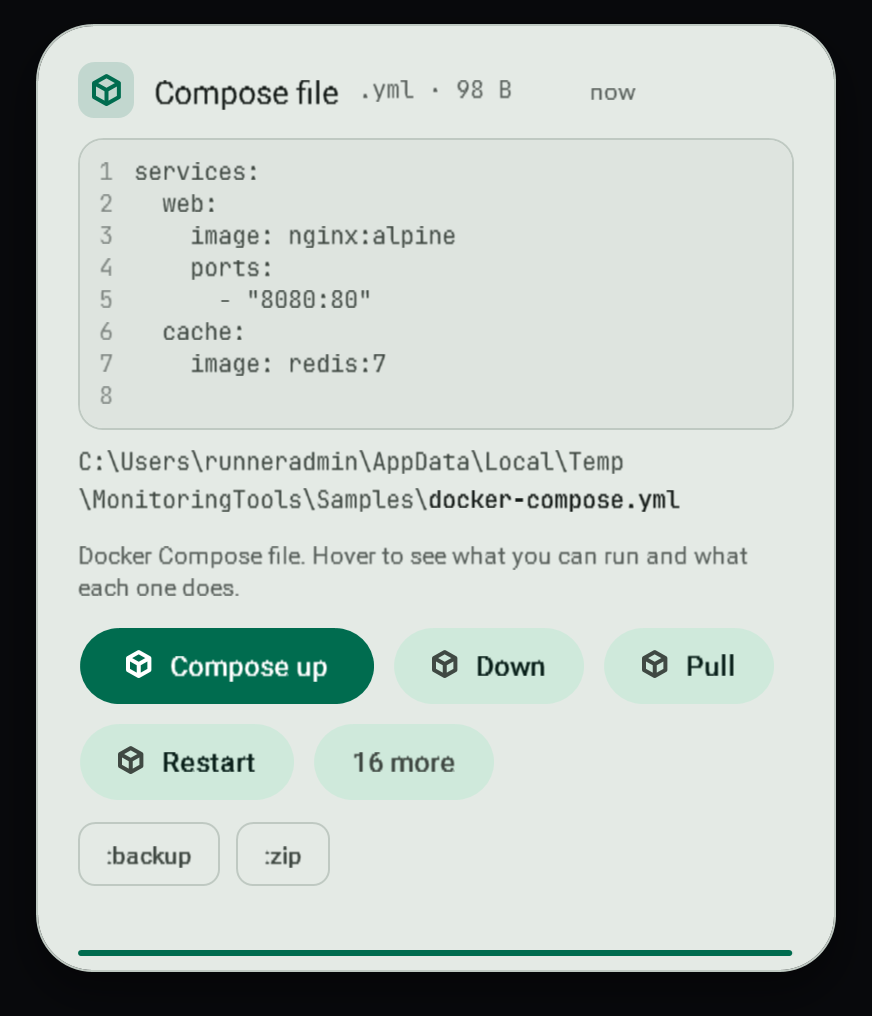
Copy a Compose file or a Dockerfile and the toast offers buttons for it.
#Compose files
A copied compose.yaml or docker-compose.yml offers up, down, pull, restart and logs.
#Start and follow a stack
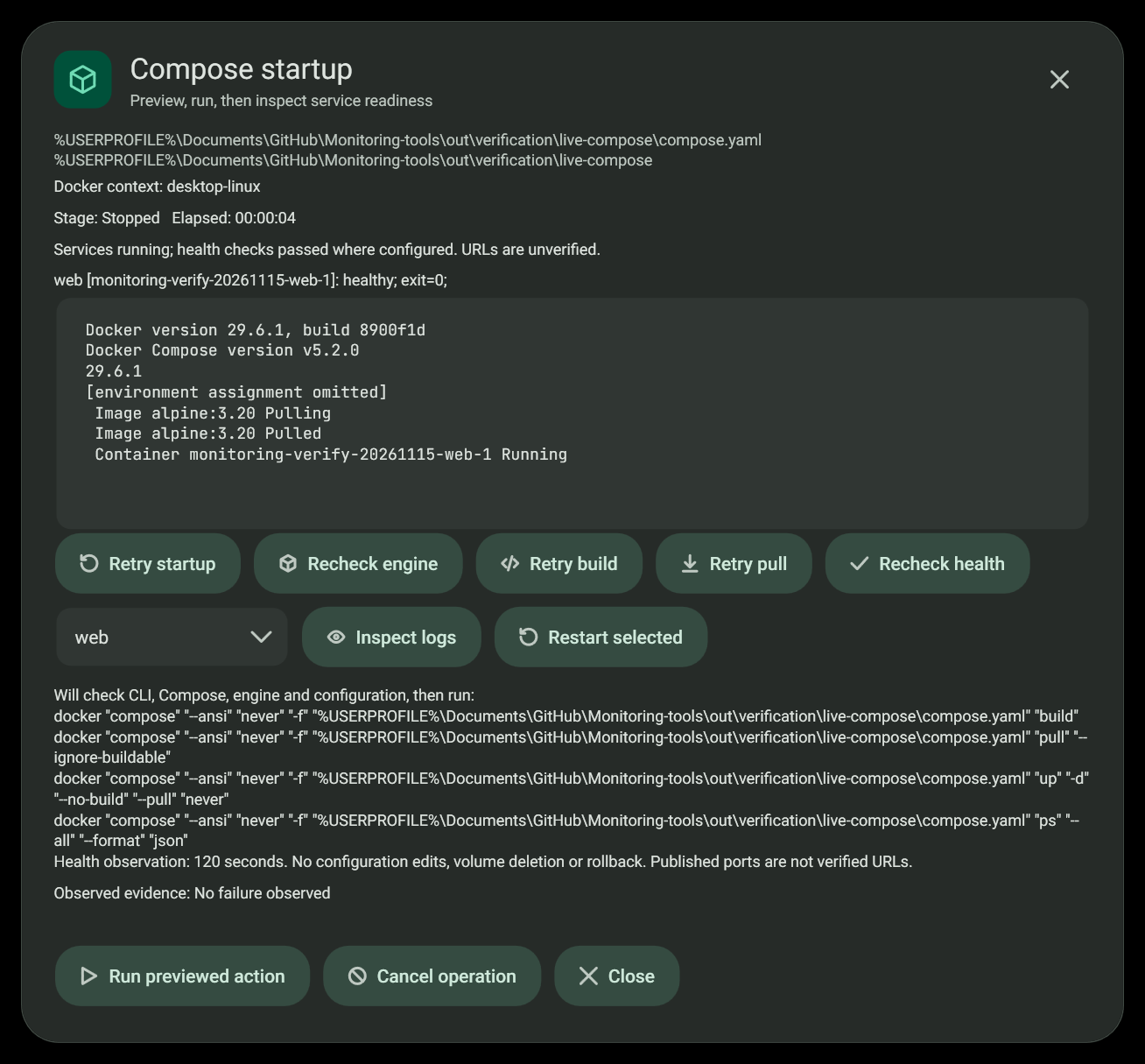
This inspected capture uses the real Docker CLI. An explicit evidence-only hold kept the successful dialog open for inspection; normal verified success dismisses it immediately.
Compose up opens a dedicated operation dialog. Review the selected file, directory and exact command preview, then choose Run previewed action. The dialog checks the CLI, Compose, selected context, engine connection and active service names before separate build, pull and start stages. Output appears while commands run. Long commands have a bounded timeout and retained diagnostics have size limits.
After startup, the dialog observes service state for up to 120 seconds. It distinguishes healthy services, running services without a health check, pending health, unhealthy or exited services, and possible completed one-shot tasks. A command exit code of zero is not a service health certificate. Published ports are reported without claiming that a URL was reached. The dialog dismisses immediately after startup, restart or recheck verifies readiness. A successful build, pull, log read or engine check does not prove readiness and does not dismiss it. Failed, cancelled, timed-out and uncertain one-shot outcomes remain visible.
#Diagnose and repair
Observed evidence and possible causes are separate. A failed stage and its safe diagnostics can suggest configuration, engine, image access, build, port-binding or health problems. Suggestions remain inferences. Use Recheck engine, Retry build, Retry pull, Recheck health, Inspect logs or Restart selected as appropriate. Logs and restart require a discovered service. Every action is previewed before execution.
No repair edits configuration, changes ports, deletes volumes, prunes other projects or stops a competing process. Cancellation stops the owned command and observation; containers already started may remain running. Closing the dialog is not rollback. Read the result and inspect the selected project before retrying.
Diagnostics are bounded and recognized sensitive lines are omitted before display. Avoid printing credentials from application logs: generic redaction cannot identify every possible confidential value. Resolved environment/configuration dumps are not collected.
#Dockerfiles
A copied Dockerfile offers build and build and run.
#What each button says
Each button explains what it will do before you press it. Nothing runs until you do.
#Requirements
Docker must be installed and running. The dialog names the failed prerequisite stage and offers rechecking where supported. Existing Dockerfile build actions continue to use their existing routes.
#Related
View this article's Markdown source on GitHub
Suggested articles
File tools
When you copy several files, the toast offers the file tools sheet with one tab each for move and copy, Base64, and encryption.
Read it- Clipboard
Clipboard toasts
A small card slides into the bottom-right corner each time the clipboard changes. It stays for 3 seconds and holds while the pointer is over it.
Read it - Minecraft servers
Minecraft servers
Create and run Java edition servers on this computer, in Docker, or on another machine over SSH, and the official Bedrock Dedicated Server on this computer.
Read it Git repository folders
Copying a folder that is a Git repository, or a folder inside one, gives its toast buttons for the repository itself. A
Read it