Files and Docker
File tools
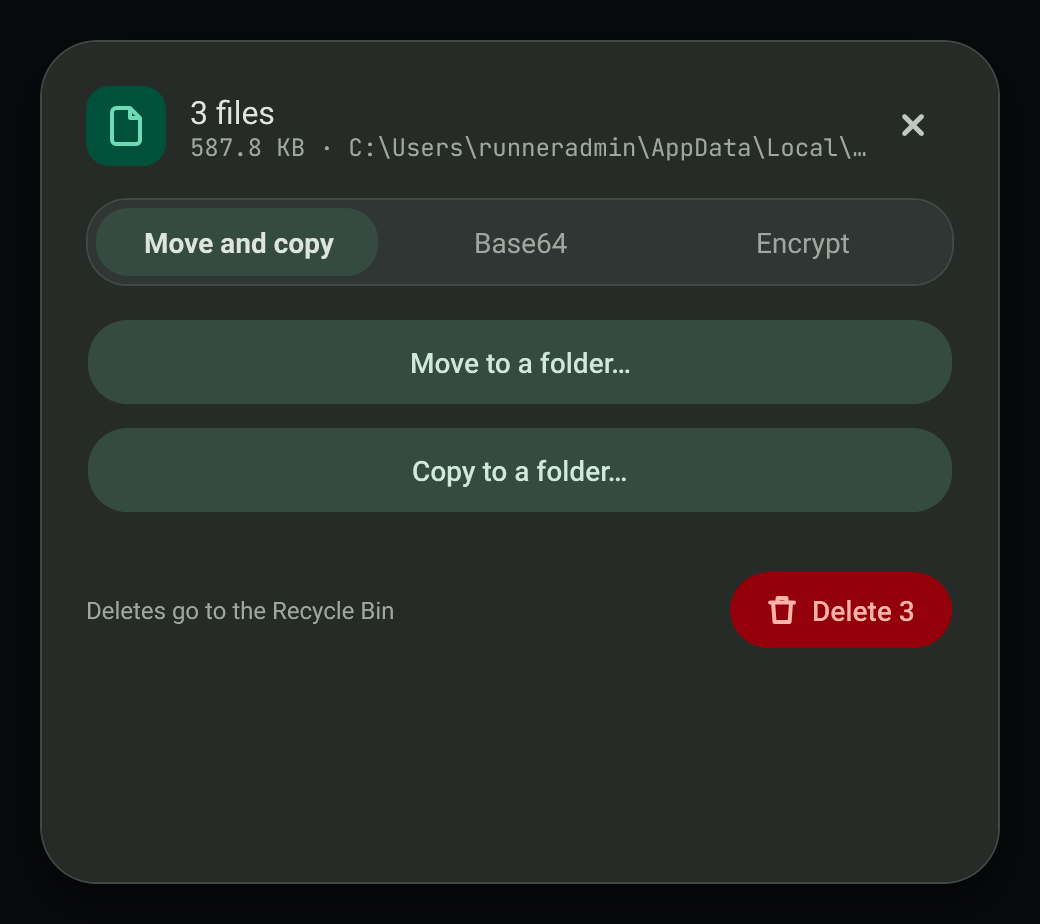
When you copy several files, the toast offers the file tools sheet with one tab each for move and copy, Base64, and encryption.
#Move or copy a batch
Choose a destination and move or copy every copied file. Delete sends them to the Recycle Bin.
#Base64
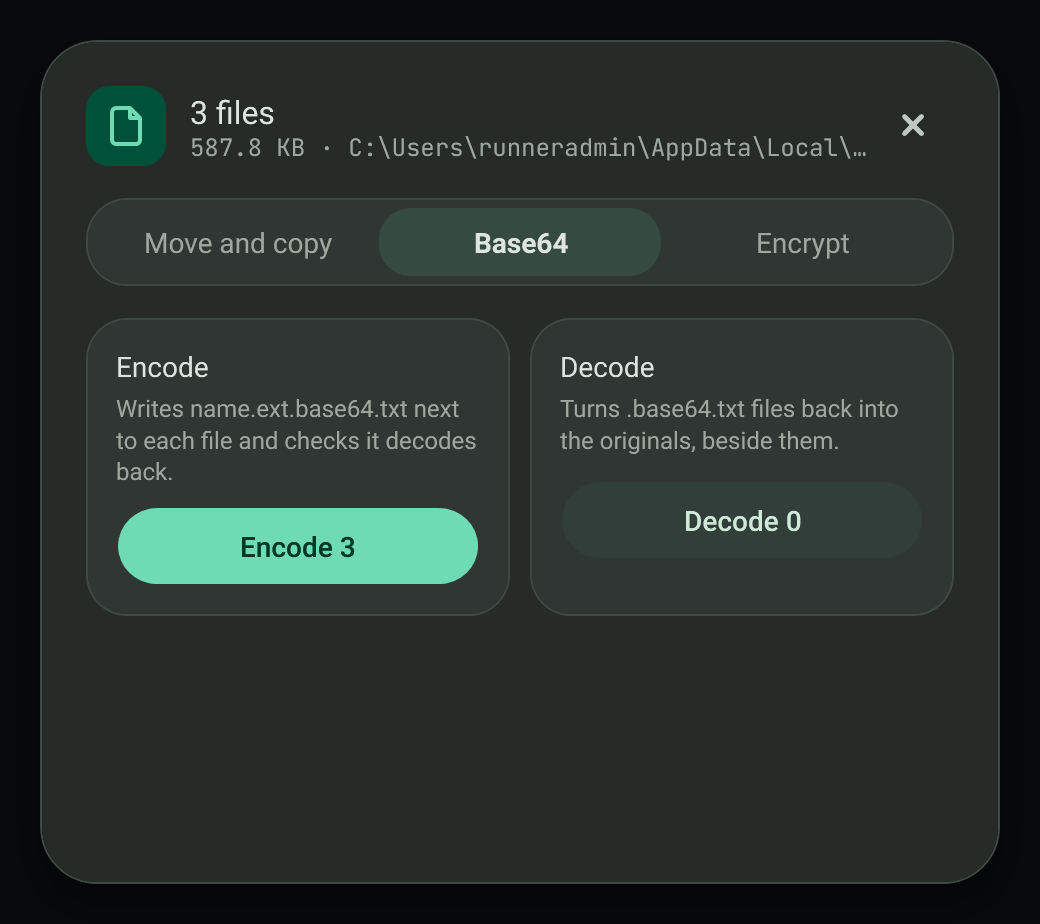
Encode or decode files in a batch. You can also copy a file as Base64 text or as a data URI.
#Encrypt with a password
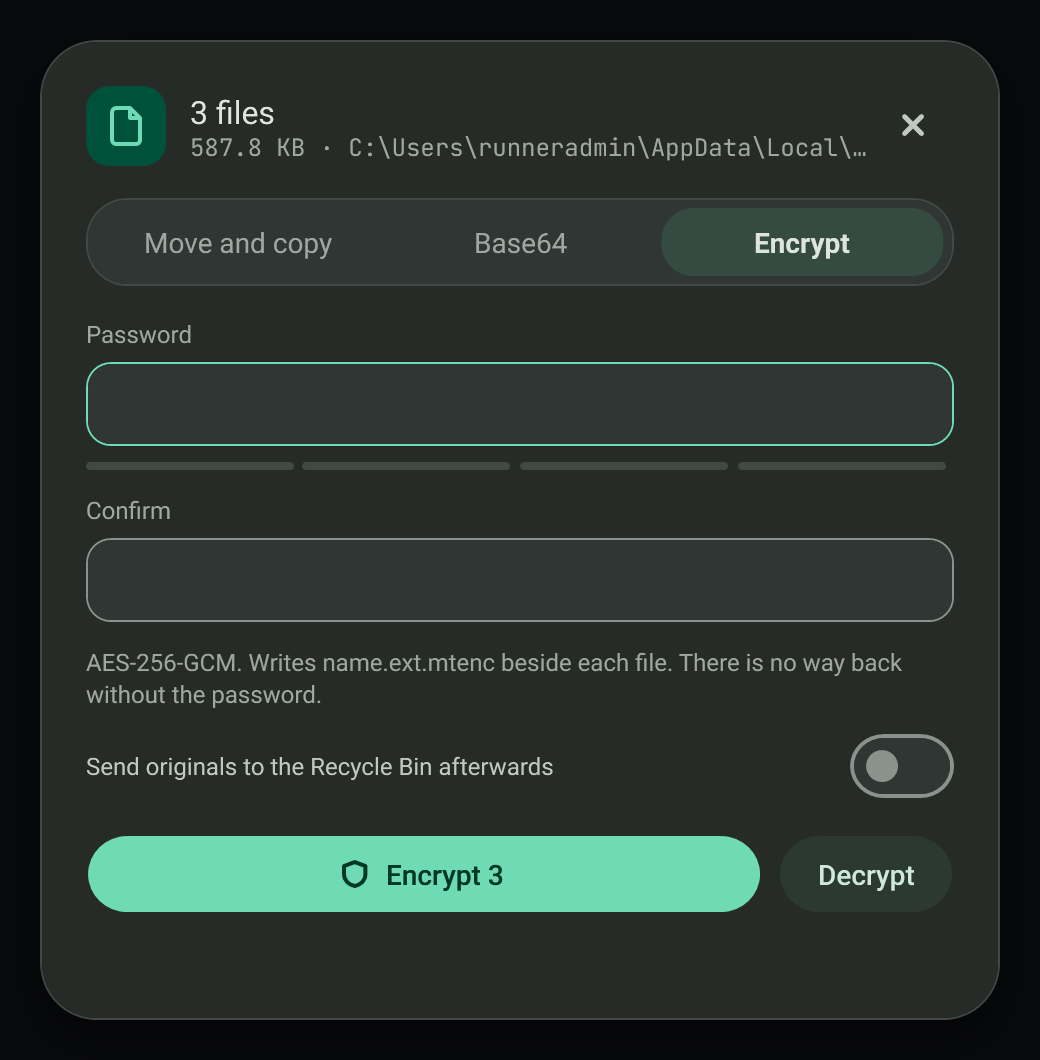
Files are encrypted with AES-256-GCM using your password and saved as .mtenc files next to the originals. Any password works, however short; the strength meter only advises, and only an empty password is refused. Without the password the files cannot be opened, so keep it safe.
#Failure modes
- Existing files are not overwritten.
- A wrong password reports an error.
#Related
View this article's Markdown source on GitHub
Suggested articles
- Clipboard
Clipboard toasts
A small card slides into the bottom-right corner each time the clipboard changes. It stays for 3 seconds and holds while the pointer is over it.
Read it Docker actions
Copy a Compose file or a Dockerfile and the toast offers buttons for it.
Read itArchive, subtitle, font and disc image dialogs
Four separate windows that open from the clipboard notice when one file of the matching type is copied. Each shows the
Read itArchive and virtual disk windows
Two separate windows open from the clipboard toast when files or folders are copied: Archive… and Put in a virtual disk…. Both are built from the design in design/clipboard-actions/ (boards 5 and 6).
Read it