Minecraft servers
Players
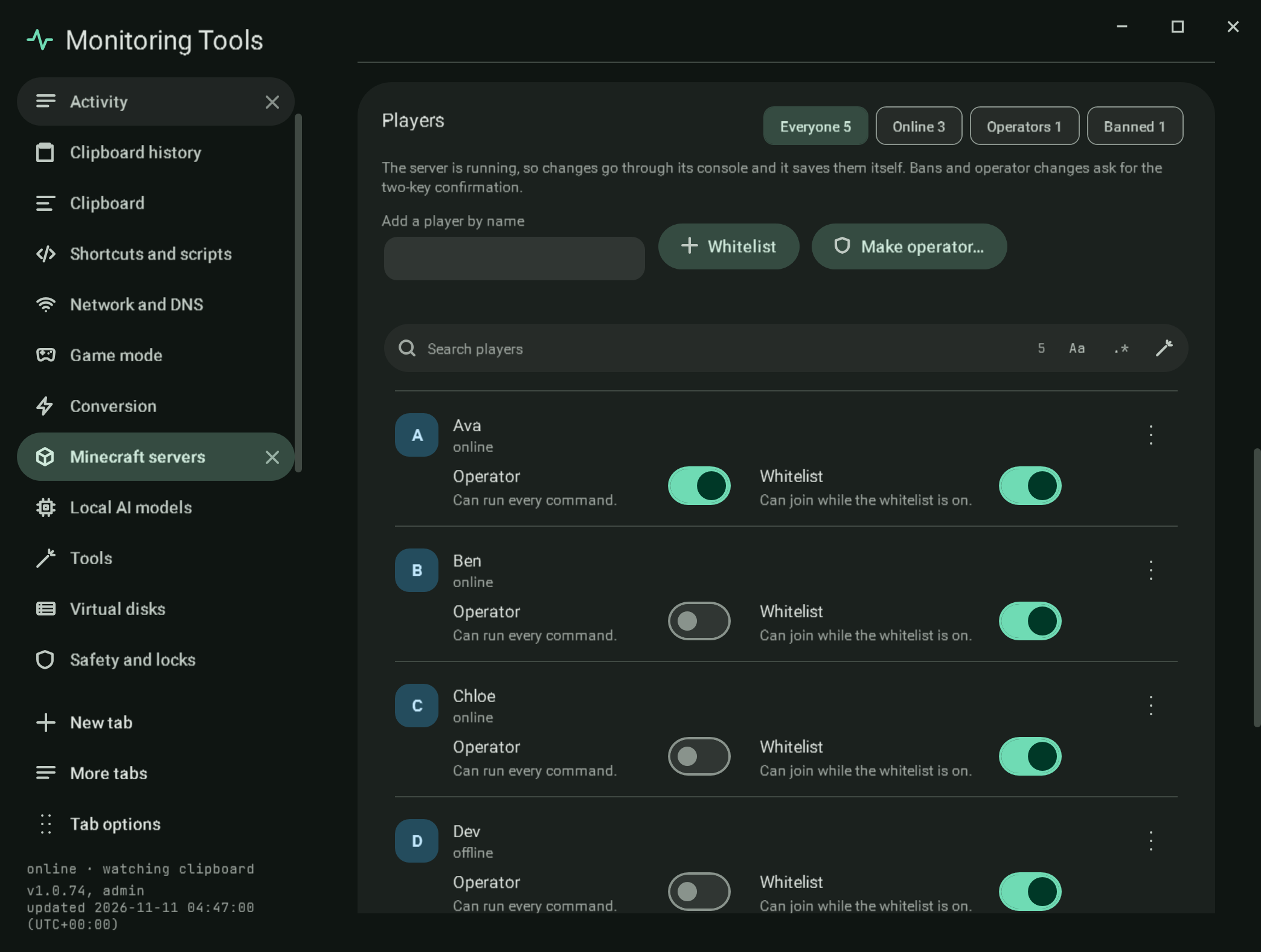
Everyone the server knows: the names in ops.json, whitelist.json and banned-players.json, and the players the last list answer named. Chips filter Everyone, Online, Operators and Banned, with counts.
Each player has an Operator switch, a Whitelist switch, a status line (online, offline, or banned with the reason), and a menu with Kick, Ban or Pardon, and the game modes while they are online. Add a player by name checks the name (1 to 16 letters, digits or underscores) and offers Whitelist and Make operator.
#How changes apply
- While the server runs, changes go through its console (
op,deop,whitelist add,whitelist remove,ban,pardon,kick), so the server applies them and saves its own files. - While it is stopped, the JSON files are edited directly. Every entry the app does not change is kept, a player keeps the UUID the server already recorded for them (from the other files or
usercache.json), and a new ban is written in the server's own format. - SSH servers keep their files on the host. While stopped, the four files are read in one SSH round trip and the one file a change belongs to is written back (text travels as base64 on standard input, so no character is interpreted by a shell). A host that cannot be reached is an error, never an empty list.
Making someone an operator, removing an operator and banning ask for the app's two-key confirmation. A kick is only possible while the server runs.
#Selecting several players
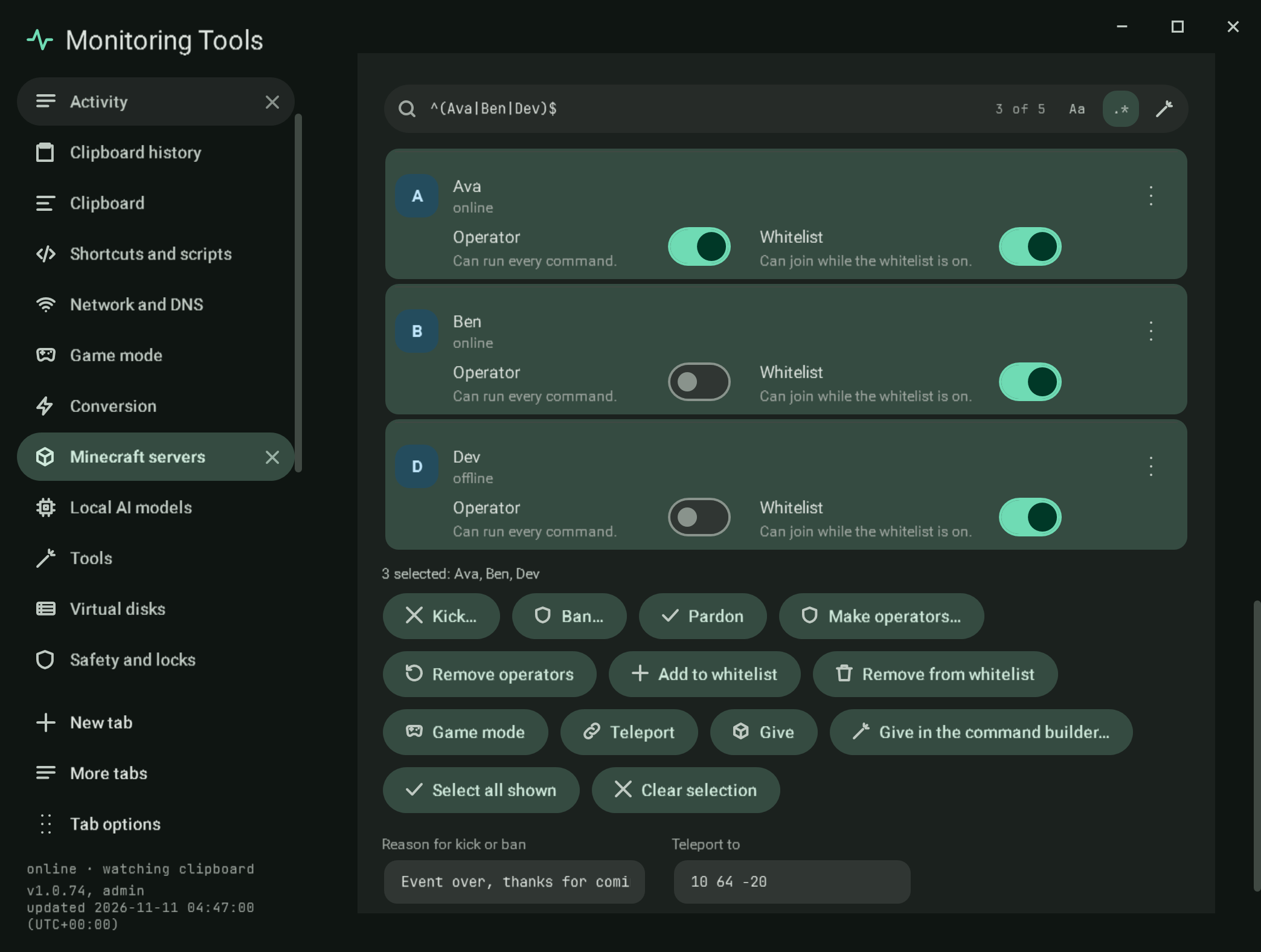
The list is a real multi-select list: click, Ctrl or Shift and click, the arrow keys, or Ctrl+A (or Select all shown). Above it sit the shared search field and its regex builder; the list filters as you type and the field shows how many of the players are shown. A line below the list says how many are selected and names them (read out by screen readers).
The actions below act on the whole selection: Kick, Ban, Pardon, Make operators, Remove operators, add or remove from the whitelist (the allow list on Bedrock), Game mode, Teleport (a player's name or three coordinates, ~ for relative) and Give (an item id and a count). Give in the command builder opens the builder's give form with the item and count you typed and the first selected player as the target (the builder takes one target at a time; the status line says so when several are selected). One reason field serves kick and ban. Kick, ban and make operators ask for the two-key confirmation, which shows the exact count and the names.
- While the server runs, one console line is sent per player and each reply is kept; the result line says how many worked and names every player that failed with the reason.
- While it is stopped, ban, pardon, operator and whitelist or allow list changes edit the files (here, over SSH, or the Bedrock files); kick, game mode, teleport and give say they need a running server.
- Bedrock has no ban or pardon command, so those buttons are not shown.
#Bedrock
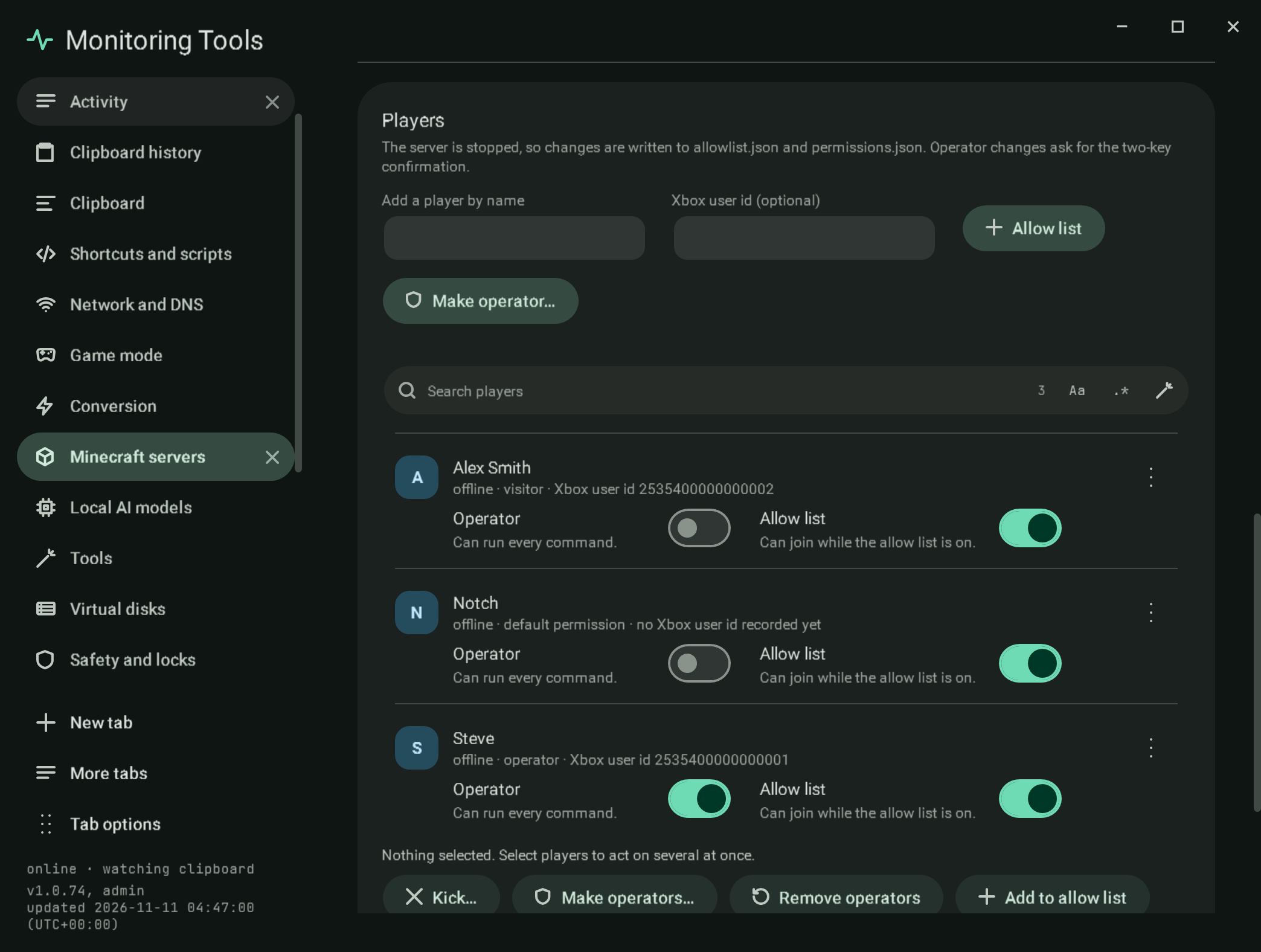
A Bedrock server keeps allowlist.json (a name and, once the player has joined, an Xbox user id) and permissions.json (a level per Xbox user id). While it runs, changes use the console (allowlist add, allowlist remove, op, deop, kick); while it is stopped, the two files are edited. Because permissions.json knows only ids, an operator change from the files needs the id (taken from allowlist.json or typed in the optional field); without one the app says so. Ids that permissions.json holds with no name are shown by id. A note appears when allow-list is false in server.properties.
#Verification
A self-test check writes and reads the three files in a temporary folder: whitelist and op with a known UUID, a ban with its reason, then pardon, deop and whitelist remove, an invalid name and a kick while stopped are refused, and the Players section of a sample server lists its five players with their switches. Capture mc-players.
View this article's Markdown source on GitHub
Suggested articles
Settings
Settings
Read itCommand builder
Command builder giving an item
Read itMinecraft servers
Create and run Java edition servers on this computer, in Docker, or on another machine over SSH, and the official Bedrock Dedicated Server on this computer.
Read itServers found on this computer
Found on this computer
Read it