Minecraft servers
Console
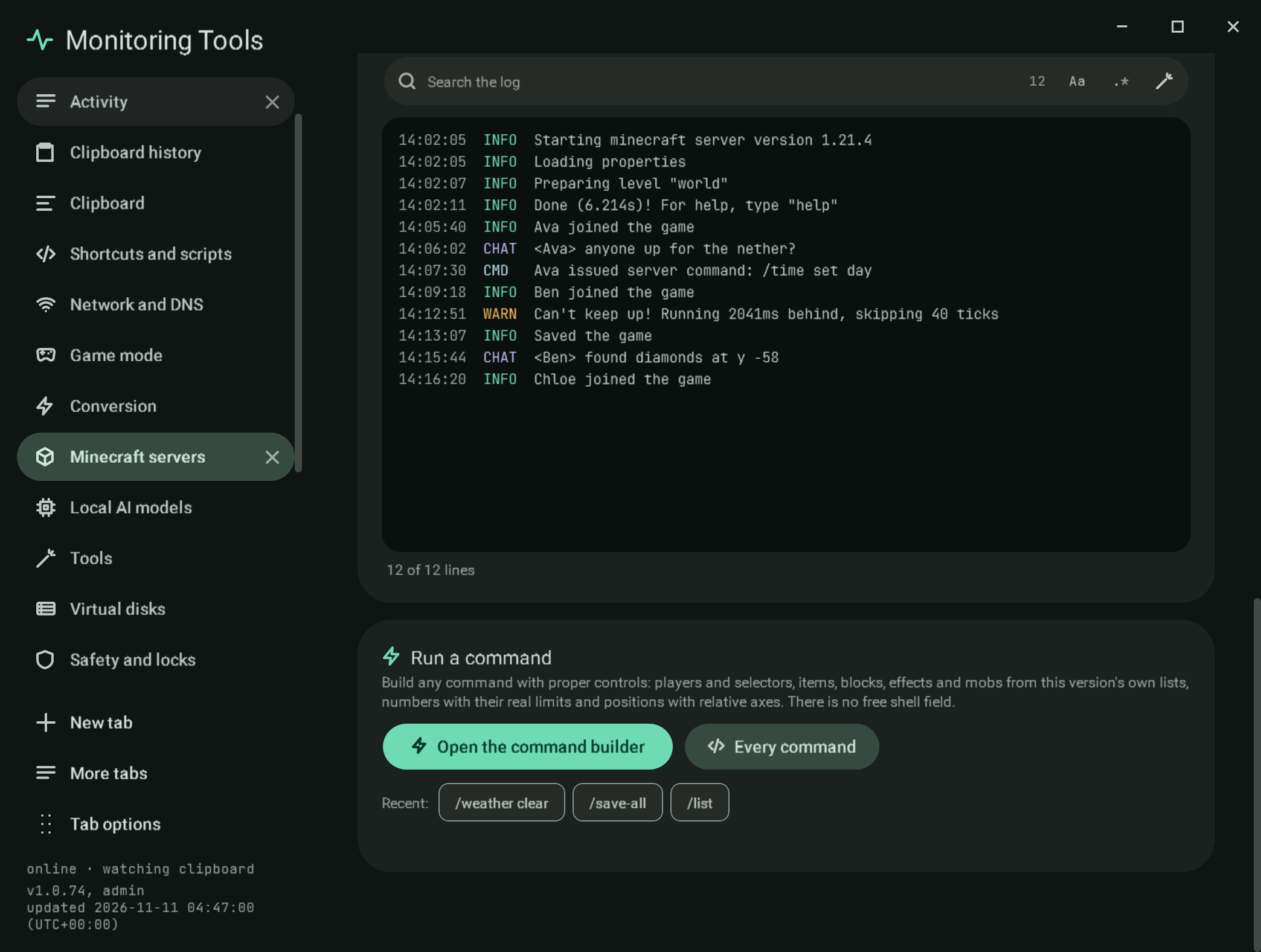
#The log
The live log, with each line split into its time, level and message. Chips show or hide Info, Warnings, Chat and Commands; Follow keeps the newest line in view. The log search is the shared search field with the regex builder. For a process on this computer the lines arrive as the server prints them; for Docker and SSH servers the app reads the newest 400 lines every few seconds. The last 2,000 lines are kept.
#Run a command
There is no free shell field. Open the command builder (or Every command) opens the command builder: task forms with players, selectors, items, blocks, effects, numbers with the jar's bounds and relative positions, and the whole command tree of the server's version, with a coloured preview, a completeness check, Run, Copy, favourites and scheduling.
Under the button, Favourites and Recent (the last eight commands sent, per server) run again with a click. stop, ban and operator changes open in the builder instead, where they ask for the two-key confirmation.
Bedrock servers have no command list to build from, so their console keeps a typed command line, sent as it is.
#Verification
A self-test check presses Open the command builder in the Console section and finds the Commands section open; another finds a saved favourite as a chip in the console. Capture mc-console. The builder's own checks are listed in commands.
View this article's Markdown source on GitHub
Suggested articles
Command builder
Command builder giving an item
Read itOverview
The first section of a server's workspace.
Read itMinecraft servers
Create and run Java edition servers on this computer, in Docker, or on another machine over SSH, and the official Bedrock Dedicated Server on this computer.
Read itServers found on this computer
Found on this computer
Read it