Minecraft servers
Create a server
New server opens a six-step guide in the workspace. A step rail on the left shows each step, ticks the ones you have finished with their answer, and lets you go back to any of them. The progress bar, Back, Next and Cancel come from the app's shared guided form. Your answers are kept as a draft while you move between sections and pages; Cancel discards it. Nothing is downloaded until the last step.
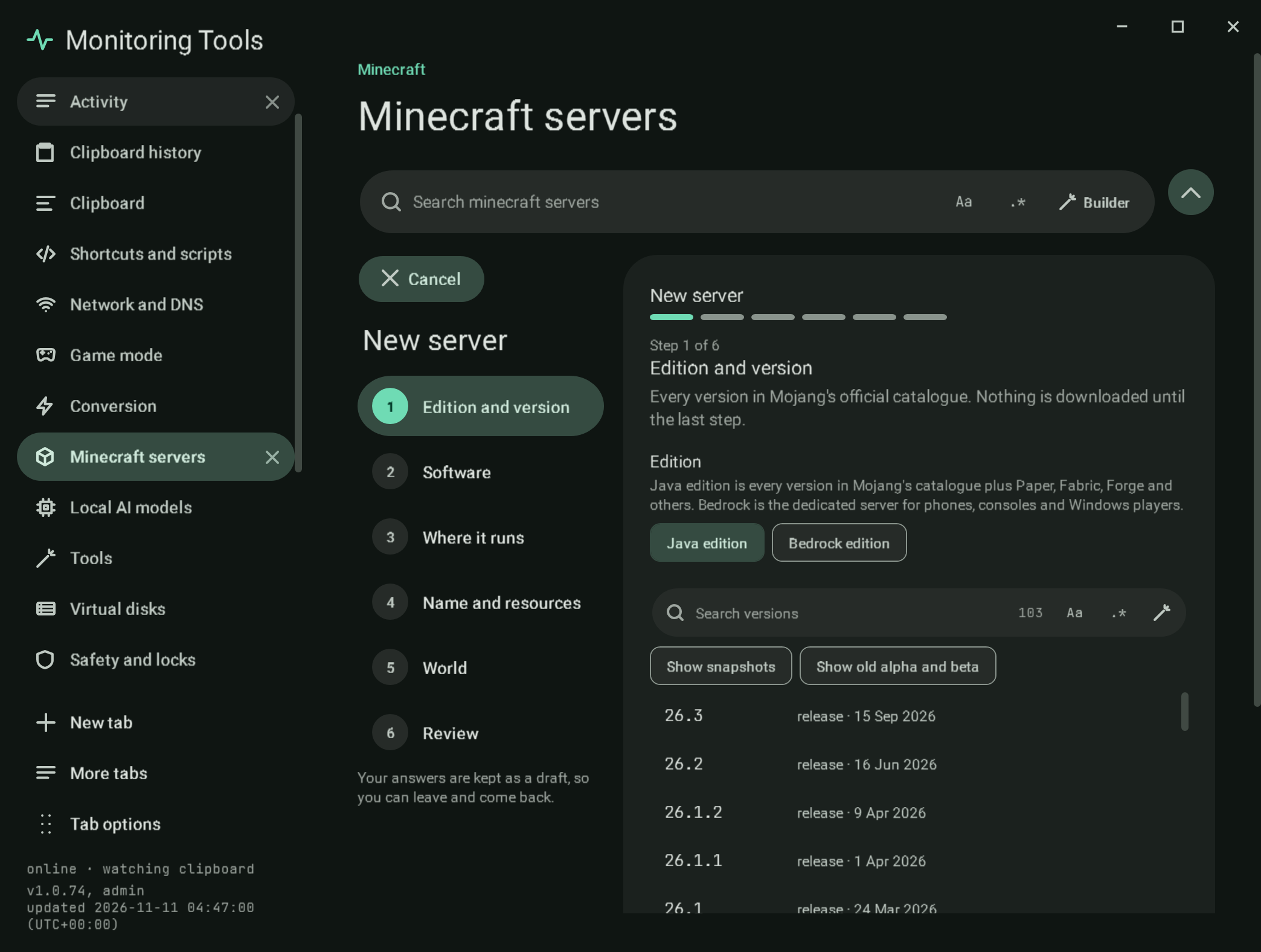
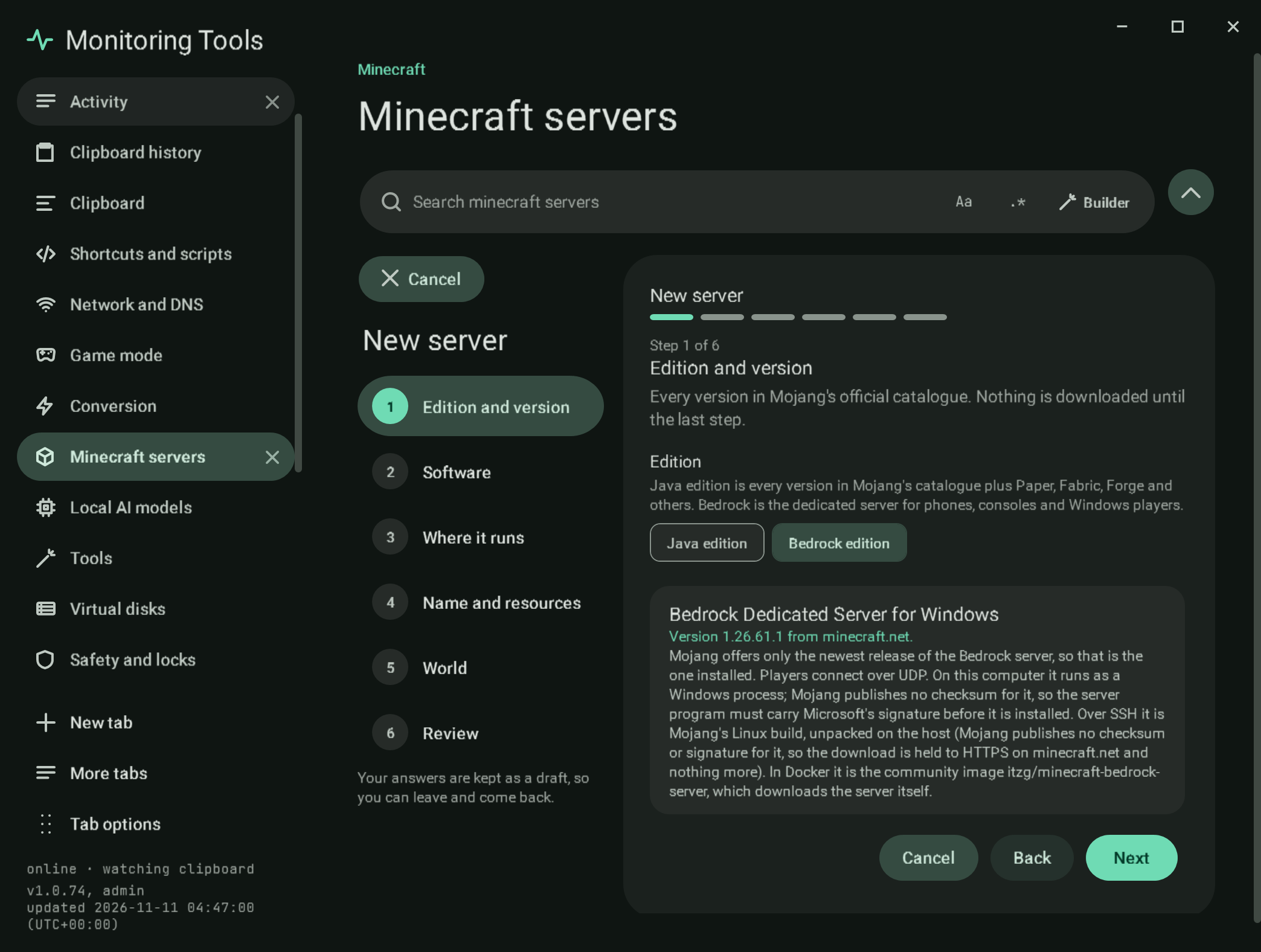
- Edition and version. Java edition lists every version in Mojang's official catalogue, newest first, with its type and release date. Show snapshots and Show old alpha and beta add those types. The search field has the regex builder. Picking a version reads its metadata and says whether Mojang publishes a dedicated server for it and which Java it needs. Bedrock edition reads Mojang's download links service (the one the minecraft.net download page uses) and shows the current Windows release of the Bedrock Dedicated Server. Mojang links only the newest release, so that is the one installed; Next waits until the link has been read.
- Software. Vanilla, Paper, Purpur, Fabric, Forge and NeoForge. Each card shows the newest build its project lists for the chosen version, read from the project's own public API: PaperMC's Fill API, the Purpur API, the Fabric meta service, and the Forge and NeoForge Maven metadata. Software without a build for that version cannot be picked, and an API that cannot be reached is shown as unavailable rather than guessed. The newest builds are offered as a choice. For Bedrock the step shows the Bedrock Dedicated Server, the only software it has.
- Where it runs. This computer, Docker on this computer, another computer over SSH, or Docker over SSH. Each card runs a live check when you pick it: which Java will be downloaded (or is already there), whether Docker is running and its version, or whether the SSH host answers and has Java or Docker. SSH targets ask for the host and an optional folder, with Check host key and Check the host. A Bedrock server runs as a process on this computer only.
- Name and resources. The name, and typed number fields with steppers and their real bounds for memory (512 to 65536 MB), port (1024 to 65535) and maximum players (1 to 1000). The step checks that the port is free on this computer and not used by another server here, and compares the memory with what the computer has. For Bedrock there is no memory field (it is not a Java server), and the port is a free UDP pair starting at 19132 (the next port is its IPv6 port).
- World. A new world with a seed and a world type, a world you have (a folder or a ZIP, checked for a
level.datand copied, never moved), or a backup of another server on this computer. A Bedrock server starts with a new world from a seed; an existing Bedrock world is copied into itsworldsfolder afterwards. - Review. A summary of every answer and the Minecraft EULA switch. Create server refuses until the EULA is accepted, then downloads and checks the server: the Vanilla jar against Mojang's SHA-1, Paper against PaperMC's SHA-256, Purpur against its published MD5, and Java against Adoptium's SHA-256. Mojang publishes no checksum for the Bedrock server, so its download is accepted only from minecraft.net over HTTPS, and
bedrock_server.exemust carry a valid Authenticode signature from Microsoft Corporation before anything is copied into the server's folder.
#Failure modes
- A version without a dedicated server, software without a build, or a target that cannot run the chosen software stops the step with the reason.
- A failed download or checksum leaves no half-made server in the list.
#Verification
A self-test check drives the flow through its buttons and confirms it holds Bedrock until its version is known, and refuses Fabric as a local process, memory below 512 MB, an empty name, and a world folder without level.dat. A second check takes a Bedrock server through every step to the review (Docker and an existing world are refused, no memory field) with a sample release, so it needs no network. The live check creates, starts, asks list and stops a real Bedrock server. The guided-forms check walks all six steps and confirms nothing is created without pressing Create server and accepting the EULA. Captures mc-create-1 to mc-create-6, mc-create-bedrock and mc-create-bedrock-review.
View this article's Markdown source on GitHub
Suggested articles
- Tools
Live check
the parts that only mean something against the real thing. It uses a throwaway data folder, so the real settings are
Read it Overview
The first section of a server's workspace.
Read itServers found on this computer
Found on this computer
Read itMinecraft servers
Create and run Java edition servers on this computer, in Docker, or on another machine over SSH, and the official Bedrock Dedicated Server on this computer.
Read it