Actions workflow manager
The Workflows tab of the Actions view lists every workflow in the repository, with a switch per row to enable or disable it, a filter bar wired to the full regex builder, and — for each workflow — the truthful timing state of its newest loaded run. The run browser and workflow picker used to launch a run show the same timing contract on every row.
Actions 版面嘅 Workflows 分頁列晒成個 repo 嘅 workflow,逐個有開關掣,仲會話你 知每個係行完、行緊、等緊,定暫時量唔到,唔使開網頁逐個㩒入去數。
Behavior and configuration
Each manager row shows the workflow's icon, its name:,
and a secondary line reading <file> · <state>,
followed by one of these explicit states:
Last run <duration>for the newest completed run.Current run <duration>for an in-progress run.Latest run: waiting to startfor queued, waiting, pending, or requested work.Latest run time unavailablewhen provider timestamps are missing, malformed, or reversed.No loaded run timewhen the loaded page has no run for that workflow.
The main run browser reports Elapsed <duration>,
Elapsed: waiting to start, or
Elapsed: unavailable on every run row. The workflow picker
in Run workflow uses the same five workflow-level
states, so opening a second list does not make timing disappear.
Reviewed bulk re-run/cancel lists retain the same per-run elapsed label
in their confirmation dialog.
When no run is selected, the run list expands to fill the available row instead of preserving the old fixed 55/45 split. Selecting a run restores the resizable detail pane. The list and detail states therefore use the same bounded layout without leaving a large empty surface beside an unselected run list.
The duration answers the question a workflow list is usually opened to answer: which of these is the slow one? Before it existed, comparing two workflows' cost meant opening each run individually, or leaving the app for the web UI.
Rows are filtered by name or file path from the search field.
Plain-text matching is the default; the adjacent control opens the
anchored regex builder, and the chosen pattern, flags, case sensitivity,
and mode apply to that field only. The filter mode persists per surface
under the actions-workflows id.
How the duration is derived
GitHub's workflow-run resource reports no explicit duration or
completed_at. The shared model in
app/src/lib/actions-workflow-run-elapsed.ts therefore
uses:
run_started_atas the preferred execution boundary.created_atonly when the provider omitsrun_started_at(older provider adapters and fixtures).updated_atas the most precise available completion boundary.
The model strictly validates RFC 3339 timestamps and calendar fields.
A present-but-malformed run_started_at is not silently
replaced with queued time. For an in-progress run, the end boundary is
the current injected wall clock.
formatWorkflowRunElapsed renders that span the way a
glance wants it:
| Span | Rendered |
|---|---|
| under a minute | 45s |
| whole minutes | 1m |
| minutes and seconds | 4m 12s |
| whole hours | 1h |
| hours and minutes | 1h 15m |
| days | 1d 1h 1m 1s |
A run that completed inside the same second reports
<1s rather than the false 0s or an invented
full second.
While a mounted list has a running row, one list-level timer updates all of its elapsed labels once per second. Workflow-level lists schedule that timer only when the newest run of an actually rendered, filter-matching workflow is running; an older superseded run cannot keep it alive. Filter changes resync the timer immediately. The timer pauses while the document is hidden, restarts with a fresh clock reading when visible, and is cleared when the list unmounts or the final visible active run becomes terminal. Completed and not-started lists schedule no timer.
Failure modes
The duration is never omitted or replaced with zero when it cannot be stated truthfully. Rows instead say whether the run is waiting to start, timing is unavailable, or no matching run has been loaded. Missing boundaries, non-RFC-3339 values, impossible calendar dates, a future start, and an end that precedes its start or lies in the future all fail closed to unavailable. If any matching candidate has an unorderable creation timestamp, the workflow-level result is unavailable; it never falls back to an older run and labels stale timing as latest.
Because it is derived from runs already loaded into the Actions view, the figure reflects that bounded provider window. A refresh or store update replaces it when a newer run arrives; older history is never presented as newer.
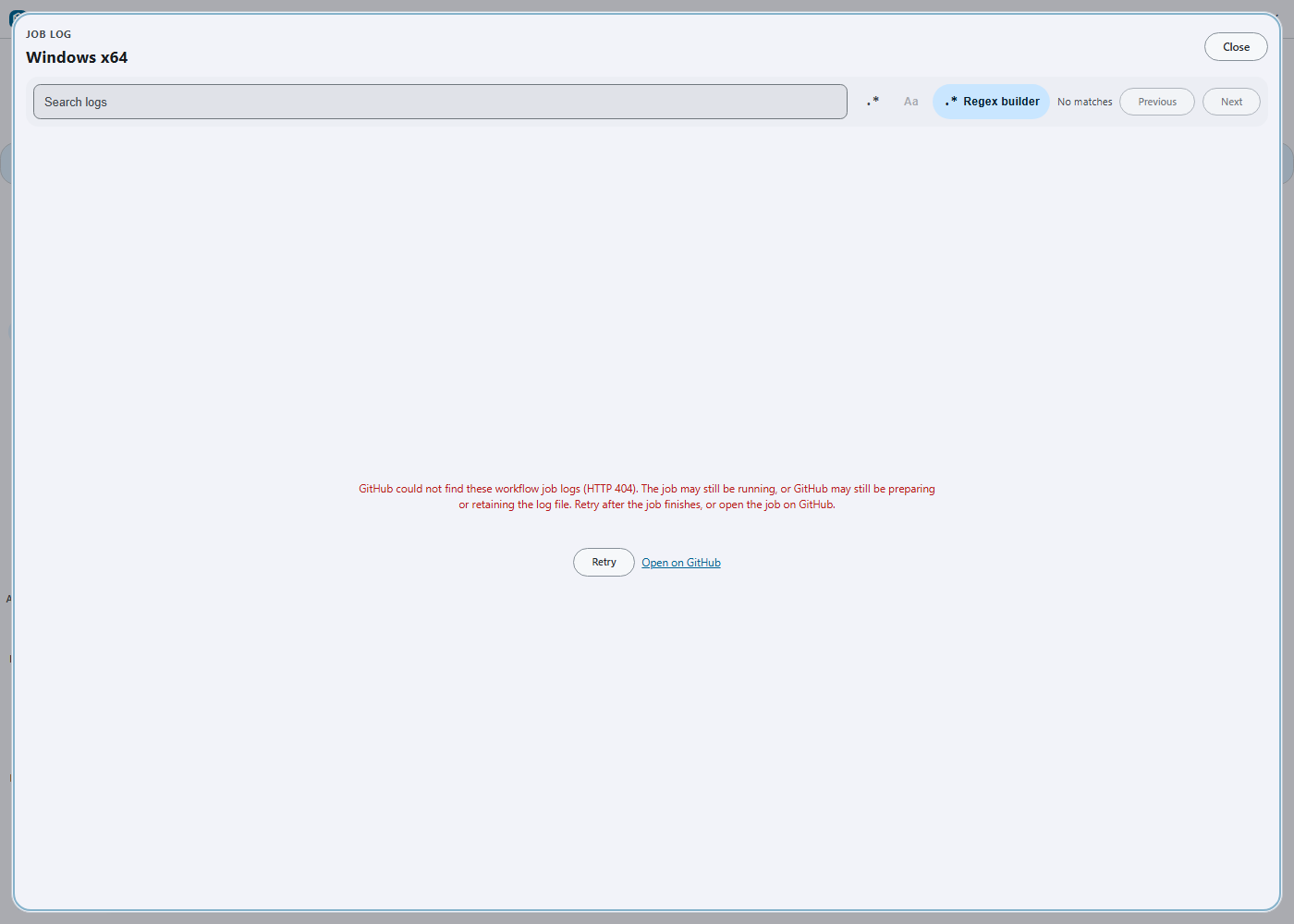
Recovering transient job-log 404 responses
GitHub can briefly answer 404 for a completed job's log
endpoint while the log archive is still being prepared or retained. The
endpoint is valid in this case; treating the first response as permanent
made the viewer look broken until the user reopened the run.
The main-process transfer now retries only this job-log API response, with bounded waits of 250 ms, 750 ms, and 1,500 ms. Every retry starts at the original API endpoint and obtains a fresh signed redirect, so a stale blob URL is never retried and the API bearer is never sent to the cross-origin log host. Artifact downloads and other HTTP failures keep their existing behavior.
After the bounded sequence is exhausted, the viewer names the actual
HTTP 404 and explains the three likely provider states. It
keeps the failure non-blocking inside the log surface and offers
Retry plus Open on GitHub; Retry
starts the same job again without losing the selected run.
There is no user setting to tune. The fixed bound prevents an unavailable provider from keeping a renderer request alive indefinitely. Retry attempts do not consume the separate redirect-hop budget, and the existing abort signal cancels an in-flight retry delay before another network request can start.
Force-cancelling a stuck run
A run that ignores an ordinary cancellation cannot be stopped from the Actions UI — the request is accepted and the jobs keep going. GitHub provides a separate endpoint for this:
POST /repos/{owner}/{repo}/actions/runs/{run_id}/force-cancelDesktop Material exposes it inside the same reviewed confirmation as an ordinary cancel, as a Force cancel checkbox rather than a second button, so the harsher action is chosen deliberately and with the run's identity already on screen. Ticking it retitles the dialog to Force-cancel workflow run? and relabels the confirm button, so the dialog never says one thing and does another.
What it actually does.
force-cancelbypasses conditional evaluation. Steps guarded byif: always()— cleanup, artifact upload, teardown — do not run, and jobs are terminated outright. That is precisely why it works on a wedged run, and precisely why it is not the default.
Behavioural guarantees:
- The choice is per confirmation and never remembered, so a forced cancellation cannot be inherited by the next ordinary one.
- Forced and normal requests use different in-flight keys. A forced request is never deduplicated into a normal one that is already stalling — which is exactly the state the user reaches for this in.
- Every progress message says which kind was sent; a forced request never reports itself as a normal one.
- The same pre-POST revalidation applies: the run identity, repository, and account are rechecked immediately before the request crosses the boundary, and an already-terminal run is reported as finished rather than force-cancelled.
Accessibility and language
Elapsed text wraps at narrow widths and in bilingual mode instead of
clipping the file name, state, or adjacent action. It carries no
title tooltip. The visible copy follows English, playful
Hong Kong Cantonese, or bilingual mode live; a separate screen-reader
string uses the active primary language so a bilingual row is not
announced twice. Timer updates are not an aria-live region,
avoiding a new announcement every second. Existing row roles, selection
semantics, switch targets, and focus order are unchanged.
Verification
app/test/unit/main-process/actions-transfer-test.ts
covers a transient API 404 followed by a fresh API redirect and
successful blob transfer, the exact 250/750/1,500 ms retry budget, a
multi-hop redirect chain after all retries, abort during backoff without
a refetch, bearer-header scope including signed blob 404s, and the final
bounded 404. app/test/unit/ui/job-log-viewer-test.tsx
covers the visible error, Retry button, and Open on GitHub link
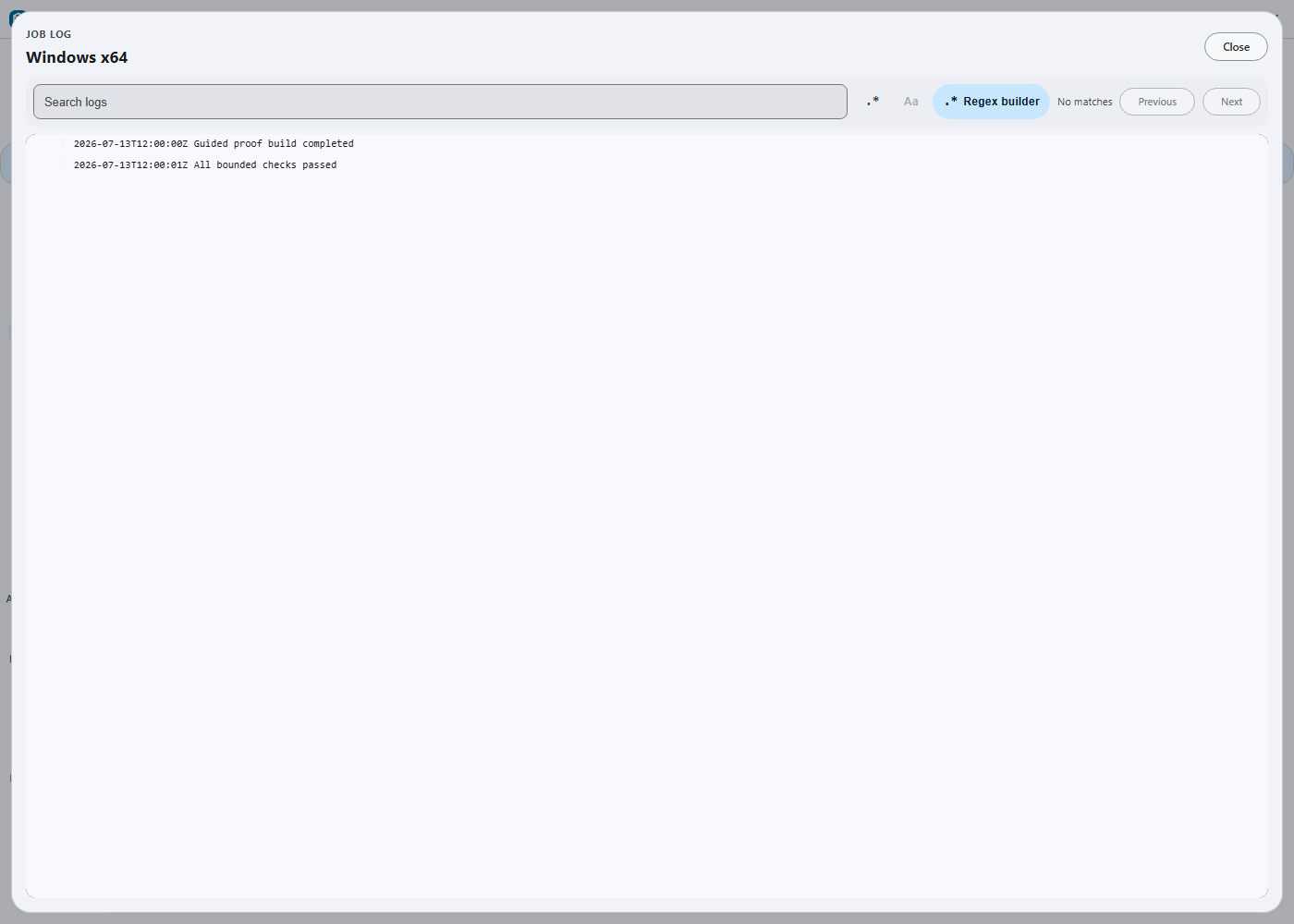
destination and activation. The built Windows Electron artifact was also
exercised through the cheap headless desktop route: the fixture produced
four bounded 404 attempts, then one successful request after the user
activated Retry, and the captured viewer shows both expected log
lines.
app/test/unit/actions-run-cancellation-store-test.ts
covers force cancellation: a forced request POSTs to
force-cancel while a concurrent normal request still POSTs
to cancel, the two are not merged, and the forced request's
progress messages identify themselves as forced and never as normal.
app/test/unit/actions/workflow-run-duration-test.ts
covers formatter boundaries, strict timestamps, preferred/fallback
starts, completed and running calculations, newest-run selection,
pending states, missing data, future starts, and reversed intervals.
app/test/unit/ui/actions-parity-test.tsx and
app/test/unit/workflow-dispatch-dialog-test.tsx cover all
row labels, live clock updates, bounded scheduling, hidden-document
pause, unmount cleanup, language switching, concise accessible copy, and
the manager/dispatch/run-list surfaces.
Suggested articles
- Local GitHub Actions runner — run these same workflows on your own machine before pushing.
- Automated update build status and release notes — what the release side of CI publishes.
- Repository releases dashboard — the artifacts those runs produce.