Frame 94 of 147 · windows-ui-state-lowlevel
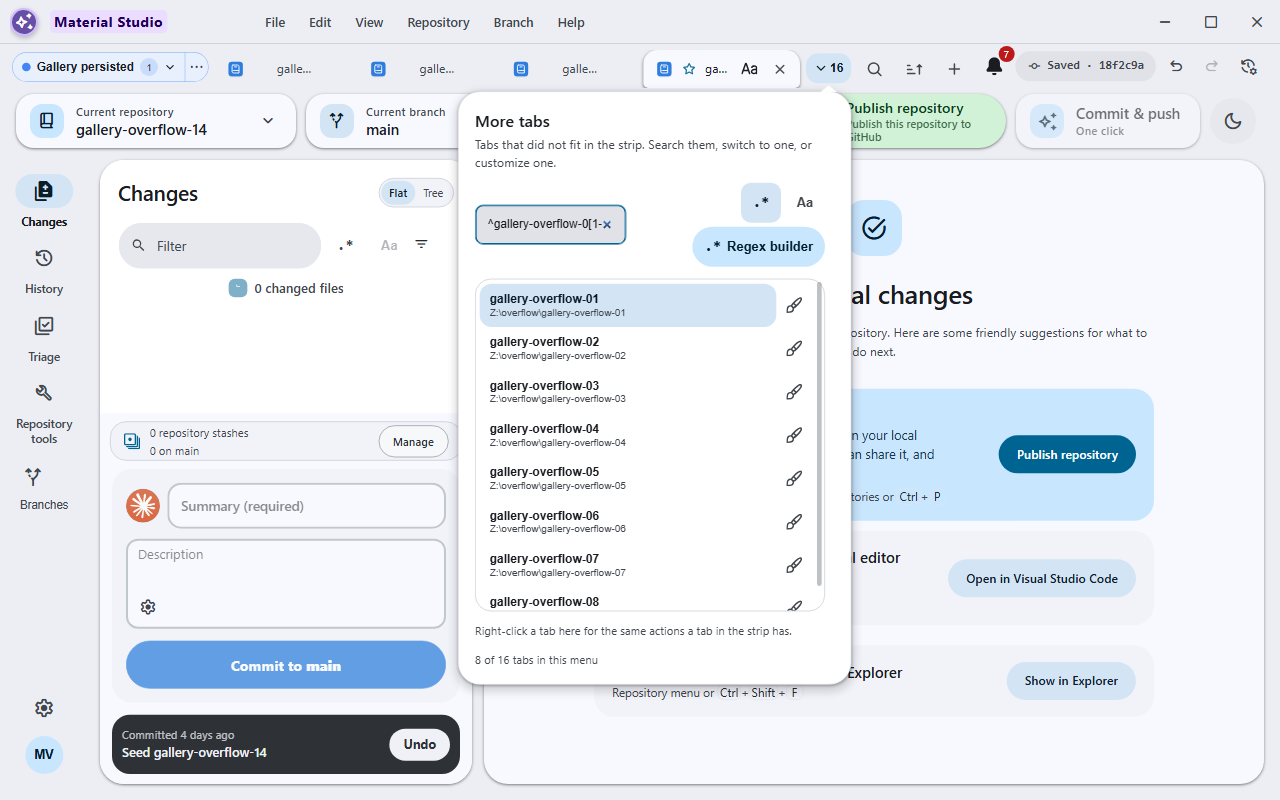
Tab overflow dropdown with its search field and regex builder
1280 × 800 px · 143,892 bytes · batch windows-ui-state-lowlevel
呢一頁只講一張相:邊個 scene 出,邊個 batch 收,尺寸、指令、憑證全部照抄記錄,冇記錄就照直講冇。
What the sources record
- Asset file
- docs/assets/screenshots/tab-overflow-search.png
- Pixel dimensions
- 1,280 × 800 px, read from the PNG IHDR header
- File size
- 143,892 bytes on disk
- PNG encoding
- 8-bit truecolour (IHDR colour type 2)
- Gallery output id
- tab-overflow-search
- Scene
- tab-overflow-regex-search
- Capture batch
- windows-ui-state-lowlevel
- Platform
- windows-headless
- Feature Gallery section
- Search, history, accounts, and automation
- Guided workflow caption
- Tab overflow dropdown with its search field and regex builder
- Publication status
- Published target in the current Windows guided gallery
Alternative text
Tab overflow dropdown with its search field and regex builder
The alternative text above is the Feature Gallery's own Markdown alt text for this frame, so the image describes itself identically in the wiki and here.
The interaction the harness performs
Open enough disposable repository tabs to force overflow at 1280x800, click the overflow button, enable regex mode, and leave its search field, results, and regex builder visible.
Fixture the capture batch requires
Fresh throwaway repositories and isolated renderer profile; all persisted UI state is created through app-owned interactions or an explicitly named app-native state hook.
Privacy gate the capture must pass
Run the pre-capture renderer privacy gate used by script/capture-app.js and inspect the original client-only PNG.
Regenerating this capture
Run these commands in order, exactly as the capture batch records them. Placeholders in angle brackets are the verifier's own run root, fixture path and CDP port.
-
npx --no-install cross-env RELEASE_CHANNEL=development DESKTOP_SKIP_PACKAGE=1 yarn build:prod -
Lowlevel launch the production bundle with isolated user data and the entry fixture, perform the entry interaction exactly, then capture_screenshot(client_only=true, hwnd=<resolved-app-hwnd>, path=<owned-temp-run-root>\captures\<output>.png)
Dated acceptance receipt
No dated receipt under docs/verification/ names
tab-overflow-search.png. The frame is published without
its own dated acceptance document; the build, interaction and
privacy evidence for its batch is recorded in
HANDOFF.md and in the Feature Gallery's refresh notes
instead.