Frame 144 of 147 · retained-historical
personal-vocabulary.png
1280 × 900 px · 128,267 bytes · no capture batch
呢一頁只講一張相:邊個 scene 出,邊個 batch 收,尺寸、指令、憑證全部照抄記錄,冇記錄就照直講冇。
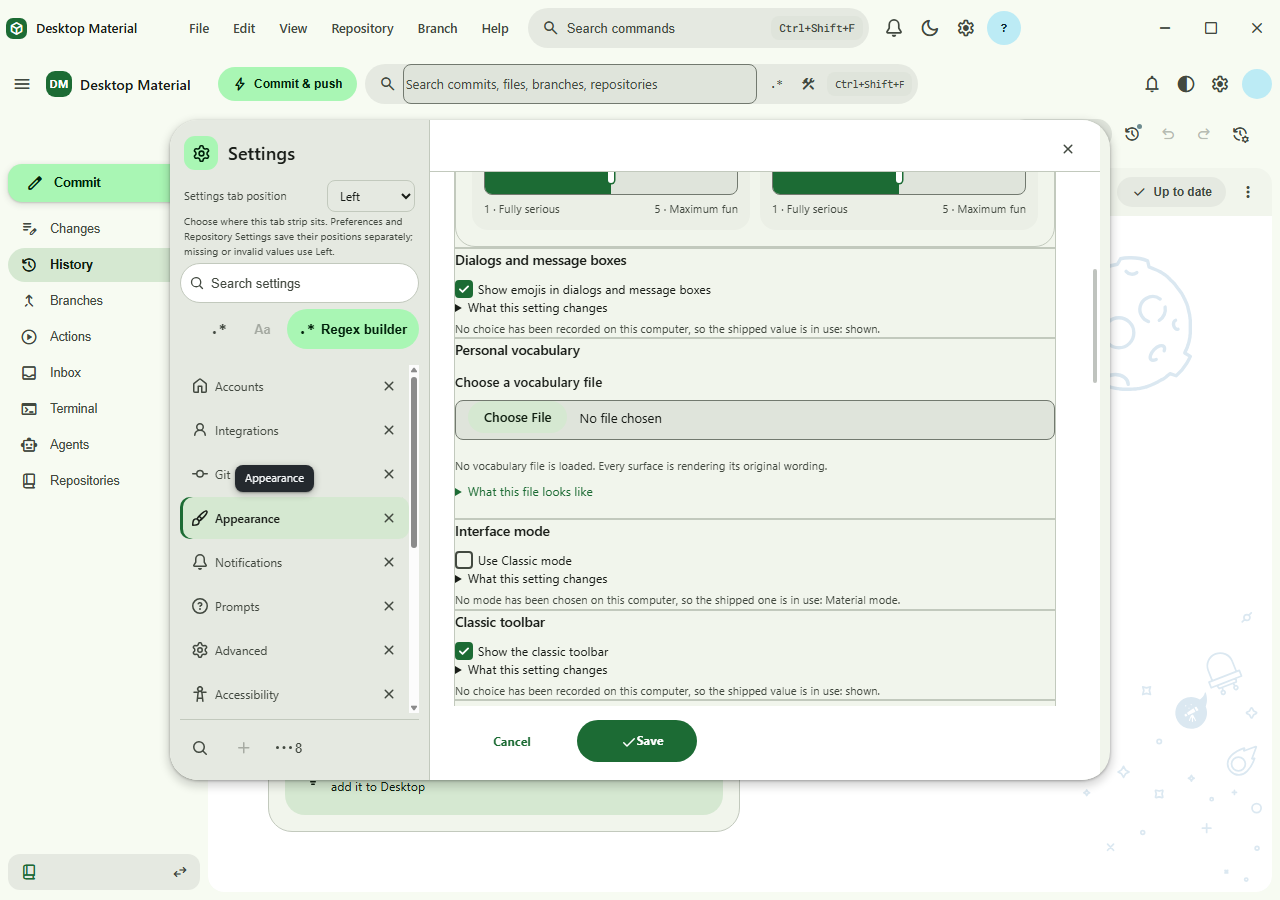
What the sources record
- Asset file
- docs/assets/screenshots/personal-vocabulary.png
- Pixel dimensions
- 1,280 × 900 px, read from the PNG IHDR header
- File size
- 128,267 bytes on disk
- PNG encoding
- 8-bit truecolour (IHDR colour type 2)
- Gallery output id
- personal-vocabulary — derived from the file name for this page's address; the capture plan records no output id for this frame
- Scene
- Not recorded: this PNG has no entry in GalleryCapturePlan, so no scene id produces it. It is retained historical evidence, deliberately outside the current Windows gallery target.
- Capture batch
- Not recorded: no capture batch owns this PNG. Nothing in the current campaign regenerates it.
- Platform
- Not recorded in the capture plan. The wiki files this frame under retained historical evidence rather than the Windows target set.
- Feature Gallery section
- Not recorded: the Feature Gallery has no section that embeds or tabulates this file.
- Guided workflow caption
- Not recorded: no Feature Gallery asset table row describes the workflow this frame shows.
- Publication status
- Not recorded: neither the capture plan nor the Feature Gallery states a publication status for this file.
Alternative text
Desktop Material screenshot personal-vocabulary.png. The Feature
Gallery records no alt text and no caption describing this
frame.
The Feature Gallery records neither Markdown alt text nor a workflow caption for this frame — its historical table names the acceptance run instead — so the alternative text above only names the file and the section it is filed under. Nothing in this repository describes what the image itself shows.
The interaction the harness performs
No interaction is recorded. This PNG has no capture-plan entry, so nothing in the current harness drives the state it shows.
Fixture the capture batch requires
No fixture is recorded, because no capture batch owns this frame.
Privacy gate the capture must pass
No privacy gate is recorded, because no capture batch owns this frame. Its original acceptance evidence is the only privacy record.
Regenerating this capture
No commands are recorded. The capture plan owns no batch for this frame, so this repository does not describe a way to reproduce it.
Dated acceptance receipt
No dated receipt under docs/verification/ names
personal-vocabulary.png. The frame is published without
its own dated acceptance document; the build, interaction and
privacy evidence for its batch is recorded in
HANDOFF.md and in the Feature Gallery's refresh notes
instead.