Browser-style settings tabs
Global Settings, Repository Settings, and Stash Manager use the same horizontal browser-style tab surface. Each page has a stable identity, a visible active state, a close action, and a new-page action that reopens pages without discarding the page currently being edited.
Behavior
- Settings pages are presented in one horizontal tab lane instead of a vertical rail or a one-off row of pills.
- The active page is linked to its
tabpanel; inactive pages use the shared tab-strip keyboard behavior withLeft,Right,Home, andEnd. - Closing the active page selects its next surviving page and returns focus to that tab. Selecting a page from the overflow or new-page picker also returns focus to the selected tab.
- The plus action opens an anchored page picker with its own search field and regex-builder controls. When every page is already open, the action remains disabled and explains why.
- The overflow action is measured from the actual horizontal scrollport and is refreshed after both resize and scroll. Long labels retain their full name through the accessible name and the overflow-aware tooltip.
- Repository Settings keeps its complete page catalogue separate from the filtered display. Searching for a page never closes or forgets other open pages.
- Open pages are persisted per surface under the renderer's local settings storage. Stored IDs are treated as untrusted input: duplicates, empty IDs, removed pages, and stale migrations are discarded before rendering. A valid page after a long run of stale IDs is retained, and at least one page remains available.
Configuration and persistence
The shared model in
app/src/ui/settings-tabs/settings-tab-model.ts scopes open
pages and pins by preferences,
repository-settings, and stash-manager. The
browser strip accepts a complete page catalogue when a caller displays a
filtered view. This prevents temporary search results from being
mistaken for the user's saved tab session.
The stash surface supplies localized action names for English, playful Hong Kong-style Cantonese, and bilingual rendering. The tab names themselves remain factual; funny-level styling changes surrounding copy, not page identity.
Failure modes and recovery
- If local storage cannot be read, the strip opens the declared pages and keeps navigation available.
- If local storage cannot be written, the current session still works; the next visit may reopen the declared pages.
- If a page disappears between releases, it is removed from the persisted session on the next render and the active page is kept valid.
- If a search has no matching page, the selected page remains visible so the user can return to a known location and clear the query.
- A disabled mutation state disables tab selection, closing, and page opening together so a long-running repository operation cannot be re-entered through the navigation chrome.
Security and privacy
Open-page and pin state is local UI preference data. It contains only stable page IDs, never repository credentials, remote URLs, stash contents, or provider-authored text. Values read from storage are bounded and validated before they are used as DOM identities or rendered labels. Picker searches run locally and do not transmit the query or sample text.
Verification
- The combined focused UI, style, documentation, and wiki suites pass 111 tests, 111 passed, 0 failed. The run includes the shared strip, Repository Settings search, Stash Manager, compact settings styles, responsive dialog styles, generated screenshot pages, the wiki gallery, and the new scoped pin, filtered-first-visit, disabled-context-menu, and picker-focus cases.
- Coverage includes horizontal semantics, linked panels, open/close behavior, focus restoration, search filtering without session loss, stale-storage reconciliation, malformed storage, localized Stash Manager actions, and compact layout contracts, repository-scoped pins, and empty-result combobox/listbox linkage.
- The exact production build command
npx --no-install cross-env RELEASE_CHANNEL=development DESKTOP_SKIP_PACKAGE=1 yarn build:prodcompleted with exit code 0. The renderer, main process, shell extension, licenses, and stylesheet checks all completed; the analyzer's existingimport.metawarning did not change the successful build result. - TypeScript's audit now has one unchanged dependency diagnostic in
app/node_modules/dexie/dist/dexie.d.ts(TS1540); no changed source file is in that baseline diagnostic.
Runtime evidence
The real production Electron artifact was launched on the named
hidden desktop dm-tabs-d9ad5763 with the disposable
fixture repository. The exact window handle was resolved
from that desktop at capture time, and CDP captured the three 1440×960
frames after the tab lanes and active panels were inspected. The run
manifest is
.codex/verification/settings-browser-tabs-headless-run-manifest.json.
| Surface | Evidence | SHA-256 |
|---|---|---|
| Global Settings | browser-style Settings frame | 43ff361771efeeeb01eb8b40b778b9a4e5b3a311457fc632271d9ad4aa513fc |
| Repository Settings | browser-style Repository Settings frame | 4850a060ed8ffb9c8fd06bf013e6b503b4928c58bf0449c45e56887be09ad962 |
| Stash Manager | browser-style Stash Manager frame | 52254a7b62ba0a9ce3d84c19fe3cd5e4e30a37ede79d3122afa57665b9759ca3 |
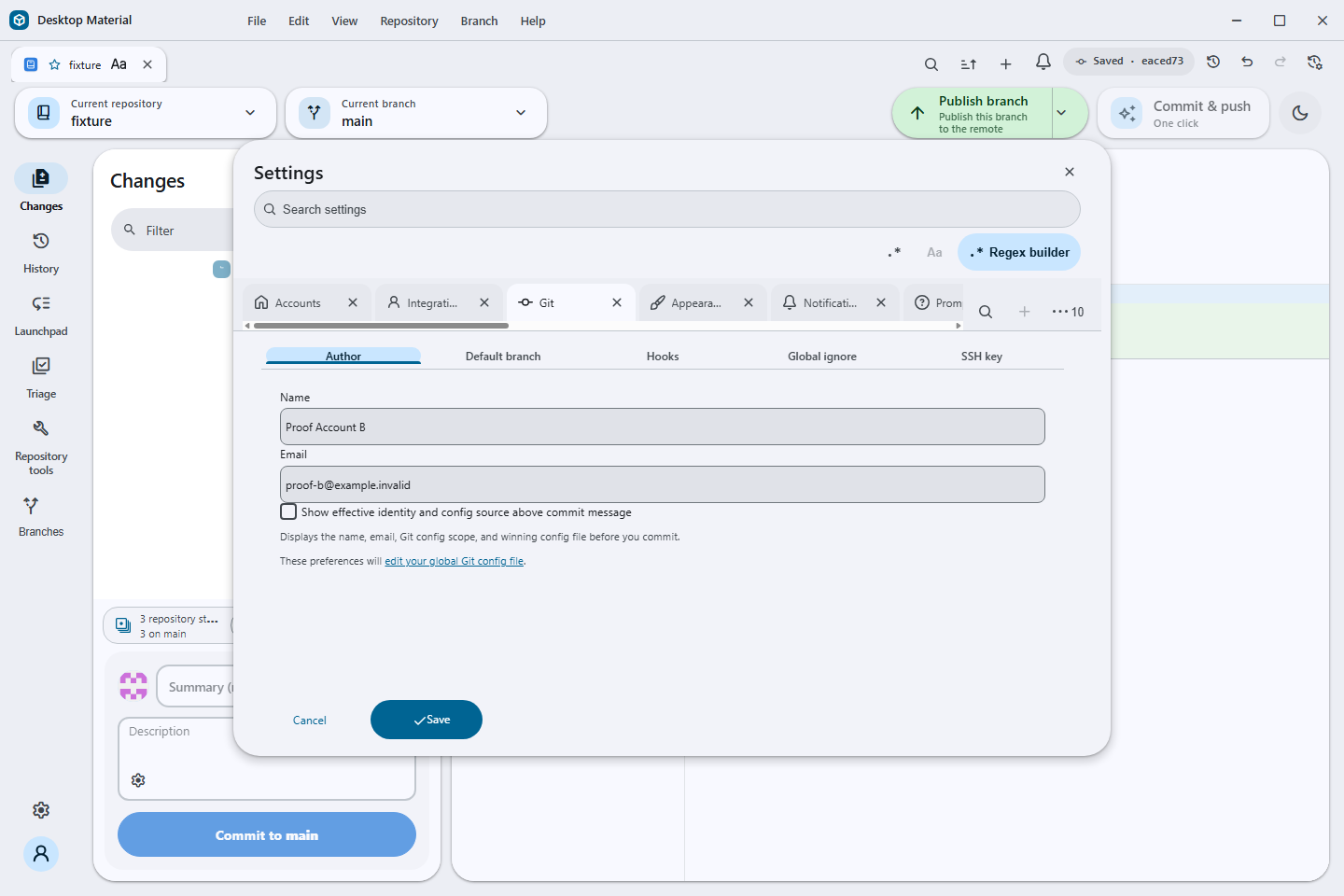
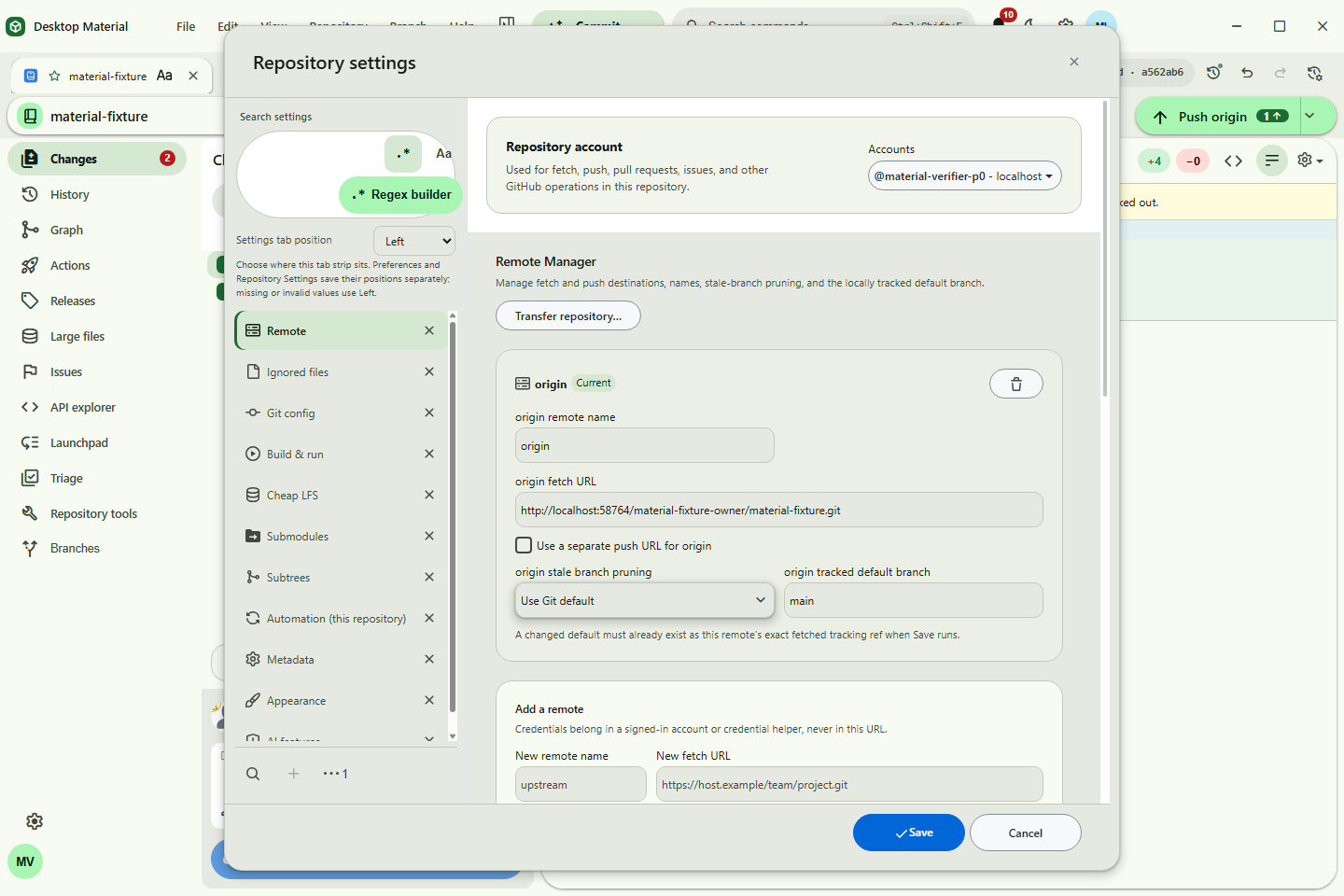
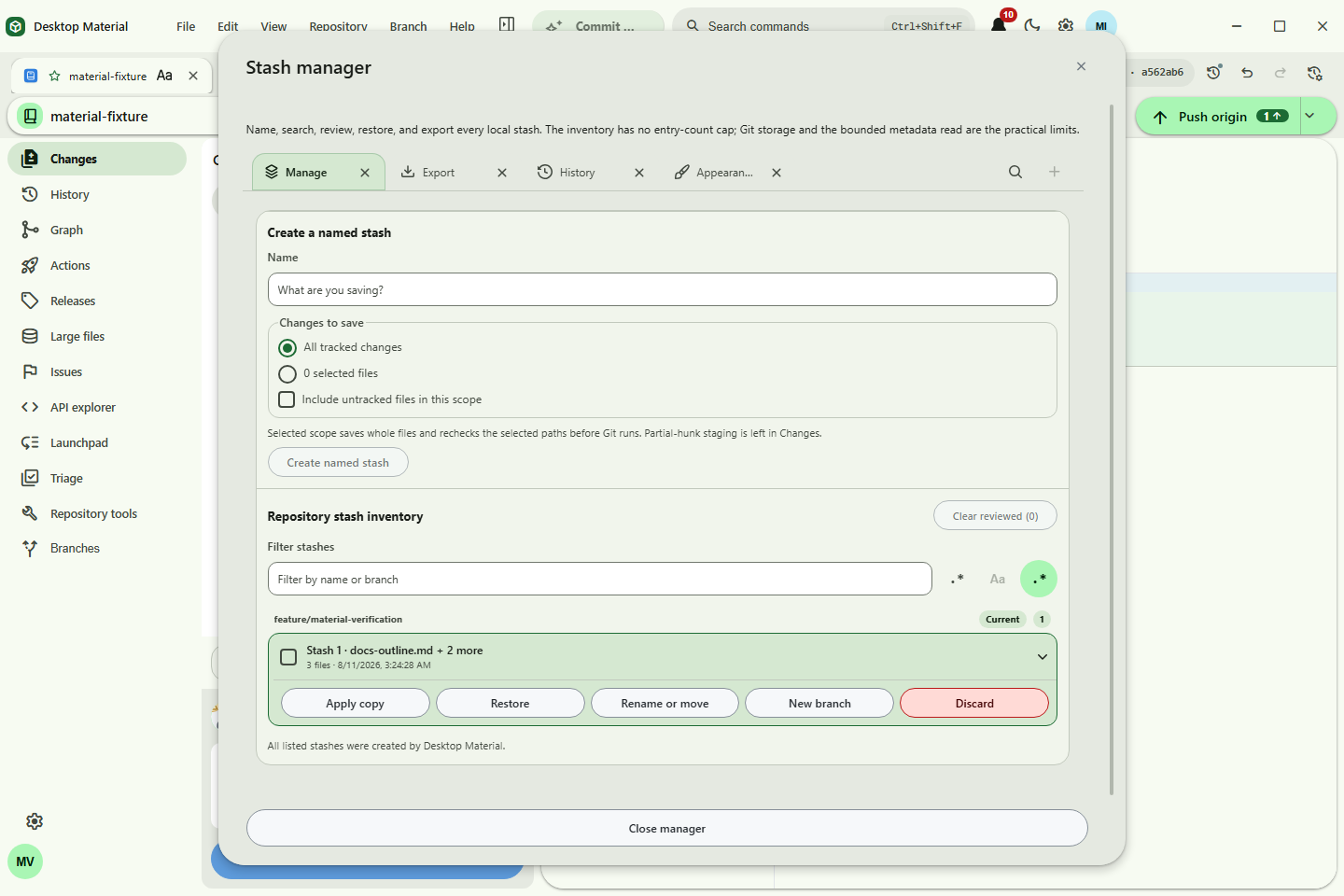
The frames are current-source UI evidence, not installer or release evidence. The headless MCP endpoint was already saturated by an unrelated capture job, so the installed cheap headless capture CLI was used against the same cheap headless route; the hidden desktop and visible user's desktop remained untouched.
Suggested articles
- Settings search — search and regex-builder behavior for settings surfaces.
- Tab groups — grouping and persistence for repository tabs.
- Tab-strip overflow dropdown — overflow discovery and keyboard access in the wider tab system.