Regex guide — how search works in Desktop Material
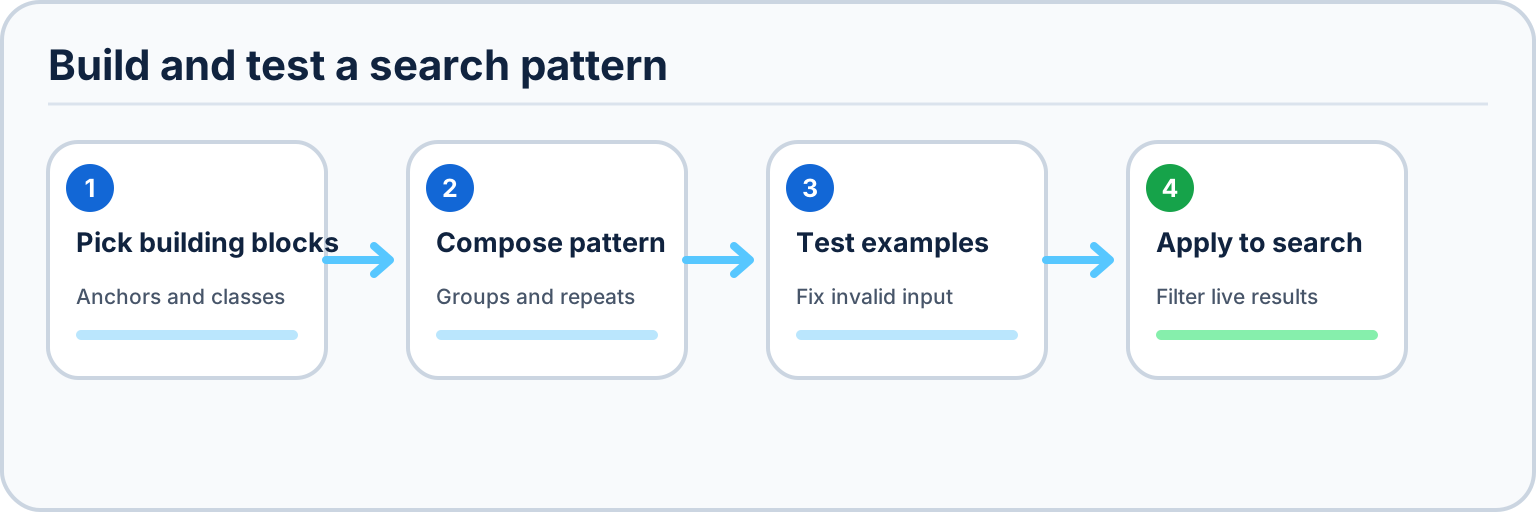
Every search bar in Desktop Material (Changes, History, Branches, Repositories, Clone, Actions) has three power tools:
- Filter chips — contextual toggles (file status, unpushed/tagged commits, repo visibility, run status…).
- Regex mode — the `.*` toggle switches the field from plain-text to safe RE2 matching.
- Regex builder — a dialog that composes a pattern from supported building blocks, tests matches and captures live, and applies the exact pattern and case mode back to the search that opened it. The builder's second tab, How regex works, is this guide in-app.
An invalid or unsupported pattern outlines the field in red, explains the problem, and filters nothing until fixed. Desktop Material uses the linear-time RE2 dialect for user-authored app searches; it does not fall back to the native JavaScript regex engine.
At compact or zoomed viewport sizes, the builder stacks its category
and building-block areas before cards clip. The dialog stays inside the
renderer, its body scrolls vertically, and the live tester plus footer
actions remain reachable without page-level horizontal scrolling.
Escape dismisses the builder and returns focus to the
control that opened it.
How matching works
A regular expression is a tiny program that scans text one character at a time, left to right. RE2 explores supported alternatives without catastrophic backtracking, so a user-authored pattern cannot freeze the renderer. A search matches when the pattern can be satisfied somewhere in the candidate. Plain characters match themselves: `material` finds "material" anywhere in a path or commit summary.
Anchors — match positions, not characters
| Token | Meaning |
|---|---|
| `^` | start of the searched candidate |
| `$` | end of the searched candidate |
| `\b` | word boundary — between a word character and anything else |
| `\B` | anywhere that is not a word boundary |
Example: `^app/.*\.scss$` — paths that start with `app/` and end in `.scss`.
Character classes — match one character from a set
| Token | Meaning |
|---|---|
| `.` | any character except newline; `[\s\S]` also matches newline |
| `\d` / `\D` | digit / non-digit |
| `\w` / `\W` | word character / non-word |
| `\s` / `\S` | whitespace / non-whitespace |
| `[abc]` | any of a, b, c |
| `[^abc]` | anything except a, b, c |
| `[a-z]` | a range |
| `\t` `\n` | tab, newline |
Example: `[0-9a-f]{7}` — exactly seven hex characters, i.e. a short commit sha.
Quantifiers — repeat the previous token
| Token | Meaning |
|---|---|
| `*` | zero or more |
| `+` | one or more |
| `?` | optional (zero or one) |
| `{3}` | exactly 3 |
| `{2,}` | 2 or more |
| `{2,5}` | between 2 and 5 |
| `*?` `+?` `??` | lazy variants |
Quantifiers are greedy: they grab as much text as their supported expression allows. Appending `?` makes one lazy so it stops as early as it can — `".*?"` matches each quoted string separately instead of one giant match from the first quote to the last.
Groups and captures
| Token | Meaning |
|---|---|
| `( )` | capture group |
| `(?: )` | non-capturing group |
| `(? |
named capture group |
Example: `(?app|docs)/` captures either app or
docs as the named area. The live tester shows
numbered and named captures from the first match, including explicit
empty and unmatched states.
Alternation
`|` means or. Scope it with a group: `gr(a|e)y` matches gray and grey; `\.(scss|tsx?)$` matches files ending in .scss, .ts, or .tsx. Without a group, the `|` splits the entire pattern.
Deliberately unsupported constructs
| Construct | Why it is rejected |
|---|---|
| `\1`, `\k |
Require previously captured text. |
| `(?= )`, `(?! )` | Lookahead is outside the safe app dialect. |
| `(?<= )`, `(?<! )` | Lookbehind is outside the safe app dialect. |
These constructs cannot be evaluated with RE2's linear-time guarantee, so the builder reports them as unsupported instead of previewing something it cannot apply.
Flags
| Flag | Meaning |
|---|---|
| `i` | ignore case; synchronized with Match case |
The app always enumerates live-test and highlight matches safely, so it does not expose a separate global flag. JavaScript-only multiline, dotall, Unicode, and sticky flag chips are not shown because the originating search surfaces cannot apply them truthfully.
Tips
- Escape special characters with a backslash to match them literally: `\.` `\(` `\[` `\|`.
- Prefer specific classes over `.*` for readable intent. Even patterns such as `(a+)+` stay linear-time in RE2, while pattern, candidate, aggregate input, match, and capture-preview caps provide additional bounds.
- The builder's test area counts a bounded set of occurrences, highlights every non-empty match inline, and reports captures from the first match.
- The static documentation hub documents its separate ECMAScript dialect and flags in place. It evaluates user patterns only in a same-origin Web Worker that the page terminates at a hard deadline; it never runs them synchronously on the UI thread.