Automation
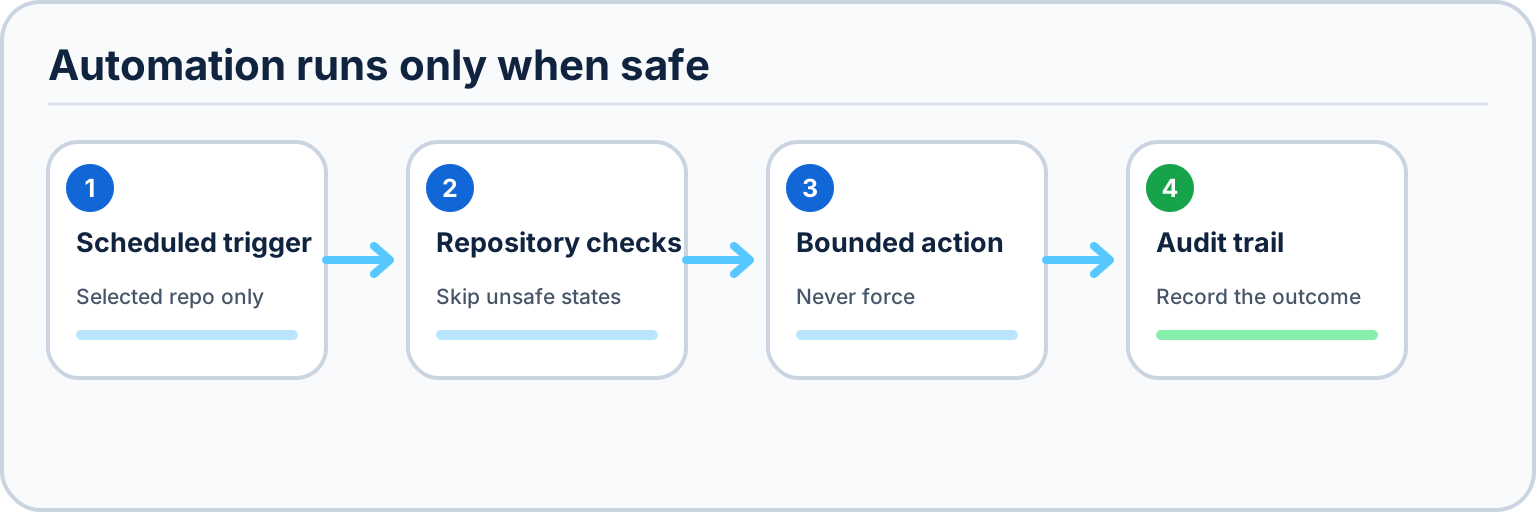
Desktop Material can run parts of the Git workflow for you on a schedule or on demand: auto commit & push, auto pull, and merge-all branches/worktrees. Automation is designed to be conservative — every action is gated by preconditions and skips itself rather than doing anything risky.
Automation always acts on the selected repository. It never fans out across every repo you have open. Each repository is evaluated on its own against the rules below, and one repo being ineligible never affects another.
Global default + per-repo override
Automation settings exist at two levels:
- A global default applied to every repository.
- A per-repo override that takes precedence for a specific repository.
So you can, for example, leave auto pull off globally but turn it on for one repo you always want current — or the reverse. Because automation settings live in your per-account settings repo, every change is auto-committed and can be undone from Settings → History.
Auto commit & push
Periodically commits the working changes in the selected repository and pushes them. Copilot writes the commit message, exactly as in the manual one-click flow.
It runs only when all of these hold:
- The repository tip is valid (a real, resolved commit to build on).
- There is no merge conflict and no other Git operation in flight.
- There are actual changes to commit (nothing to do on a clean tree).
- There is no draft commit message in progress — if you have started typing a message yourself, automation stays out of your way and does not overwrite or commit it.
If any condition fails, the run is skipped for that repository and retried on the next tick. It never force-anything and never touches a repo mid-operation.
Auto pull
Periodically pulls the selected repository so it stays current with its upstream.
It runs only when all of these hold:
- The working tree is clean — no uncommitted changes to be disturbed by an incoming merge.
- An upstream is set for the current branch (there is a remote branch to pull from).
- There is no merge in progress — automation will not stack a pull on top of an unfinished merge.
If any condition fails, the pull is skipped and retried later.
Merge-all branches / worktrees
An on-demand action that consolidates work into the default branch of the selected repository.
What it does:
- Iterates the repository's branches and worktrees, merging each into the default branch.
- On conflicts, invokes Copilot conflict resolution to resolve them automatically.
- If a branch cannot be merged cleanly (Copilot resolution fails or is inconclusive), that branch is skipped — it is left untouched rather than force-merged or half-merged.
- Deletes only the branches that were successfully merged or already up to date. A failed, skipped, conflicted, or cancelled merge keeps its branch.
- Pushes the updated default branch.
Because merge-all only deletes branches it successfully merged and skips on failure, a branch that could not be integrated is never lost — it stays available for you to resolve by hand.
Safety model in one line
Automation acts on the selected repository only, checks its preconditions before every run, and skips rather than forces whenever the repository is not in a clean, well-defined state.