Linux TUI — revived August 2, 2026 / Linux TUI — 2026 年 8 月 2 日復活
Current status: Desktop Material TUI is again an actively built, installable Linux-first terminal application. The Windows Electron app remains the graphical desktop edition; the TUI adapts its user outcomes to real terminal controls instead of pretending that a terminal owns desktop window chrome.
**目前狀態:**Desktop Material TUI 再次係一個積極建置、裝得到嘅 Linux 優先終端機應用程式。Windows Electron app 仍然係圖形桌面版本;TUI 會將用戶想達成嘅結果改編成真實嘅終端機控制項,唔會扮終端機擁有桌面視窗外框。
Desktop Material TUI is a separate terminal-native application built with Textual. It targets Linux first and shares the desktop edition's repository, Git, GitHub, search, safety, language, persistence, and release contracts where the terminal can represent them honestly.
Desktop Material TUI 係一個用 Textual 寫、獨立嘅終端機原生應用程式。佢以 Linux 為先,並且喺終端機誠實呈現得到嘅地方,共用桌面版嘅儲存庫、Git、GitHub、搜尋、安全、語言、持久化同發佈契約。
The terminal edition is interactive, not a read-only CLI. Users can
click buttons, tabs, lists, checkboxes, tables, and selectors in a
mouse-reporting terminal. Repository paths, clone URLs, branch names,
commit summaries, commit bodies, issue and pull-request text, API
requests, regex patterns, and sample text use real editable
Input or TextArea controls. Every primary
workflow also remains keyboard reachable.
終端機版本係互動式,唔係唯讀
CLI。喺支援滑鼠回報嘅終端機入面,用戶撳得到按鈕、分頁、清單、勾選框、表格同選擇器。儲存庫路徑、clone
網址、分支名、commit 摘要、commit 內文、issue 同 pull request 文字、API
請求、regex 樣式同範例文字,全部用真正可編輯嘅 Input 或者
TextArea
控制項。每一個主要工作流程亦都一樣用鍵盤到得到。
Delivery state / 交付狀態
The revived package provides a substantial interactive surface:
復活嘅套件提供相當完整嘅互動介面:
open, create, clone, and switch among repositories;
inspect changes and diffs, stage files, commit, fetch, pull, and push;
browse history, branches, stashes, remotes, tags, and repository tools;
inspect, preview, track, verify, and restore Windows-compatible Release-backed Cheap LFS pointers through a clickable manager and real text fields;
drag or keyboard-resize the repository rail, retain its persisted width, and keep the workspace usable at narrow terminal sizes;
browse repository files through a bounded, repository-confined Files tab and open a selected file in a detected external editor;
keep persistent repository tabs with aliases, pins, favourites, groups, ordering, search, overflow, guarded bulk close, and bounded import/export;
use GitHub issues, pull requests, Actions, releases, packages, projects inventory, and a bounded API explorer through an installed
ghCLI;search collection surfaces in literal, fuzzy, or explicit RE2 mode and build a regular expression interactively;
persist theme, density, accent, language, tone, editor, terminal, narrator, accessibility, and search preferences through XDG paths;
retain reviewable notifications and isolated Git-backed settings history;
occasionally show one locally bundled, verified dim-sum dish through a non-blocking, focus-safe 10% startup draw.
開啟、建立、clone 同切換儲存庫;
檢視改動同差異、暫存檔案、commit、fetch、pull 同 push;
瀏覽歷史、分支、stash、remote、標籤同儲存庫工具;
經可點擊嘅管理員同真實文字欄位,檢視、預覽、追蹤、驗證同還原相容 Windows、由 Release 支援嘅 Cheap LFS pointer;
拖曳或者用鍵盤調整儲存庫側欄闊度、記住佢嘅寬度,並且喺窄嘅終端機尺寸下保持工作區可用;
經一個有界、困喺儲存庫內嘅 Files 分頁瀏覽儲存庫檔案,並且喺偵測到嘅外部編輯器打開選定檔案;
保留持久嘅儲存庫分頁,連別名、釘選、最愛、群組、次序同互動式 regex;
經 XDG 路徑持久化主題、密度、強調色、語言、語氣、編輯器、終端機、旁白、無障礙同搜尋偏好;
保留可覆核嘅通知同隔離嘅 Git 支援設定歷史;
偶爾經一個唔阻塞、唔搶焦點嘅 10% 啟動抽獎,顯示一張本機隨附、已驗證嘅點心相。
The generated parity
contract covers all 202 rows in the desktop inventory and defaults
every unmapped row to not_yet_available. It is an
implementation ledger, not marketing shorthand: an adapted row carries
source and test evidence, a partial row names its real boundary, and
terminal-owned behavior stays with the terminal emulator. Regenerate it
after the desktop inventory or an evidence mapping changes:
產生嘅 對等契約
覆蓋桌面清單全部 202 行,並且將每一行未對應嘅預設為
not_yet_available。佢係實作分類帳,唔係宣傳字眼:改編過嘅行帶住來源同測試證據,部分完成嘅行講明佢真正嘅界線,而終端機自己擁有嘅行為就留返俾終端機模擬器。桌面清單或者證據對應改變之後,重新產生佢:
node tui/tools/generate-parity-contract.mjs
node tui/tools/generate-parity-contract.mjs --check
Terminal captures / 終端機擷取
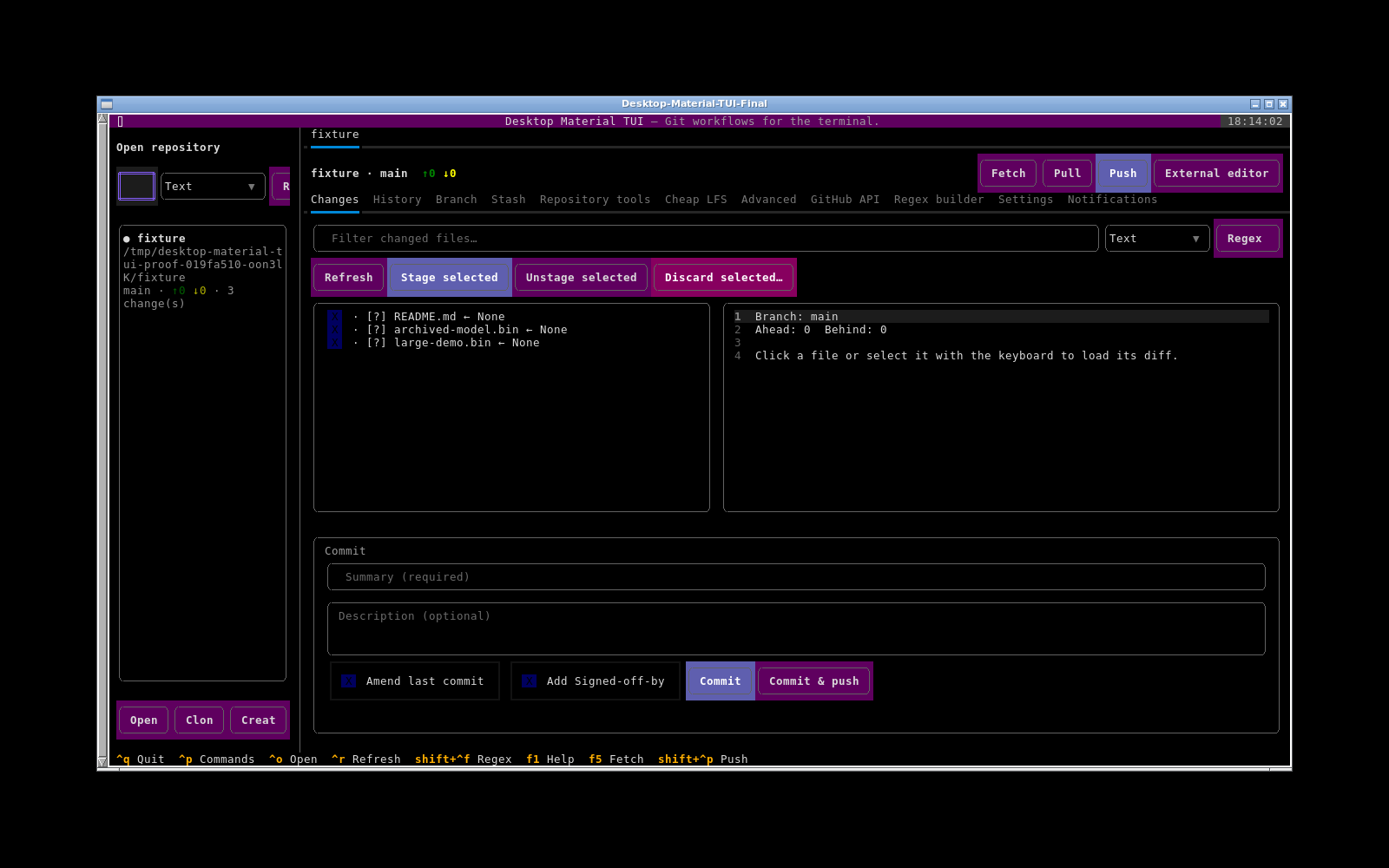
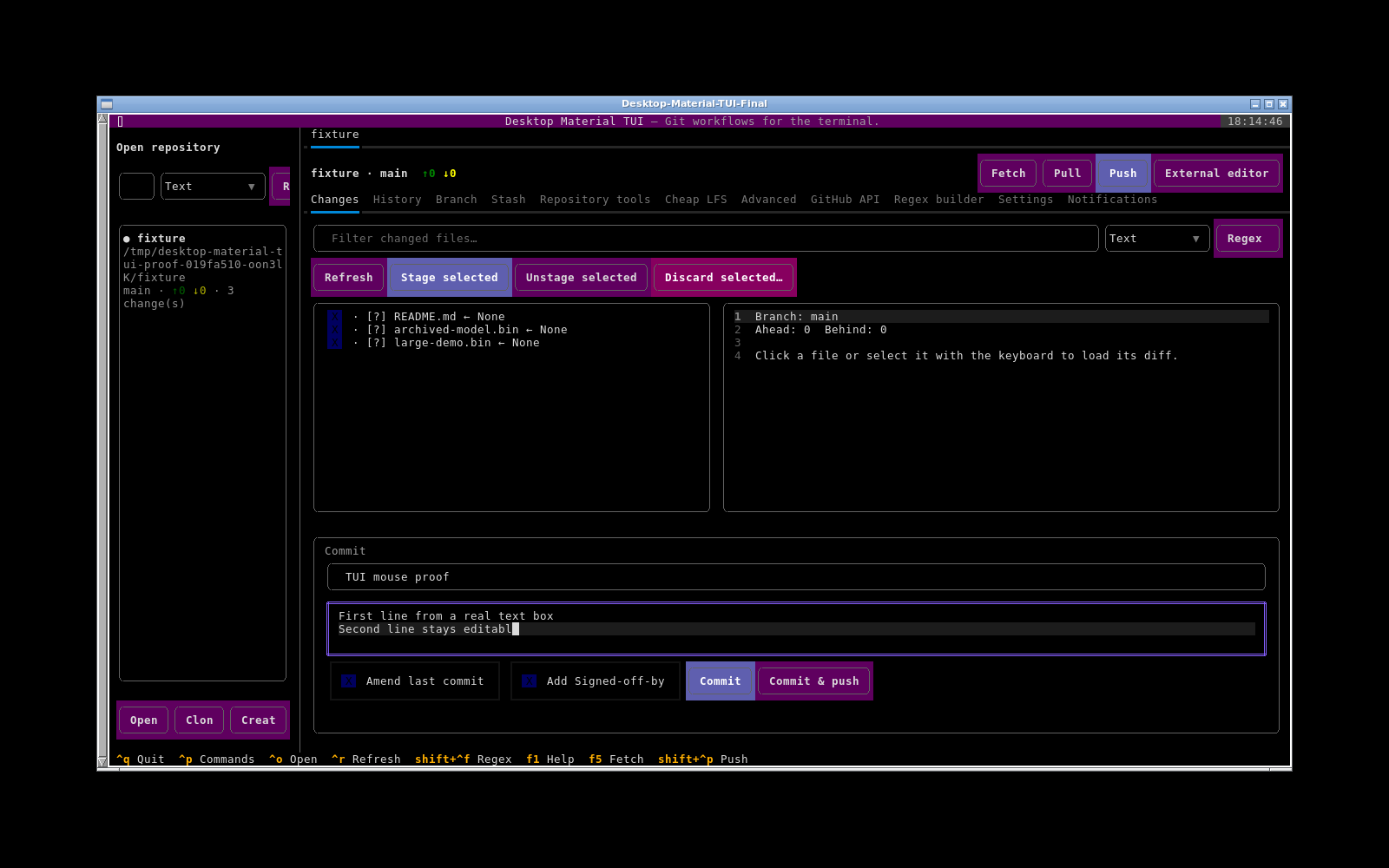
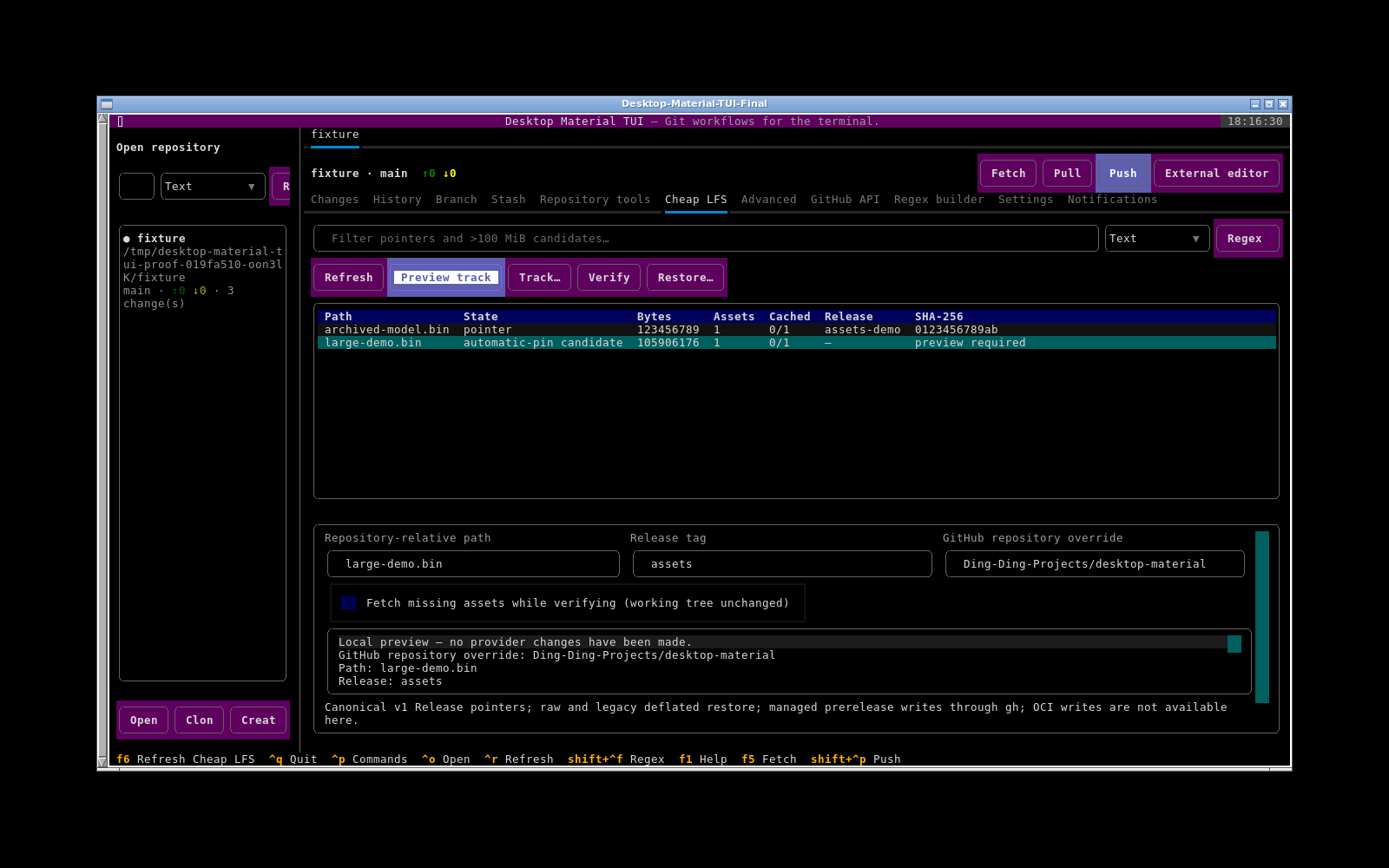
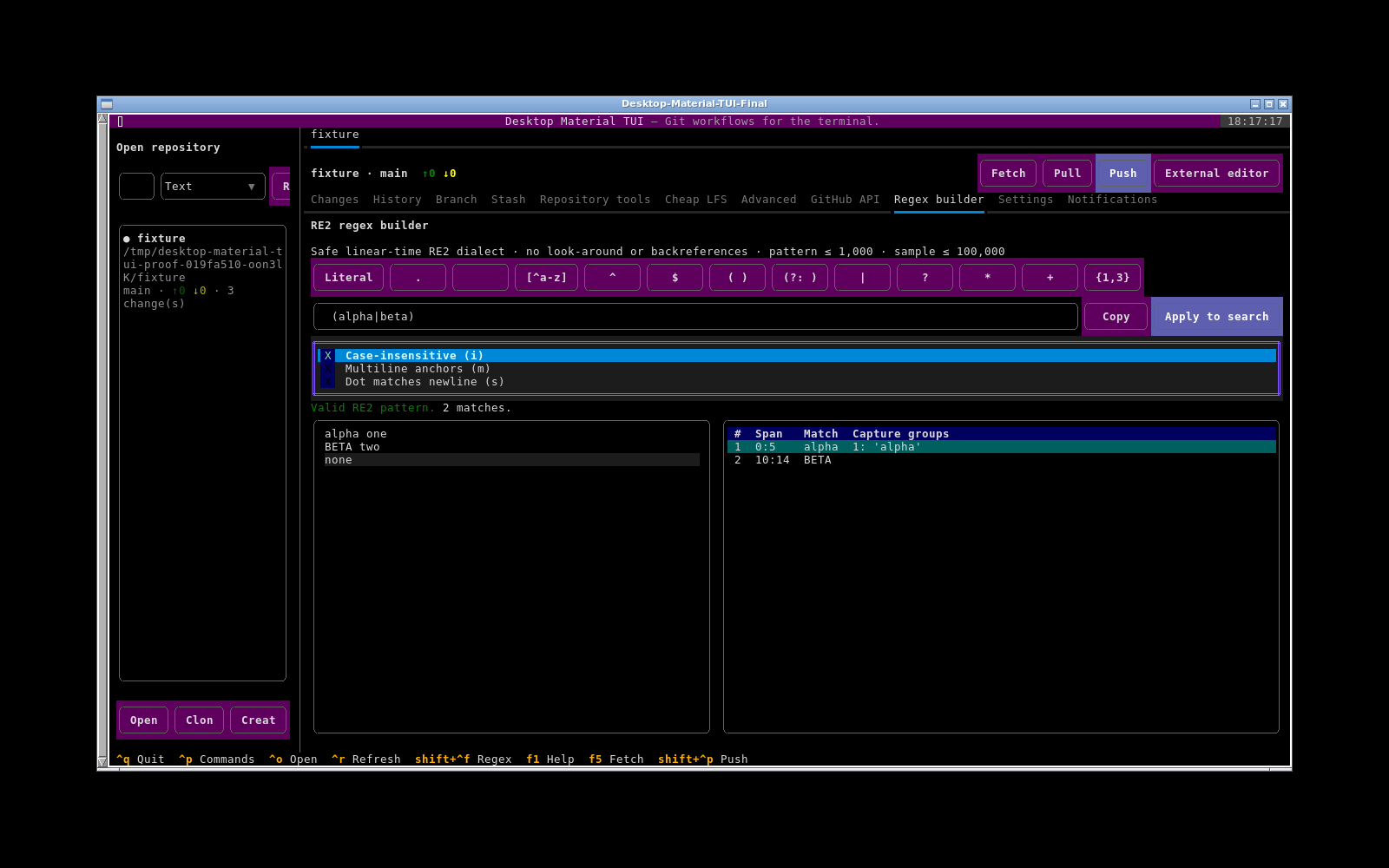
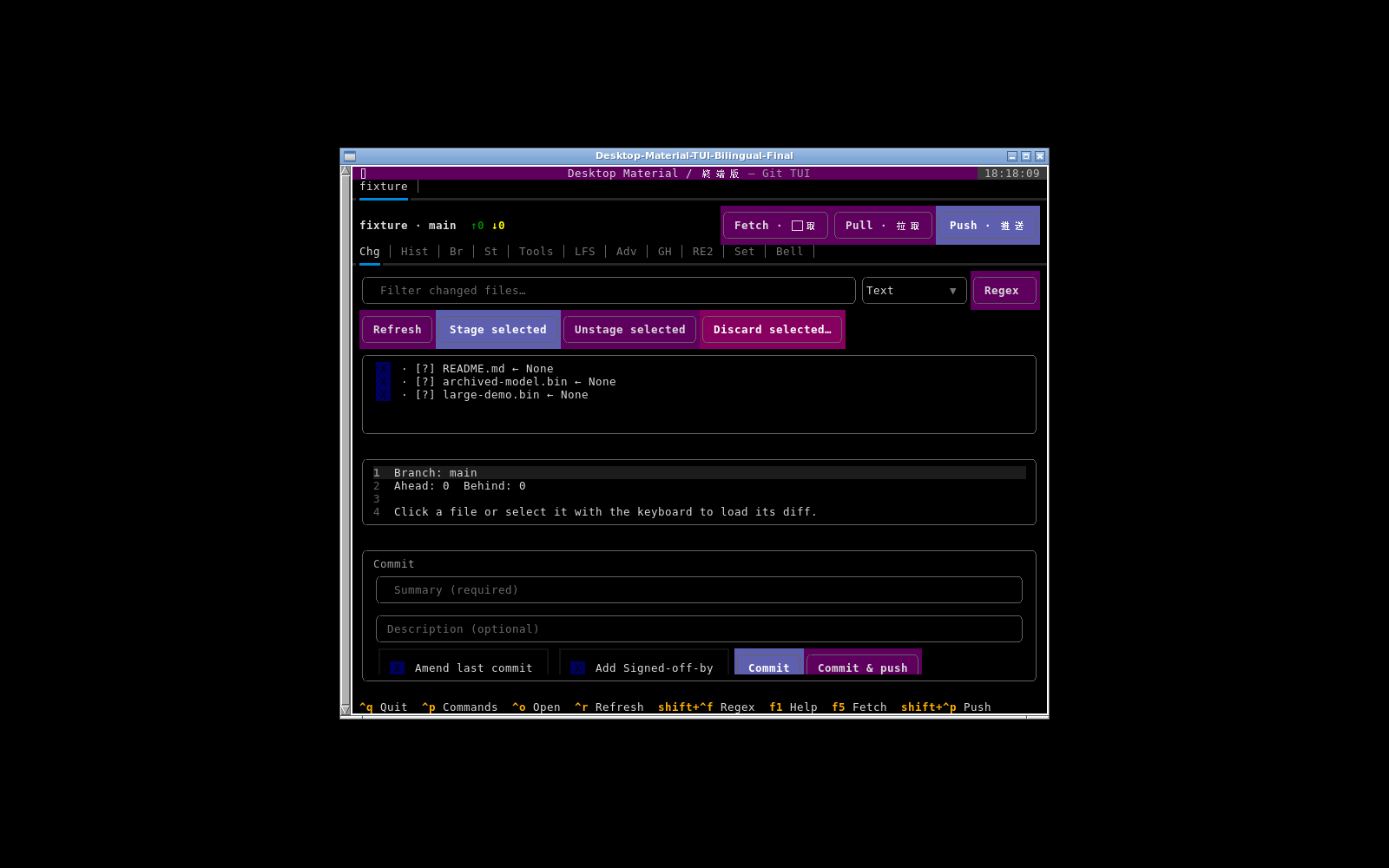
The five original, unedited captures came from the earlier packaged wheel running in an off-screen Debian terminal. They remain historical evidence while the August 2 revival has its own acceptance manifest and replacement captures. They include the Changes overview, real single-line and multiline editing, the clickable Cheap LFS manager, live RE2 matches, and the compact bilingual layout:
最初五張未經編輯嘅原始擷取,嚟自更早期打包 wheel 喺離屏 Debian 終端機執行嘅情況。8 月 2 日嘅復活有佢自己嘅接受清單同替代擷取,所以嗰五張留低做歷史證據。佢哋包括 Changes 總覽、真實嘅單行同多行編輯、可點擊嘅 Cheap LFS 管理員、即時 RE2 匹配同緊湊嘅雙語版面:
Documentation map / 文件地圖
Install and package — requirements, source installs, wheel artifacts, CI, launch, upgrade, and uninstall.
Container — minimal non-root Docker image, current-repository bind mount, persisted XDG volumes, security, and troubleshooting.
Interaction and accessibility — mouse clicks, text boxes, keyboard focus, scrolling, resizing, assistive technology, and terminal constraints.
Repository path browser and quoted paste — folder-only mouse/keyboard browsing, Home/Up navigation, immediate safe unquoting, failure behavior, and path-boundary security.
Repository file browser — bounded Files-tab enumeration, search and RE2, safe previews, symlink confinement, responsive interaction, and external-editor opening.
Architecture and XDG persistence — boundaries, config, SQLite, locking, and isolated local history.
Repository tabs and saved sessions — aliases, pins, favourites, groups, overflow, search, guarded bulk close, and bounded session import/export.
Repositories and Git — available workflows, confirmation gates, concurrency, and current gaps.
GitHub workflows —
ghauthentication, issues, pull requests, Actions, releases, packages, projects, and the API explorer.Cheap LFS — Windows-compatible pointer limits, clickable manager, CLI, managed Release writes, verification, recovery, and current parity boundaries.
Cheap LFS-aware Git CLI wrapper — exact native Git argv passthrough, push preflight, materialized payload verification, and safe pull restoration.
Search and RE2 — modes, dialect, bounds, builder, flags, zero-width matches, and synchronization.
Language, appearance, and notifications — English/Cantonese/bilingual copy, funny levels, terminal-safe appearance, narrator state, and notification history.
External editor and local version history — editor/terminal discovery and app-owned Git snapshots.
Security and failure modes — process, credential, path, network, storage, destructive-action, and recovery boundaries.
Verification — local quality gates, packaged-wheel smoke checks, headless Linux interaction evidence, and the parity drift gate.
安裝同打包 — 需求、原始碼安裝、wheel 產物、CI、啟動、升級同解除安裝。
容器 — 最小非 root Docker 映像、目前儲存庫 bind mount、持久 XDG volume、保安同排錯。
互動同無障礙 — 滑鼠點擊、文字框、鍵盤焦點、捲動、調整尺寸、輔助科技同終端機限制。
儲存庫路徑瀏覽器同引號貼上 — 淨係資料夾嘅滑鼠/鍵盤瀏覽、Home/Up 導覽、即時安全去引號、失敗行為同路徑邊界保安。
儲存庫檔案瀏覽器 — 有界嘅 Files 分頁列舉、搜尋同 RE2、安全預覽、symlink 困住、響應式互動同外部編輯器開啟。
架構同 XDG 持久化 — 界線、設定、SQLite、鎖定同隔離嘅本機歷史。
儲存庫分頁同已存工作階段 — 別名、釘選、最愛、群組、溢出、搜尋、有防護嘅批次關閉同有界嘅工作階段匯入/匯出。
儲存庫同 Git — 可用工作流程、確認關卡、並行同目前缺口。
GitHub 工作流程 —
gh認證、issue、pull request、Actions、發佈、套件、專案同 API 探索器。Cheap LFS — 相容 Windows 嘅 pointer 限制、可點擊管理員、CLI、受管理嘅 Release 寫入、驗證、復原同目前對等界線。
感知 Cheap LFS 嘅 Git CLI wrapper — 精確嘅原生 Git argv 傳遞、推送預檢、已實體化負載驗證同安全嘅 pull 還原。
搜尋同 RE2 — 模式、方言、界限、builder、旗標、零寬匹配同同步。
語言、外觀同通知 — 英文/廣東話/雙語文案、搞笑程度、終端機安全嘅外觀、旁白狀態同通知歷史。
外部編輯器同本機版本歷史 — 編輯器/終端機探索同 app 自己擁有嘅 Git 快照。
保安同失敗模式 — 行程、憑證、路徑、網絡、儲存、破壞性操作同復原界線。
驗證 — 本機品質關卡、打包 wheel 煙霧測試、無頭 Linux 互動證據同對等漂移關卡。
Acceptance boundary / 接受界線
Source code or a green unit test does not prove a mouse path. The current revival verification manifest owns the packaged-wheel, real Linux terminal, mouse, text-entry, splitter, Files-tab, resize, screenshot, installer, exit, and cleanup evidence for this milestone. The original Linux TUI verification manifest and the later path-browser and Git-wrapper manifest remain dated historical evidence. A pending box stays pending until the real artifact and interaction path have been observed; it never becomes a success because a nearby unit test passed.
原始碼或者一個綠色單元測試證明唔到一條滑鼠路徑。目前嘅 復活驗證清單 擁有呢個里程碑嘅打包 wheel、真實 Linux 終端機、滑鼠、文字輸入、分隔器、Files 分頁、調整尺寸、截圖、安裝程式、離開同清理證據。原本嘅 Linux TUI 驗證清單 同之後嘅 路徑瀏覽器同 Git wrapper 清單 繼續係有日期嘅歷史證據。一個待辦格仔會一直待辦,直到真正見到嗰個產物同互動路徑為止;佢唔會因為旁邊一個單元測試通過就變成成功。