Attention accommodations
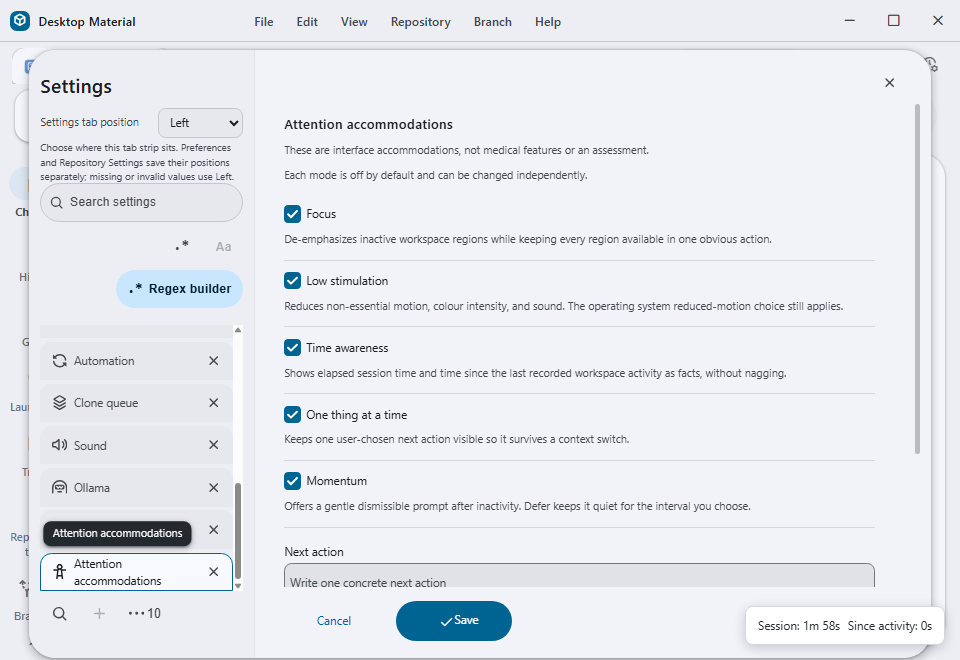
Desktop Material provides five independently toggleable interface accommodations in Settings → Attention accommodations. They are all off by default, persist locally, and do not diagnose, assess, or make a medical claim about the person using the app.
Modes
- Focus de-emphasizes inactive workspace regions after focus moves to an active region. It never removes content; the inactive region remains available through its existing controls.
- Low stimulation reduces non-essential animation,
transition timing, colour saturation, and visual noise. The operating
system's
prefers-reduced-motionpreference remains authoritative and is respected in addition to this setting. - Time awareness displays elapsed time in the current renderer session and the time since the most recent recorded activity. These are factual labels, not alarms or productivity scores.
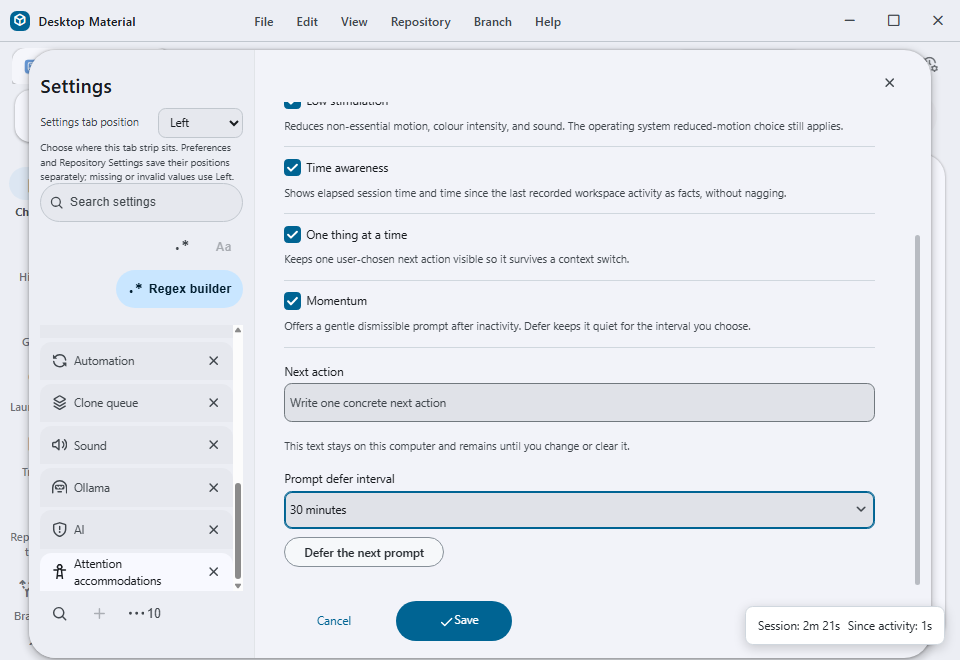
- One thing at a time keeps one user-entered next action visible. The text is bounded to 240 characters, stored locally, and remains until the user changes or clears it.
- Momentum offers a non-blocking prompt after fifteen minutes without activity. Dismissing it records a defer interval and does not show another prompt until that interval ends.
Persistence and privacy
The versioned attention-accommodation-preferences record
contains only the five booleans, the bounded next-action text, a defer
timestamp, and the last settings-change timestamp. Invalid or
future-shaped values are coerced to safe defaults. No network request is
made and no activity text is exported or sent to diagnostics.
Accessibility and localization
Each mode is a keyboard-reachable checkbox with an accessible description. The next-action field and defer selector have labels and bounded native controls. Runtime facts use a polite status region; Momentum is dismissible and never blocks the workspace. English, playful Hong Kong Cantonese, and bilingual copy are selected through the existing language preference, with the existing per-language funny-level setting used only to choose framing copy. Facts, durations, and the user's next action remain unchanged by tone.
Failure boundaries
If local storage cannot be read, all modes resolve to their off-by-default values. If a next-action value is malformed or too long, it is trimmed or cleared rather than partially applied. A missing layout region is left fully usable; Focus never hides it. Momentum and Time awareness are non-blocking and can be unavailable without preventing the app from starting.
Verification status
The implementation, local persistence, English/Cantonese/bilingual
copy, settings search, command-palette registration, and seven focused
unit/UI tests are verified in
app/test/unit/attention-accommodation-test.tsx. The focused
test also removes one required mode from a copy of the hand-written
five-mode inventory and verifies that the exact inventory check rejects
it before validating the restored list. It also proves hidden overlays
are excluded from Focus and focused descendants resolve to real
top-level workspace regions.
The exact 74159be0d9d4da10254ad18873496bb9bd1f5928
production build was driven on a cheap-Lowlevel hidden Windows desktop
with an isolated profile and disposable repository. Every mode was
enabled, conditional controls were reached by keyboard, and a restart
proved Focus kept the normally hidden repository-drop overlay invisible
while Time awareness continued reporting live session and activity
facts. Release packaging remains pending and is not implied by this
unpackaged production-build evidence.
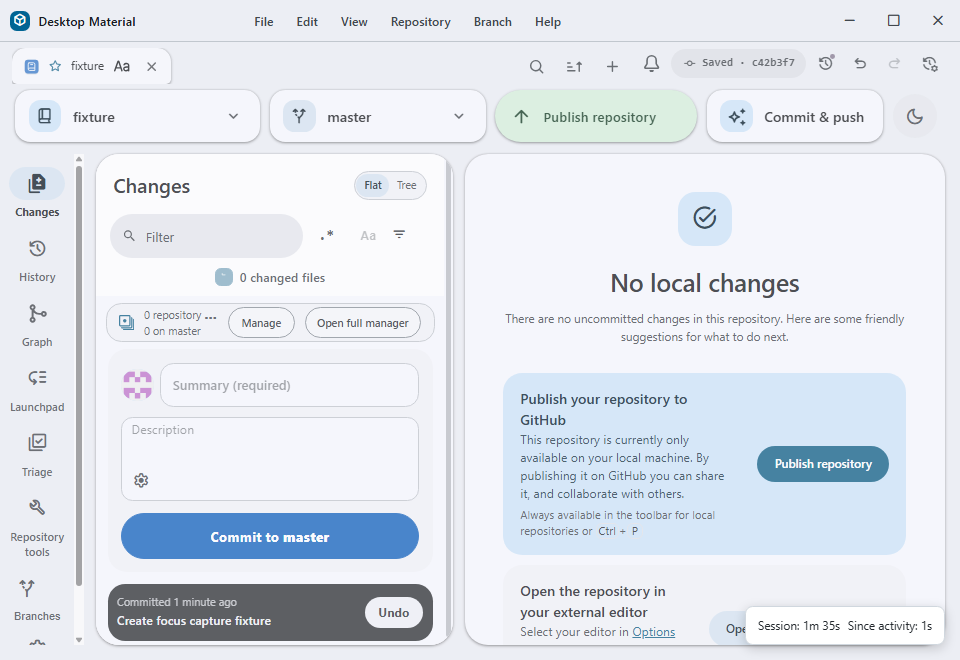
Current built captures
Suggested articles
- Tone: per-language funny-level sliders
- Material ripple and theme reveal
- Universal-feature completeness inventory
專注與節奏調節
Desktop Material 喺「設定 → 專注與節奏調節」提供五個可以獨立開關嘅介面 調節。全部預設關閉,資料只會留喺本機,亦都唔係診斷、評估或者醫療功能。
- 專注 會將冇郁緊嘅工作區域淡化,但唔會收埋內容。
- 低刺激 減少非必要動畫、轉場、顏色強度同視覺噪音,亦會尊重作業系統嘅 減少動態設定。
- 時間感知 報告今次工作階段經過幾耐,同上次記錄到活動隔咗幾耐,唔會用鬧鐘 或效率分數催人。
- 一次一件事 保留一件由用戶輸入嘅下一步,最多 240 字,只存在本機。
- 動力提示 連續 15 分鐘冇活動後顯示可關閉提示;延後之後,指定時間內唔會 再出現。
所有控制項都可以用鍵盤操作,狀態用 polite live region 宣布,語氣設定只改表達 方式,唔改事實、時間或者用戶輸入嘅下一步。